WordPress Privacy Policy Plugin in 2026: 7 Live Checks Before You Trust One
The real value in wordpress privacy policy plugin shows up when you debug it like a live system. A banner can render perfectly and still leak requests, misfire tags, or drift after the next plugin or theme update.
The useful test for wordpress privacy policy plugin is whether the live stack behaves correctly before consent, after consent, and after the next deployment. That is how hidden leaks and timing mistakes show up.
That difference matters.
A wordpress privacy policy plugin can help you create a page, collect suggested text, expose a privacy-policy link inside WordPress, and sometimes connect to export or erasure requests. But WordPress itself is clear that those helpers are not the whole job. The Settings > Privacy documentation says the generated page includes help and suggestions, yet it remains your responsibility to “keep that information current and accurate.” The Plugin Handbook says every plugin that collects, uses, stores, or passes user data to a third party “should add a section of suggested text” to the privacy policy guide. WordPress privacy documentation adds an even bigger warning: the Editing Helper “ONLY collects policy help texts from WordPress and participating plugins,” so third-party tools can still sit outside what the helper sees. WordPress says the same thing about rights tooling too: export and erasure tools “ONLY gather data from WordPress and participating plugins,” which means they may miss outside services. On top of that, GDPR Article 12 still requires privacy information in “clear and plain language,” and the ICO’s live 2026 guidance says tracking compliance is not only about cookies but also about storage technologies such as “scripts and tags.”
If you want nearby context first, start with these guides to WordPress privacy policy generator, WordPress GDPR, and privacy policy for website. This page stays tighter. It is the wordpress privacy policy plugin review I would use this week before trusting a plugin to carry the privacy layer for a live site.
If your team is trying to get wordpress privacy policy plugin under control without adding a heavyweight privacy stack, DataShyre can help. DataShyre focuses on consent and preference management that are easier to implement, easier to operate, and easier to trust on a live site. Start with DataShyre’s consent and preference management or book a demo.
If your team wants help turning WordPress privacy text into a working operating system, DataShyre can help with data mapping, consent management, and DSR automation. The hard part is rarely installing the plugin. The hard part is checking whether the privacy page, the forms, the scripts, the request tools, and the vendor behavior all tell the same truth.
1. Decide what job you expect the plugin to do
The first wordpress privacy policy plugin mistake is expecting one plugin to solve several different problems at once.
Those jobs are not the same:
- generating or organizing privacy-policy text;
- adding suggested text from the plugin itself;
- surfacing a policy link across WordPress pages;
- supporting export or erasure requests;
- handling consent, cookies, or tracking preferences.
WordPress has separate privacy tools and separate plugin hooks for these areas. So before you trust any wordpress privacy policy plugin, define the exact outcome you expect.
If the real need is better disclosure text, a plugin that mainly handles cookie clicks will not fix the policy. If the real need is request fulfillment, a text helper alone will not close the gap.
2. Check whether the plugin adds meaningful suggested text
This is the most basic plugin-quality test.
WordPress’s Plugin Handbook says a plugin that collects, uses, stores, or passes user data to an external source or third party “should add a section of suggested text” to the privacy policy postbox. The handbook also lists the kinds of issues that text should address, including what personal data is collected, who it is shared with, how long it is retained, what rights the user has, and where data is sent.
So when you evaluate a wordpress privacy policy plugin, ask:
- does it register privacy-policy text at all;
- does that text identify the categories of personal data involved;
- does it explain third-party sharing, embeds, APIs, or SDK calls;
- does it mention browser storage such as cookies or local storage;
- does it explain retention, rights, and contact paths in specific language.
If the plugin only says this plugin may collect data to improve your experience, that is not strong privacy help. It is filler.
3. Compare the plugin output against the live site, not just the plugin settings
WordPress’s privacy documentation is useful precisely because it warns against over-trusting the helper layer.
It says the Editing Helper pulls together default texts from WordPress core, themes, and plugins, but also says it “ONLY collects policy help texts from WordPress and participating plugins.” WordPress then warns that many sites use third-party tools the helper cannot fully detect.
That means a wordpress privacy policy plugin review should compare the draft against the actual site:
- contact, quote, demo, newsletter, and checkout forms;
- analytics, pixels, and tag-manager injections;
- chat, scheduling, support, or review widgets;
- embedded video, maps, and social content;
- payment, CRM, and email-service integrations;
- custom snippets added in themes or snippet managers.
If those live components are collecting or sharing data beyond what the plugin describes, the plugin has not finished the job.
4. Test export and erasure support instead of assuming it exists
This is where a lot of wordpress privacy policy plugin setups look better on paper than they work in practice.
WordPress documents its privacy tooling clearly. The platform includes export and erase features, and the Plugin Handbook explains that plugins can register personal-data exporters and erasers. But WordPress also says its export and erasure tools “ONLY gather data from WordPress and participating plugins.” The Erase Personal Data screen adds another operational limit: the tool does not remove data from backups or archive files.
So do not stop at the plugin feature list. Test the actual workflow:
- does the plugin register exporter and eraser callbacks;
- what data comes back in an export for a real test account;
- what data is erased, anonymized, or retained and why;
- what stays behind in third-party systems;
- whether the privacy policy explains those limits honestly.
A wordpress privacy policy plugin is much more trustworthy when the admin team has already verified its request behavior with a controlled test.
5. Audit cookies, scripts, and tags separately from the policy text
A privacy policy plugin can help with wording and still miss runtime tracking risk.
The ICO’s current storage-and-access guidance says PECR applies beyond classic cookies and reaches technologies such as fingerprinting, web storage, and “scripts and tags.” That matters because WordPress sites often add tracking through plugins, embeds, tag managers, ecommerce extensions, and marketing scripts that sit outside the privacy-page editor.
So a serious wordpress privacy policy plugin review also checks:
- what runs before any consent choice is made;
- what cookies or storage entries appear on load;
- what still fires after reject or opt-out;
- which vendors receive data through scripts, tags, or embeds;
- whether the privacy policy and consent layer describe that behavior accurately.
This is where page text and runtime behavior often drift apart. When they disagree, the network behavior matters more than the marketing copy.
6. Rewrite plugin-generated text until it is plain enough for normal people
Even a technically solid wordpress privacy policy plugin can generate weak disclosure language.
That is not a small problem. GDPR Article 12 still requires privacy information in a concise, transparent, intelligible, easily accessible form using “clear and plain language.” WordPress’s Settings > Privacy screen pushes responsibility back to the site owner with the reminder to “keep that information current and accurate.”
So review the plugin’s output as if you were a visitor:
- does the page name the real purposes in ordinary English;
- does it say who receives the data and why;
- does it explain where a person exercises privacy rights;
- does it distinguish necessary functionality from optional tracking;
- does it stay readable without hiding key details behind vague legal phrases.
If the text sounds like a plugin wrote it and nobody challenged it, keep editing.
7. Tie plugin changes to release and privacy review
The final wordpress privacy policy plugin check is operational.
WordPress does not describe privacy as a one-time publishing event. Its privacy documentation says the helper content is a starting point, and the Settings > Privacy screen reminds administrators to keep the information current and accurate. That means plugin updates, new integrations, and changed data uses should trigger a review.
For a live site, I would treat these changes as mandatory re-check points:
- a plugin install or major plugin update;
- a new form, embed, checkout step, or account workflow;
- a new analytics, ad-tech, or CRM integration;
- a change in data-sharing destinations or retention logic;
- a change to consent behavior, cookie categories, or request tooling.
If nobody owns those checks, the wordpress privacy policy plugin becomes a stale comfort object instead of a working control.
A practical 7-step review for this week
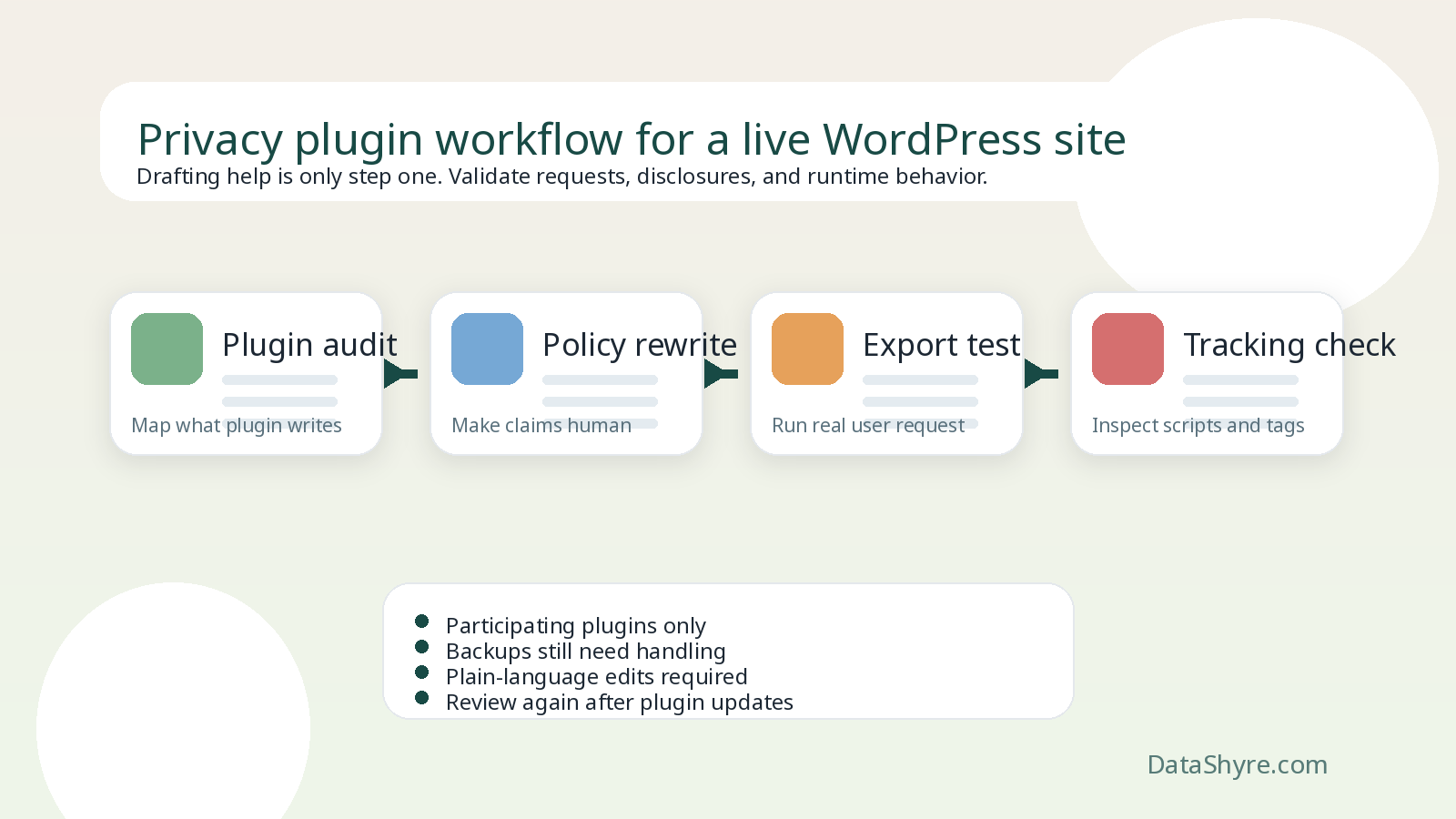
If I were evaluating a wordpress privacy policy plugin on a live site today, I would use this order:
- define whether the plugin is meant to help with policy text, request tools, tracking controls, or several of those at once;
- verify that it contributes meaningful suggested privacy text through WordPress’s native guide;
- compare that text against the live forms, scripts, embeds, and vendor flows on the site;
- run a real export and erasure test for a sample account;
- inspect cookies, local storage, scripts, and tags before and after consent choices;
- rewrite the generated wording into clear, plain language;
- tie plugin changes and new purposes to a required privacy review before release.
That sequence will tell you much more than a plugin comparison grid ever will.
FAQ
Is a WordPress privacy policy plugin enough by itself?
No. A wordpress privacy policy plugin can speed up drafting and connect to some privacy workflows, but WordPress says the final information still has to be kept current and accurate by the site owner.
Do WordPress privacy tools cover every service connected to my site?
No. WordPress says the privacy helper and the export or erasure tools only gather information from WordPress and participating plugins, so outside services may still need separate review and handling.
If the plugin writes the privacy-policy text, do I still need to test tracking behavior?
Yes. The ICO’s 2026 guidance treats scripts, tags, and related storage or access technologies as part of the compliance picture, so runtime testing still matters.
Bottom line
The best wordpress privacy policy plugin in 2026 is not the one with the nicest setup wizard.
It is the one you can verify.
That means checking whether the plugin contributes meaningful policy text, whether its request tooling actually works, whether the site’s scripts and tags behave as the policy says they do, and whether someone on the team updates the page when the WordPress stack changes.
If those checks are missing, the plugin may still be useful.
The fastest way to judge wordpress privacy policy plugin is to test it the way a broken deployment would expose it: before consent, after consent, and again after a stack change.
Sources
- WordPress Documentation, Settings Privacy screen: https://wordpress.org/documentation/article/settings-privacy-screen/
- WordPress Documentation, WordPress Privacy: https://wordpress.org/documentation/article/wordpress-privacy/
- Developer.WordPress.org, Suggesting text for the site privacy policy: https://developer.wordpress.org/plugins/privacy/suggesting-text-for-the-site-privacy-policy/
- Developer.WordPress.org, Privacy Related Options, Hooks and Capabilities: https://developer.wordpress.org/plugins/privacy/privacy-related-options-hooks-and-capabilities/
- Developer.WordPress.org, Adding the Personal Data Eraser to Your Plugin: https://developer.wordpress.org/plugins/privacy/adding-the-personal-data-eraser-to-your-plugin/
- WordPress Documentation, Tools Erase Personal Data screen: https://wordpress.org/documentation/article/tools-erase-personal-data-screen/
- ICO, What are storage and access technologies?: https://ico.org.uk/for-organisations/direct-marketing-and-privacy-and-electronic-communications/guidance-on-the-use-of-storage-and-access-technologies/what-are-storage-and-access-technologies/
- EUR-Lex, Regulation (EU) 2016/679, Article 12: https://eur-lex.europa.eu/legal-content/EN/TXT/?qid=1721794415877&uri=CELEX%3A32016R0679