WordPress GDPR Compliance Plugin in 2026: 7 Checks Before You Install One
The real value in wordpress gdpr compliance plugin shows up when you debug it like a live system. A banner can render perfectly and still leak requests, misfire tags, or drift after the next plugin or theme update.
The useful test for wordpress gdpr compliance plugin is whether the live stack behaves correctly before consent, after consent, and after the next deployment. That is how hidden leaks and timing mistakes show up.
A serious wordpress gdpr compliance plugin should help your site do four practical things well:
- explain processing clearly;
- control non-essential tracking before consent where required;
- support rights and privacy operations instead of fighting them; and
- stay accurate after the next plugin, theme, or tag update.
That matters because the official sources all point in the same direction. WordPress says its Privacy Settings and Editing Helper tools can generate starter material, but it remains your responsibility to make the policy comprehensive and to “keep that information current and accurate.” The WordPress plugin handbook also says a plugin that collects, uses, stores, or passes user data to a third party should add suggested privacy-policy text, and WordPress provides exporter and eraser hooks so plugins can participate in personal-data requests. On the legal side, GDPR Article 12 still requires information to be given in “clear and plain language.” The ICO’s cookies guidance says you cannot set non-essential cookies before consent and users should have a way to enable or disable those cookies, and you should “make this easy to do.” The French regulator CNIL has also continued treating misleading cookie-banner design as an enforcement problem, reminding publishers that rejecting cookies should be “just as easy as accepting them.” And on March 19, 2026, the EDPB launched its 2026 coordinated enforcement action on transparency and information obligations under Articles 12, 13, and 14 GDPR.
So the real question is not whether a plugin has GDPR language on its marketplace page.
It is whether the plugin helps your live WordPress stack behave in a way that a regulator, a user, and your own team could defend later.
If you want nearby context first, start with these guides to WordPress privacy policy generator, cookie consent banner, and website privacy checker. This page stays narrower. It is the review I would use this week before approving a wordpress gdpr compliance plugin for production.
If your team is trying to get wordpress gdpr compliance plugin under control without adding a heavyweight privacy stack, DataShyre can help. DataShyre focuses on consent and preference management that are easier to implement, easier to operate, and easier to trust on a live site. Start with DataShyre’s consent and preference management or book a demo.
If your team needs help connecting the plugin layer to the operational layer, DataShyre can help with consent management, data mapping, and DSR automation. The hard part is usually not installing another plugin. It is proving that the banner, privacy notice, vendor map, and rights workflow still match what the site is actually doing.

1. Decide whether the plugin solves disclosure, consent, rights, or all three
The first wordpress gdpr compliance plugin mistake is shopping as if every plugin is trying to solve the same problem.
They are not.
Some plugins are mostly about cookie banners. Some are mainly about privacy pages or legal text prompts. Some focus on forms or consent records. Some help with data-subject request workflows. Some do two of those jobs. Very few do all of them well.
So before you compare features, define the real problem on your site:
- do you need better privacy-policy drafting support;
- do you need non-essential scripts blocked before consent;
- do you need a preference center users can revisit later;
- do you need cleaner export or erasure operations;
- do you need evidence of who changed settings and when.
If you skip that step, the wordpress gdpr compliance plugin can become a cosmetic buy for a systems problem.
2. Check whether the plugin supports the privacy-policy workflow instead of only styling a banner
This is one of the easiest high-value checks because WordPress has already defined the right direction.
Its documentation says the Editing Helper can gather default texts from WordPress core, themes, and participating plugins. The plugin handbook goes further: if a plugin collects, uses, stores, or passes user data to a third party, it should add suggested privacy-policy text.
That means a serious wordpress gdpr compliance plugin should help your team answer practical disclosure questions such as:
- what personal data is collected and why;
- whether cookies, embeds, analytics, or third-party scripts are involved;
- who receives the data;
- how long it is kept;
- what rights the user has;
- where the data is sent.
If the plugin touches personal data but adds no useful policy guidance, you inherit extra manual work immediately.
And WordPress is explicit about another limit: many sites run third-party tools the Editing Helper cannot fully detect. So even a decent plugin contribution is only starter material. A good wordpress gdpr compliance plugin reduces disclosure gaps; it does not eliminate the need to compare the text against the live site.
3. Verify whether the plugin cooperates with export and erasure workflows
This is where a lot of plugin evaluations stay too shallow.
WordPress includes tools for exporting personal data and removing or anonymizing personal data. Its plugin handbook also explains that plugins can register exporter and eraser callbacks for the data they collect.
That creates a useful screening question:
When this wordpress gdpr compliance plugin stores consent records, form data, preferences, or other user-linked information, what happens when someone makes a rights request?
Check whether the plugin:
- exposes the data clearly enough to find it;
- supports WordPress export or erasure tools where appropriate;
- explains what it retains and why;
- avoids creating shadow data stores that the site owner forgets about;
- documents what happens for unregistered users as well as logged-in users.
If the plugin creates privacy-related data but is invisible when a team runs export or erasure workflows, it is not strengthening the privacy program. It is adding another place where the truth can go missing.
4. Test consent collection against the live browser, not the settings screen
This is the section most teams think they already understand.
Usually they do not.
The ICO’s current guidance says non-essential cookies cannot be set before consent, and users should have a way to enable or disable them that is easy to use. CNIL’s enforcement notices add the design warning: rejecting cookies should be “just as easy as accepting them.”
So a wordpress gdpr compliance plugin should never be judged only by a feature list like supports categories, has a banner, or works with scripts.
Judge it in the browser:
- on the first page view before any click;
- after reject;
- after accept;
- after changing preferences later;
- on mobile;
- after a cache clear or plugin conflict.
Verify whether analytics, advertising tags, embeds, chat widgets, video players, or tag-manager branches still fire before consent or keep firing after rejection.
If the plugin says reject all but your browser still shows optional tracking requests, the wordpress gdpr compliance plugin is only decorating the failure.
5. Inspect the plugin where WordPress sites usually get messy: theme code, GTM, embeds, and forms
A WordPress privacy layer almost never lives alone.
Your wordpress gdpr compliance plugin has to coexist with:
- the active theme;
- custom snippets;
- Google Tag Manager or other script managers;
- form plugins;
- ecommerce plugins;
- embedded video, maps, chat, or scheduling tools;
- page builders.
WordPress’s own privacy documentation warns that third-party tools may collect data in ways the default helper cannot detect. This is why I do not trust clean demo claims from a plugin page by themselves.
Test the plugin where real data journeys happen:
- lead forms;
- newsletter signup;
- checkout or booking;
- login and registration;
- embedded media;
- account settings and preference centers.
If the wordpress gdpr compliance plugin works on a blank install but falls apart once the real stack loads, you do not have a compliance layer. You have an isolated component demo.
6. Check for proof, ownership, and change visibility
A wordpress gdpr compliance plugin should not only collect a choice. It should help the site owner explain what happened later.
That means asking:
- where consent or preference records are stored;
- whether configuration changes are traceable;
- who can edit the settings;
- whether translations, region rules, and categories can drift silently;
- whether the plugin makes privacy promises the site team cannot verify.
This is also where transparency becomes operational. With the EDPB’s 2026 coordinated enforcement focus on transparency and information obligations, it is not hard to imagine closer scrutiny of whether the banner, the notice, and the actual data flow tell the same story.
If you cannot tell which version of the configuration was live, which scripts were governed, or whether the policy text matched the implementation, the wordpress gdpr compliance plugin has weak evidentiary value no matter how polished it looks.
7. Tie plugin changes to release governance before the next site update
The biggest long-term failure of a wordpress gdpr compliance plugin is drift.
It may look correct on launch day and be wrong after:
- a new analytics or ad tag is added;
- a form plugin update changes fields or submissions;
- a page builder injects a new embed;
- the marketing team loads a new third-party script;
- the privacy policy gets updated but the consent categories do not;
- the banner changes but the user-rights workflow does not.
WordPress says site owners are responsible for keeping privacy information current and accurate. The practical lesson is simple: plugin review cannot end at installation.
A durable wordpress gdpr compliance plugin workflow should connect privacy review to release management so that banner logic, policy text, data sharing, and rights handling are re-checked whenever the site changes.
That is also where DataShyre tends to be most useful. If your team is juggling WordPress plugins, vendor scripts, consent categories, rights requests, and privacy notices across several properties, implementation help matters more than another marketplace comparison. The job is to keep the live system aligned over time.
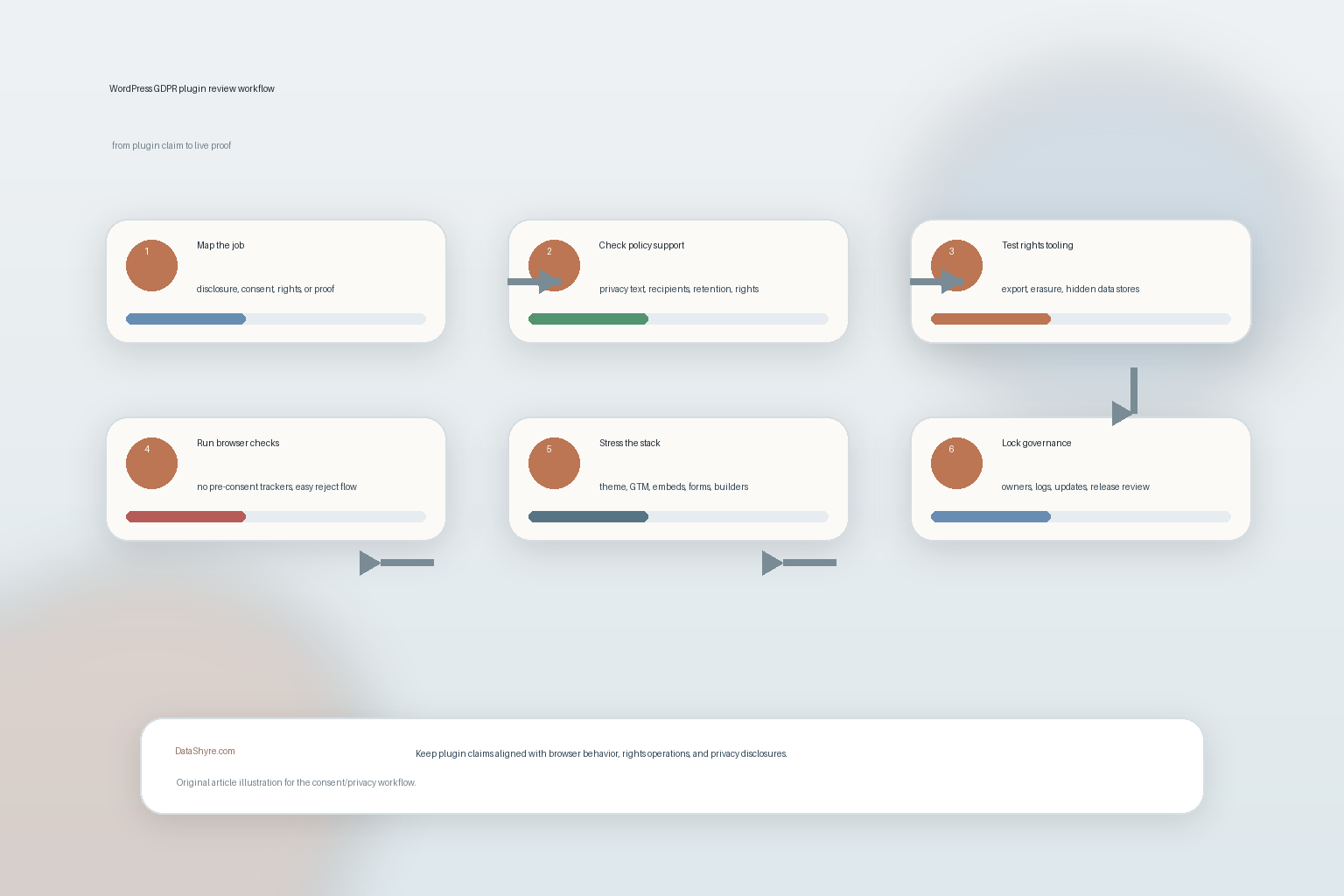
A practical 7-step review for this week
If I were shortlisting a wordpress gdpr compliance plugin today, I would use this order:
- define whether the main gap is disclosure, consent, rights handling, or proof;
- verify whether the plugin contributes usable privacy-policy text or guidance;
- test whether stored plugin data participates in export and erasure workflows;
- inspect pre-consent and post-rejection behavior in the browser;
- test conflicts with theme code, tag managers, embeds, and forms;
- confirm who owns the configuration and how changes are logged;
- connect plugin updates and stack changes to a recurring privacy review.
That order usually tells you more than a marketplace star rating.
FAQ
Does installing a WordPress GDPR compliance plugin make the whole site compliant?
No. A wordpress gdpr compliance plugin can help with parts of the workflow, but the site still needs accurate disclosures, valid consent behavior, workable rights handling, and controls that match the real stack.
What is the most important browser-side check?
Confirm that non-essential technologies do not fire before consent and do not keep firing after rejection. That is more valuable than any admin-side screenshot.
Should the plugin support WordPress export and erasure tools?
If it stores personal data or user-linked privacy records, that is a strong sign of maturity. At minimum, it should not hide the data from the team that has to answer rights requests later.
Bottom line
The best wordpress gdpr compliance plugin in 2026 is not the one with the broadest marketing claim.
It is the one that helps your WordPress site stay honest:
- honest in what it discloses;
- honest in how it handles consent;
- honest in how it answers rights requests; and
- honest after the next release changes the stack again.
If the plugin cannot survive those checks, it is not a compliance solution.
The fastest way to judge wordpress gdpr compliance plugin is to test it the way a broken deployment would expose it: before consent, after consent, and again after a stack change.
Sources
- WordPress Documentation, Settings Privacy screen: https://wordpress.org/documentation/article/settings-privacy-screen/
- WordPress Documentation, WordPress Privacy: https://wordpress.org/documentation/article/wordpress-privacy/
- WordPress Plugin Handbook, Suggesting text for the site privacy policy: https://developer.wordpress.org/plugins/privacy/suggesting-text-for-the-site-privacy-policy/
- WordPress Plugin Handbook, Adding the Personal Data Eraser to Your Plugin: https://developer.wordpress.org/plugins/privacy/adding-the-personal-data-eraser-to-your-plugin/
- WordPress Plugin Handbook, Privacy Related Options, Hooks and Capabilities: https://developer.wordpress.org/plugins/privacy/privacy-related-options-hooks-and-capabilities/
- EUR-Lex, Regulation (EU) 2016/679, Article 12: https://eur-lex.europa.eu/legal-content/EN/TXT/?qid=1500591478697&uri=CELEX%3A32016R0679
- ICO, Cookies and similar technologies: https://ico.org.uk/for-organisations/direct-marketing-and-privacy-and-electronic-communications/guide-to-pecr/cookies-and-similar-technologies/
- CNIL, Dark patterns in cookie banners: CNIL issues formal notice to website publishers: https://cnil.fr/en/dark-patterns-cookie-banners-cnil-issues-formal-notice-website-publishers
- EDPB, CEF 2026: coordinated enforcement action on transparency and information obligations: https://www.edpb.europa.eu/news/cef-2026-edpb-launches-coordinated-enforcement-action-on-transparency-and-information_en