What Are Website Cookies in 2026? How They Work, Which Ones Need Consent, and What to Audit
The real value in what are website cookies shows up when you debug it like a live system. A banner can render perfectly and still leak requests, misfire tags, or drift after the next plugin or theme update.
The useful test for what are website cookies is whether the live stack behaves correctly before consent, after consent, and after the next deployment. That is how hidden leaks and timing mistakes show up.
The harder and more useful answer is that not all cookies do the same job, not all of them create the same privacy risk, and not all of them can be dropped onto a device without a real user choice.
That distinction matters more in 2026 because current official guidance still focuses on the same practical questions. MDN describes a cookie as “a small piece of data” a server sends to a browser. The ICO’s finalized 2026 storage-and-access guidance still treats cookies as part of a broader group of tracking technologies that need clear disclosures and, for non-essential uses, real consent controls. CNIL still says rejecting cookies should be just as easy as accepting them. California’s Department of Justice still says covered businesses that sell or share personal information must honor a valid Global Privacy Control signal as an opt-out request.
So the best answer to what are website cookies is not just a definition.
It is a working model for how to classify them, explain them, and test whether the live site is behaving the way the policy and banner say it does.
If you want nearby context first, start with these guides to website cookies, cookie policy, and what is cookie consent. This page stays narrower. It is the what are website cookies explainer and audit sequence I would use this week on a real site.
If your team is trying to get what are website cookies under control without adding a heavyweight privacy stack, DataShyre can help. DataShyre focuses on consent and preference management that are easier to implement, easier to operate, and easier to trust on a live site. Start with DataShyre’s consent and preference management or book a demo.
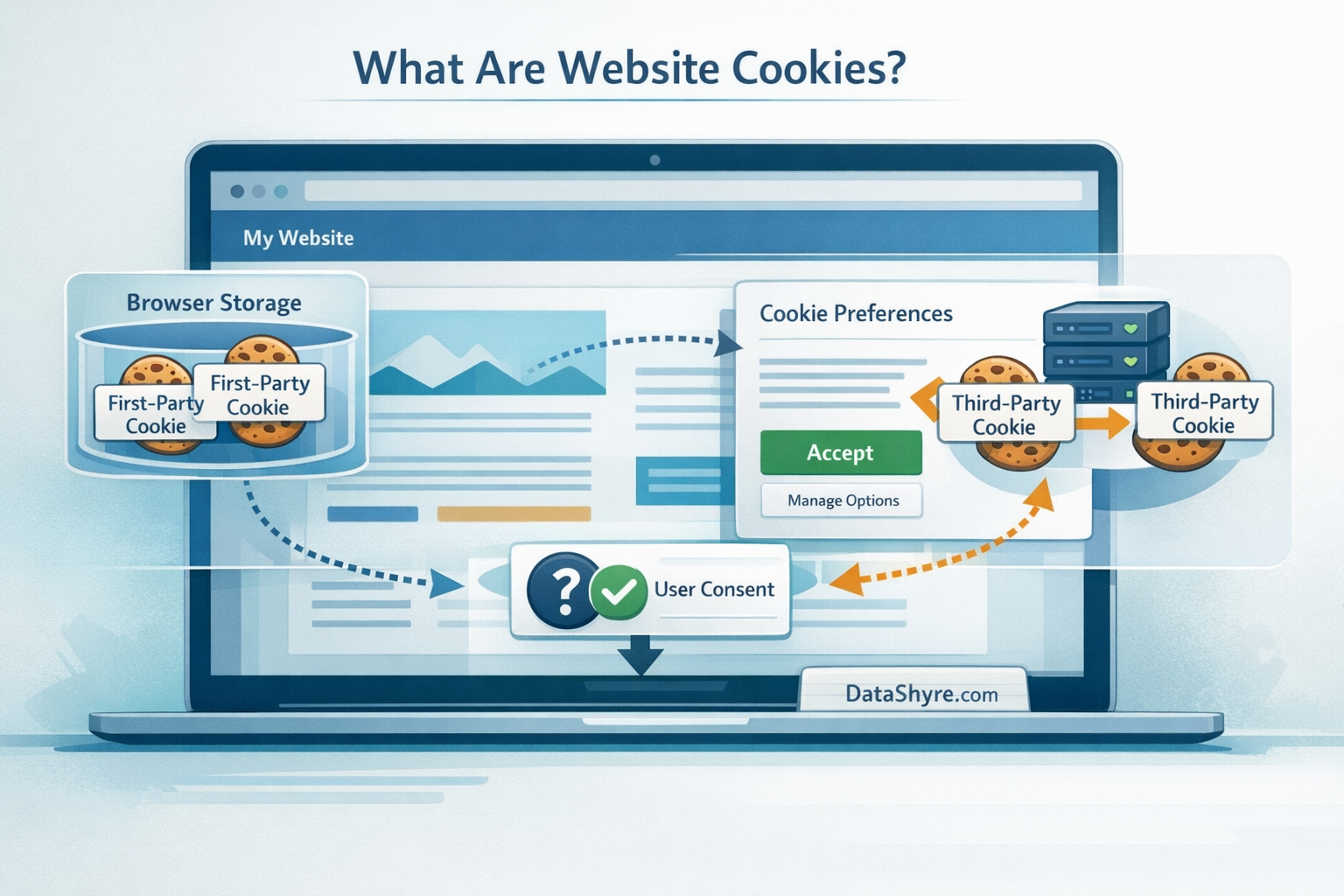
1. Website cookies are memory tools for browsers
At the technical level, a website cookie is a small browser-side record that helps a site remember state between requests.
That can be harmless and necessary.
For example, a cookie may keep a user signed in, remember language preference, preserve a shopping cart, or maintain a security setting during a session.
It can also support analytics, personalization, advertising, attribution, or cross-site tracking.
This is why the right first question is not only does this site use cookies.
It is which cookies are doing which jobs.
If the answer stays fuzzy, the compliance work will stay fuzzy too.
2. First-party and third-party cookies are not the same thing
When people ask what are website cookies, they often picture one generic object.
In real deployments, the source matters.
First-party cookies are typically set by the site the person is actively visiting. Third-party cookies are generally set by another provider, often through advertising tags, embedded media, measurement tools, social widgets, or other external scripts.
That distinction matters because users experience the page as one site while the browser may be receiving identifiers from several parties at once.
It also matters because third-party behavior tends to create harder disclosure and control questions:
- who is receiving the data;
- for what purpose;
- whether the purpose is optional;
- whether the user saw a real choice first; and
- where that choice can be changed later.
If your team cannot answer those questions cleanly, the cookie layer is probably under-documented.
3. Necessary cookies and optional cookies should be reviewed separately
This is where the plain-language definition turns into an operational one.
Some cookies support functions users would reasonably expect in order to use the service at all, such as session continuity, load balancing, fraud prevention, or shopping-cart state.
Other cookies support optional purposes like measurement, personalization, ad targeting, retargeting, or audience building.
The ICO’s guidance is still useful here because it frames the review around what is essential from the user’s point of view rather than what is merely convenient for the publisher.
That should change how you answer what are website cookies internally.
You should not keep one undifferentiated list.
You should separate:
- login and security cookies;
- functional preference cookies;
- analytics cookies;
- advertising or cross-site tracking cookies; and
- cookies introduced by embeds, widgets, or tag-manager logic.
That classification is what turns a basic cookie explanation into a decision-ready inventory.
4. The consent question depends on purpose, not on the word cookie by itself
A lot of weak guidance treats cookies as if all of them either always need consent or never do.
That is not how real reviews work.
Current ICO and CNIL guidance still points toward the same practical rule: non-essential tracking needs a real user choice, and the refusal path should not be buried or harder than the acceptance path. CNIL’s enforcement messaging is especially blunt here. Rejecting cookies should be just as easy as accepting them.
That means the answer to what are website cookies should immediately lead into three follow-up checks:
- does this cookie support an essential function or an optional one;
- if it is optional, is it blocked until the user makes a valid choice; and
- if the user says no, does the site actually respect that choice later.
This is where banners often fail.
The language sounds compliant, but the runtime behavior still drops optional identifiers too early, hides reject all, or makes withdrawal harder than acceptance.
5. California adds an opt-out and signal-recognition layer
If your site serves California residents, the cookie conversation is not only about opt-in consent.
It is also about whether some tracking activity amounts to selling or sharing personal information and whether your site honors valid opt-out methods.
The California Attorney General’s CCPA guidance says businesses that sell or share personal information must treat a user-enabled Global Privacy Control signal as a valid request to stop that sale or sharing.
That matters because some teams answer what are website cookies as if the only issue were a banner in Europe.
For a lot of sites, the real operational question is broader:
- are third-party advertising or measurement cookies present;
- could those uses fall into sale or sharing analysis;
- is the
Do Not Sell or Sharepath clear; and - does the site actually honor browser-based preference signals where required.
If the banner looks polished but GPC is ignored, the user-facing control story is incomplete.
6. WordPress sites need cookie disclosures that match the plugin stack
On WordPress, cookie confusion often comes from the plugin layer.
The platform’s own developer guidance says plugins that collect, use, store, or pass user data to a third party should contribute suggested privacy-policy text. That is a useful reminder that cookie and privacy disclosures are rarely authored from scratch in one document. They are assembled from the real tools running on the site.
So if your team is asking what are website cookies on a WordPress property, check whether the answer changes when you account for:
- analytics plugins;
- embedded video or map plugins;
- form, chat, or support tools;
- A/B testing tools;
- tag managers; and
- ad-tech or retargeting plugins.
That is also where DataShyre can help. If your disclosures, consent categories, or plugin behavior no longer agree, DataShyre can help audit the stack, map the runtime behavior, and turn the cookie layer into something your legal, marketing, and engineering teams can all defend.

7. A real website-cookie audit is better than a generic definition
The most practical answer to what are website cookies is the one that lets your team test a live site.
If I were auditing this today, I would use this order:
- scan the live site to identify cookies and similar technologies;
- separate essential functions from optional tracking;
- identify which provider sets each identifier;
- compare the runtime behavior against the banner language;
- test
reject all, later withdrawal, and mobile behavior; - verify whether GPC or other required signals are recognized; and
- update the cookie and privacy disclosures when the stack changes.
That sequence usually finds the real gap faster than rewriting the banner text first.
FAQ
What are website cookies in simple terms?
They are small pieces of browser-stored data that help a site remember state, settings, sessions, or identifiers between requests.
Are all website cookies bad?
No. Some are necessary for security, login continuity, carts, or user preferences. The real issue is whether a cookie is essential, who sets it, what it is used for, and whether users get the control the law or the product experience requires.
Do all website cookies need consent?
No. The answer depends on purpose and jurisdiction. Optional tracking often needs prior user choice, while strictly necessary functions may not. The safest workflow is to classify each cookie and test the live runtime instead of assuming one rule covers everything.
Are website cookies the same as a cookie policy?
No. Cookies are the technologies. A cookie policy is the disclosure layer that explains what the site uses, why, who is involved, how long identifiers last, and what control the user has.
Bottom line
The best answer to what are website cookies in 2026 is not just small files.
It is small browser-side records with very different purposes, risks, and control requirements depending on what they do and who sets them.
The fastest way to judge what are website cookies is to test it the way a broken deployment would expose it: before consent, after consent, and again after a stack change.
Sources
- MDN, Using HTTP cookies: https://developer.mozilla.org/en-US/docs/Web/HTTP/Guides/Cookies
- ICO, Guidance on the use of storage and access technologies: https://ico.org.uk/for-organisations/direct-marketing-and-privacy-and-electronic-communications/guidance-on-the-use-of-storage-and-access-technologies/
- ICO, Final storage and access technologies guidance published: https://ico.org.uk/about-the-ico/media-centre/news-and-blogs/2026/04/final-storage-and-access-technologies-guidance-published/
- CNIL, Dark Patterns in Cookie Banners: CNIL issues formal notice to website publishers: https://www.cnil.fr/en/dark-patterns-cookie-banners-cnil-issues-formal-notice-website-publishers
- California Department of Justice, Global Privacy Control (GPC): https://oag.ca.gov/privacy/ccpa/gpc
- WordPress Developer Handbook, Suggesting text for the site privacy policy: https://developer.wordpress.org/plugins/privacy/suggesting-text-for-the-site-privacy-policy/