Generate Privacy Policy in 2026: 7 Live Checks Before You Publish
The real value in generate privacy policy shows up when you debug it like a live system. A banner can render perfectly and still leak requests, misfire tags, or drift after the next plugin or theme update.
The useful test for generate privacy policy is whether the live stack behaves correctly before consent, after consent, and after the next deployment. That is how hidden leaks and timing mistakes show up.
That is the real job.
To generate privacy policy copy is easy now. The harder part is proving the output still matches the real business: the live forms, the tracking stack, the vendor map, the consumer-rights path, and the way the site changes after launch.
The official sources still point in that direction. California’s Department of Justice says a notice at collection must link to the privacy policy so consumers can get a “fuller description” of privacy practices and rights. GDPR Article 12 still requires privacy information to be given in a concise, transparent, intelligible, and easily accessible form using “clear and plain language.” The ICO’s drafting guidance still says you should “know what personal data you have” before you start writing privacy information. And WordPress is still explicit that plugin text is only “suggested text” for the site’s privacy policy, not a finished answer.
If you want nearby context first, start with these guides to privacy policy template, sample website privacy policy, and website privacy policy generator. This page stays focused on the step after generation. It is the generate privacy policy review I would use this week before publishing machine-assisted or template-assisted text on a live site.
If your team is trying to get generate privacy policy under control without adding a heavyweight privacy stack, DataShyre can help. DataShyre focuses on consent and preference management that are easier to implement, easier to operate, and easier to trust on a live site. Start with DataShyre’s consent and preference management or book a demo.
If your team is generating privacy copy because the stack has already outgrown guesswork, DataShyre can help connect the drafted language to the underlying systems through data mapping, consent management, and DSR automation. The hard part is usually not getting a first draft. It is keeping the page aligned with the forms, cookies, plugins, and rights workflows that actually run in production.
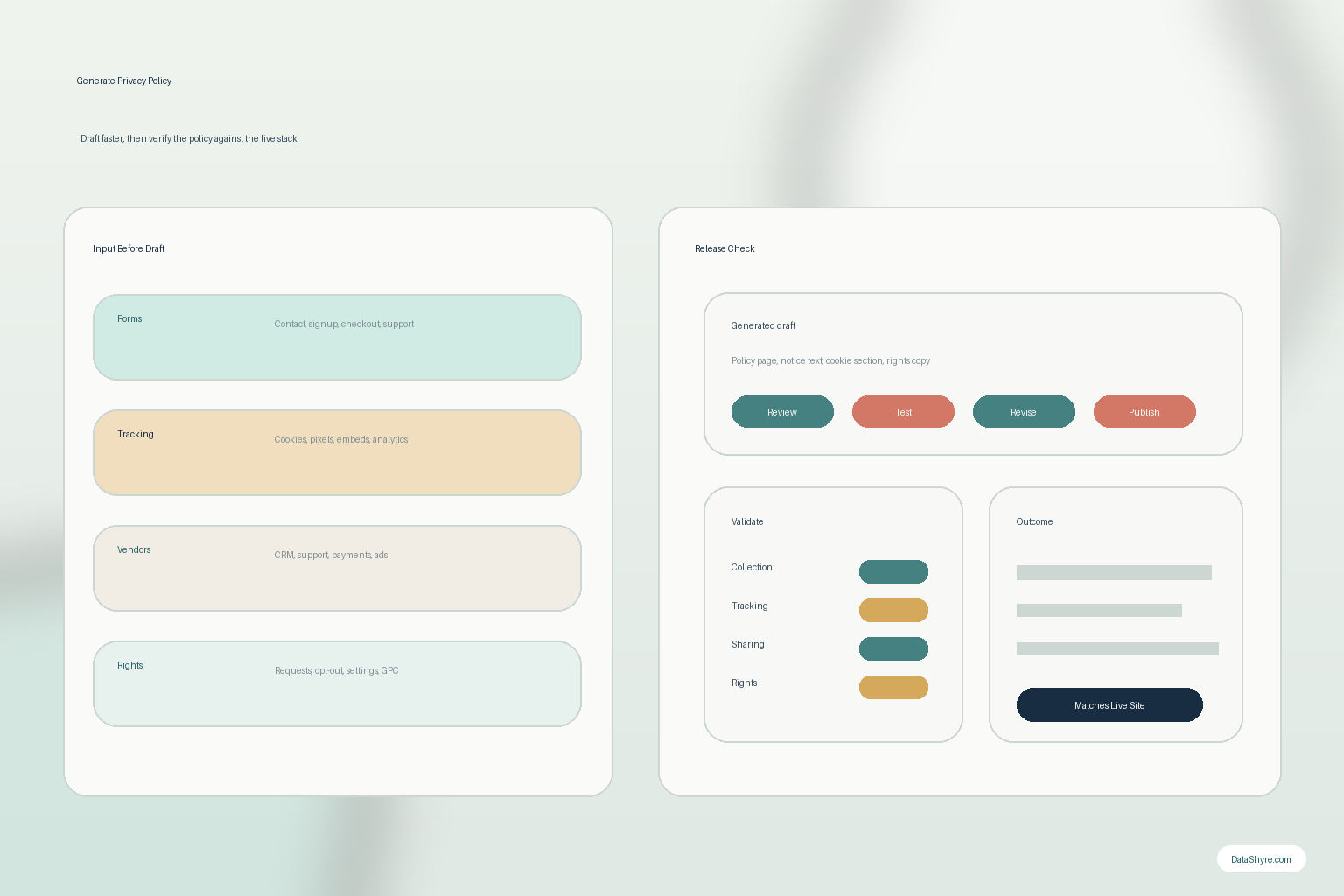
1. Treat generated policy text as a draft, not the source of truth
The first generate privacy policy mistake is trusting the output because it sounds complete.
Most generators only know what you tell them and whatever assumptions sit behind the template or prompt flow.
They usually do not know:
- which form fields are actually live;
- which tags, embeds, or pixels load in production;
- which vendors receive data after signup, checkout, or support contact;
- which rights workflows really exist for users; or
- which older promises are still published elsewhere on the site or in the app.
That means the output is a structured draft.
It is not proof.
2. Map the live collection and sharing flow before you generate privacy policy copy
The ICO’s current drafting guidance gets this exactly right: “know what personal data you have” before you draft the notice.
That is the right starting point for any generate privacy policy workflow.
Before you approve generated text, build a current map of:
- contact, demo, signup, download, support, and checkout forms;
- account creation, login, and profile-management screens;
- analytics, advertising, consent, and embedded-media tooling;
- CRM, support, scheduling, payments, and marketing vendors;
- any app or logged-in product flow that reuses the same data later; and
- what rights or preferences a user can actually exercise.
If that map is incomplete, the generated page can still look polished while missing the real collection story.
3. Make the generated page match the point of collection, not only the footer
This is where a lot of generate privacy policy projects go wrong.
California’s CCPA guidance says the notice at collection must appear at or before the point where personal information is collected and must link to the privacy policy for fuller detail.
So when you generate privacy policy text, do not only review the final page.
Review the real collection moments too:
- signup forms;
- demo or quote requests;
- newsletter opt-ins;
- checkout or billing screens;
- app registration or download paths; and
- support or scheduling forms.
If the generated page is technically accurate but the actual collection screen stays vague, the user still misses the context when it matters most.
4. Give cookies, pixels, plugins, and embeds their own honest branch
Many teams generate privacy policy output that handles forms well and handles runtime tracking badly.
That happens because generators often flatten tracking into vague labels like usage data, technical information, or trusted partners.
That is not enough if the live site also runs analytics, advertising pixels, chat widgets, video embeds, or other third-party tools.
WordPress’s plugin handbook is useful here because it says every plugin that collects, uses, stores, or passes user data to a third party should add “suggested text” for the site’s privacy policy. That is a reminder that modern privacy pages have to reflect what plugins and integrations really do, not only what the main website team remembers.
So a serious generate privacy policy review should verify that the draft explains:
- what cookies or similar technologies are in use;
- whether they are necessary, analytics, advertising, personalization, or support-related;
- whether third parties receive data through them;
- how consent, opt-out, or settings controls affect them; and
- where users can revisit those choices later.
If this branch is weak, our website privacy checker guide is the better next read because it stays focused on what the site really does after load.
5. Make the rights section operational, not decorative
A generator can produce a neat rights section that still leaves the user stranded.
California’s DOJ says the privacy policy is where consumers can get a fuller description of their privacy rights. The CPPA’s current FAQ also says businesses subject to the CCPA must post the privacy policy through a link using the word privacy on the homepage and other webpages, or on the app’s download page or in settings for mobile apps.
That means a practical generate privacy policy review should check whether the page clearly tells people:
- which rights apply in the jurisdictions that matter;
- how to submit a request;
- whether account holders have an in-product route;
- where opt-out or preference controls appear;
- whether browser-based signals such as Global Privacy Control are handled where relevant; and
- what happens after the request is submitted.
If the generated page names the rights but not the working path, the hardest part is still missing.
6. Compare the output against real vendors, plugins, and promises before publishing
The biggest generate privacy policy risk is not awkward wording.
It is mismatch.
A generated page can say service providers while the live site includes ad tech, support tools, embedded media, payment processors, scheduling vendors, and other third parties with very different roles.
So before you publish, compare the generated output against:
- your tag manager and analytics destinations;
- plugin and theme privacy-policy suggestions;
- CRM, support, scheduling, and payment tooling;
- app settings or logged-in privacy controls;
- current consent and cookie interfaces; and
- any existing promises already published in legacy pages, app screens, or help content.
If your team is generating policy text because the page has already drifted away from the live system, DataShyre can help close that gap with data mapping and implementation support for consent management.
7. Treat privacy-policy generation as release work, not a one-time task
California says privacy policies should be updated at least once every 12 months.
That is the minimum.
The ICO’s guidance is the more useful operating rule because it says privacy information should be updated before you start using personal data for a new purpose.
So the better generate privacy policy workflow is to review the page whenever:
- a new form or field is launched;
- a new plugin, SDK, pixel, or embed goes live;
- a new vendor starts receiving personal data;
- a new market or rights workflow is added;
- the consent or preference flow changes; or
- retention or sharing behavior changes.
That is how generated copy stays aligned with the real product instead of turning into stale filler.
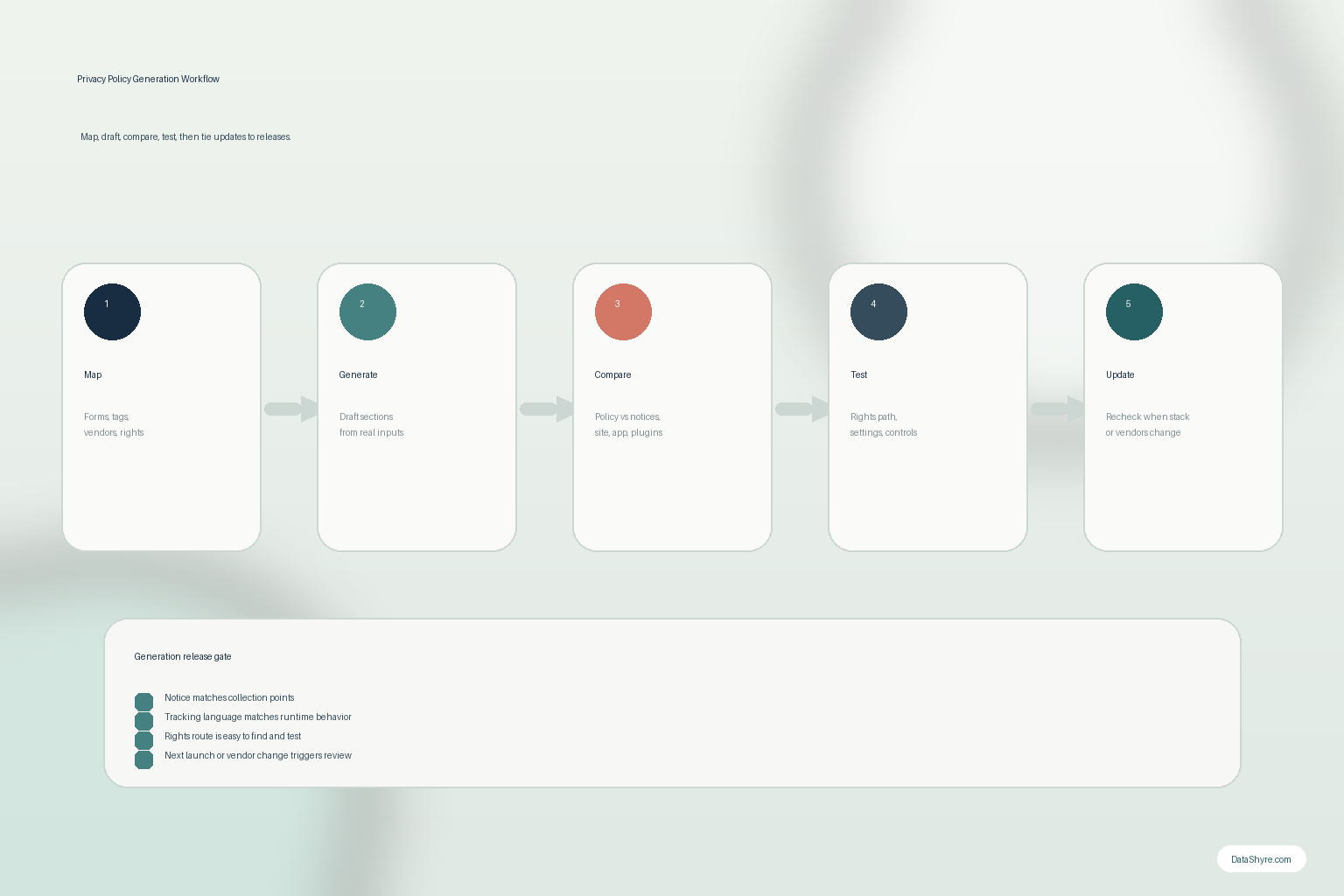
A practical 7-step review for this week
If you were reviewing generate privacy policy output today, use this order:
- map the live collection points, tracking, vendors, and rights routes first;
- generate the draft text;
- compare it against point-of-collection notices and actual collection screens;
- rewrite the tracking and plugin sections so they match runtime behavior;
- test the rights and opt-out paths the page describes;
- compare the text against the real vendor stack and existing promises; and
- rerun the review whenever the stack or release changes.
That order catches more real problems than polishing the prose first.
FAQ
Is it safe to generate privacy policy text with AI or a template?
It can be a useful drafting shortcut, but only if the output is checked against the real collection, tracking, sharing, and rights workflow before publication.
Does generated text automatically make a site compliant?
No. The page still has to match what the live site or app actually does, and it has to work with the real consent and rights paths users can follow.
What is the biggest risk when I generate privacy policy text?
Mismatch. The page can look professional while still describing a simpler business than the one you actually run.
Bottom line
The best way to generate privacy policy content in 2026 is not to publish the first clean-looking draft.
It is to use the generated text as a starting point, then verify the notice against the real forms, plugins, cookies, vendors, and rights flows that exist in production.
If that verification step is weak, the page has not solved the privacy problem.
The fastest way to judge generate privacy policy is to test it the way a broken deployment would expose it: before consent, after consent, and again after a stack change.
Sources
- California Department of Justice, California Consumer Privacy Act (CCPA): https://oag.ca.gov/privacy/ccpa
- California Privacy Protection Agency, Frequently Asked Questions (FAQs): https://cppa.ca.gov/faq.html
- EUR-Lex, Regulation (EU) 2016/679, Article 12 and Article 13: https://eur-lex.europa.eu/eli/reg/2016/679/
- ICO, How should we draft our privacy information?: https://ico.org.uk/for-organisations/uk-gdpr-guidance-and-resources/individual-rights/the-right-to-be-informed/how-should-we-draft-our-privacy-information/
- WordPress Plugin Handbook, Suggesting text for the site privacy policy: https://developer.wordpress.org/plugins/privacy/suggesting-text-for-the-site-privacy-policy/