GDPR WordPress Plugin in 2026: 7 Live Checks Before You Enable One
The real value in gdpr wordpress plugin shows up when you debug it like a live system. A banner can render perfectly and still leak requests, misfire tags, or drift after the next plugin or theme update.
The useful test for gdpr wordpress plugin is whether the live stack behaves correctly before consent, after consent, and after the next deployment. That is how hidden leaks and timing mistakes show up.
A gdpr wordpress plugin can help with privacy text, request handling, consent behavior, or admin workflow. But WordPress’s own current privacy documentation still says it is your responsibility to keep the final policy “current and accurate,” and it also warns that the built-in export and erasure tools only cover WordPress plus participating plugins. The Plugin Handbook is equally direct: a plugin that collects, uses, stores, or passes user data to a third party “should add a section of suggested text” to the site’s privacy policy. On the legal side, GDPR Article 12 still requires privacy information in “clear and plain language.” And for cookies or similar tracking, the ICO’s current guidance still says you “cannot set non-essential cookies” before the user has consented.
That is the right frame for a gdpr wordpress plugin review in 2026. The question is not does the plugin mention privacy.
It is does the plugin help the live site behave in a way the policy, the rights workflow, and the tracking layer can actually support.
If you want nearby context first, start with these guides to wordpress privacy policy generator, wordpress cookie notice, and gdpr rules. This page stays narrower. It is the gdpr wordpress plugin review I would run this week before turning a plugin on across a live WordPress site.
If your team is trying to get gdpr wordpress plugin under control without adding a heavyweight privacy stack, DataShyre can help. DataShyre focuses on consent and preference management that are easier to implement, easier to operate, and easier to trust on a live site. Start with DataShyre’s consent and preference management or book a demo.
If your team is trying to connect WordPress privacy surfaces to the real stack behind them, DataShyre can help with consent management, data mapping, and DSR automation. The hard part is usually not enabling the plugin. It is proving that the plugin, the policy, the cookie behavior, and the request path still match the production site after the next release.
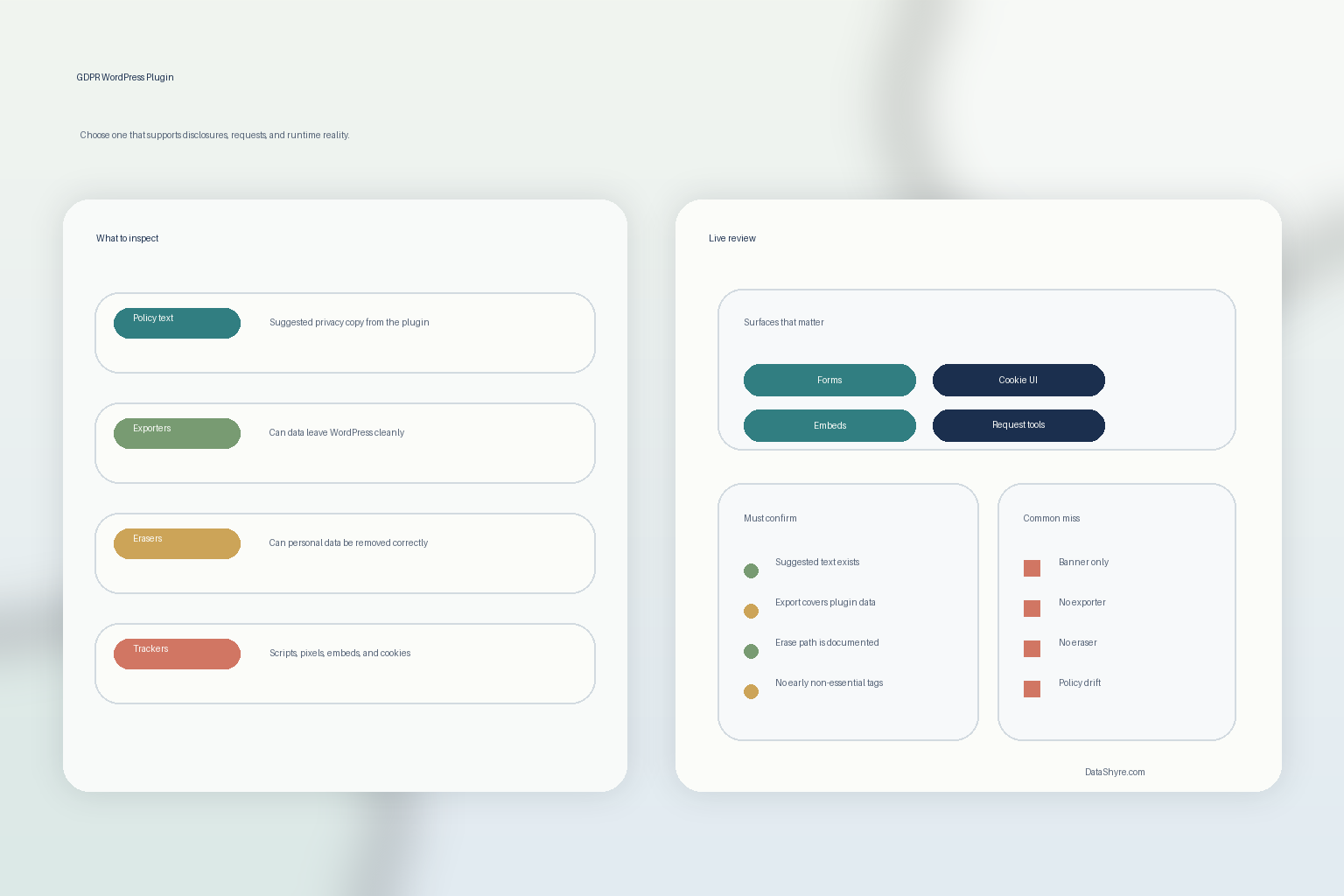
1. Start with what the plugin actually does to personal data
The first gdpr wordpress plugin mistake is buying from the settings page instead of from the data behavior.
WordPress’s Plugin Handbook privacy guidance still tells developers to think about whether a plugin:
- collects names, emails, IP addresses, or other personal data;
- sends data to an external source or third party;
- enqueues JavaScript, tracking pixels, or iframes that can collect visitor activity or leave cookies;
- stores data in custom tables, post meta, comment meta, or other plugin-specific locations.
That is the real starting point for a gdpr wordpress plugin review.
Before you evaluate features, map the live behaviors first:
- forms and lead capture;
- comments, accounts, and login flows;
- analytics or advertising scripts;
- chat, scheduling, video, or map embeds;
- ecommerce, CRM, and support integrations.
If nobody can explain what the plugin really collects, stores, or transmits, the rest of the privacy review will be guesswork.
2. Check whether the plugin contributes usable privacy-policy text
This is one of the clearest WordPress-specific signals.
The current Plugin Handbook says a plugin handling personal data “should add a section of suggested text” to the privacy policy helper. WordPress’s privacy documentation says the Editing Helper can pull default texts from WordPress core, themes, and participating plugins to generate starter language for the site’s privacy page.
That means a serious gdpr wordpress plugin review should ask:
- does the plugin provide suggested privacy text at all;
- does that text describe the plugin’s real collection, sharing, and retention behavior;
- does it mention third-party services, scripts, or embeds honestly;
- can the site owner adapt it into a final policy that is still accurate after customization.
A plugin that touches personal data but contributes no useful policy text is not automatically unusable.
But it is creating work the buyer needs to notice before launch.
3. Verify export and erasure support before you claim the rights path works
This is where many gdpr wordpress plugin evaluations stay too shallow.
WordPress’s current privacy documentation says the Export Personal Data and Erase Personal Data tools only gather information from WordPress and participating plugins. The current Erase Personal Data screen documentation also says the tool “does not remove the data from backups or archive files.”
That changes the review you should run.
Instead of asking only whether the plugin mentions GDPR, ask:
- does the plugin register personal-data exporter support where appropriate;
- does it register eraser support where appropriate;
- does it store personal data in places WordPress core will not cover automatically;
- do admins understand what data still sits outside WordPress, such as SaaS tools, email platforms, or analytics vendors;
- does the team know what happens to backups and archives after an erasure request.
If a gdpr wordpress plugin collects data but cannot participate in export or erasure workflows, the user-rights story is already weaker than the plugin description suggests.
4. Separate privacy-copy help from cookie and consent enforcement
A gdpr wordpress plugin can be useful and still leave the highest-risk runtime problem untouched.
WordPress’s current privacy documentation explicitly says WordPress.org does not have built-in consent tools, and points site owners to plugins for consent collection. The ICO’s current cookies guidance still says you “cannot set non-essential cookies” on the homepage before the user has consented to them.
So when a gdpr wordpress plugin touches tracking, banners, or embedded third-party scripts, separate the questions:
- does it help draft or explain the policy text;
- does it actually block or defer non-essential tags before consent where that rule applies;
- does it give users a way to revisit or change choices later;
- does the privacy policy still match the runtime behavior after the plugin is enabled.
If this is the part of your stack under stress, our wordpress cookie notice guide is the closer companion read. A policy helper is not the same thing as consent enforcement.
5. Test the plugin on live pages, not only in the admin demo
Many gdpr wordpress plugin tools look more complete in the dashboard than they do on the site users actually touch.
That matters because the live behavior may differ across:
- the homepage;
- form-heavy landing pages;
- login and registration screens;
- checkout or booking flows;
- account settings and rights-request forms;
- pages with third-party embeds or tag-manager injections.
This is also where GDPR Article 12 becomes practical instead of abstract. If the resulting notices, toggles, request paths, or disclosures are not understandable in “clear and plain language,” or if they are hard to reach at the moment of collection, the plugin has not solved the real transparency problem.
A useful gdpr wordpress plugin review always includes the live templates that collect, share, or explain personal data.
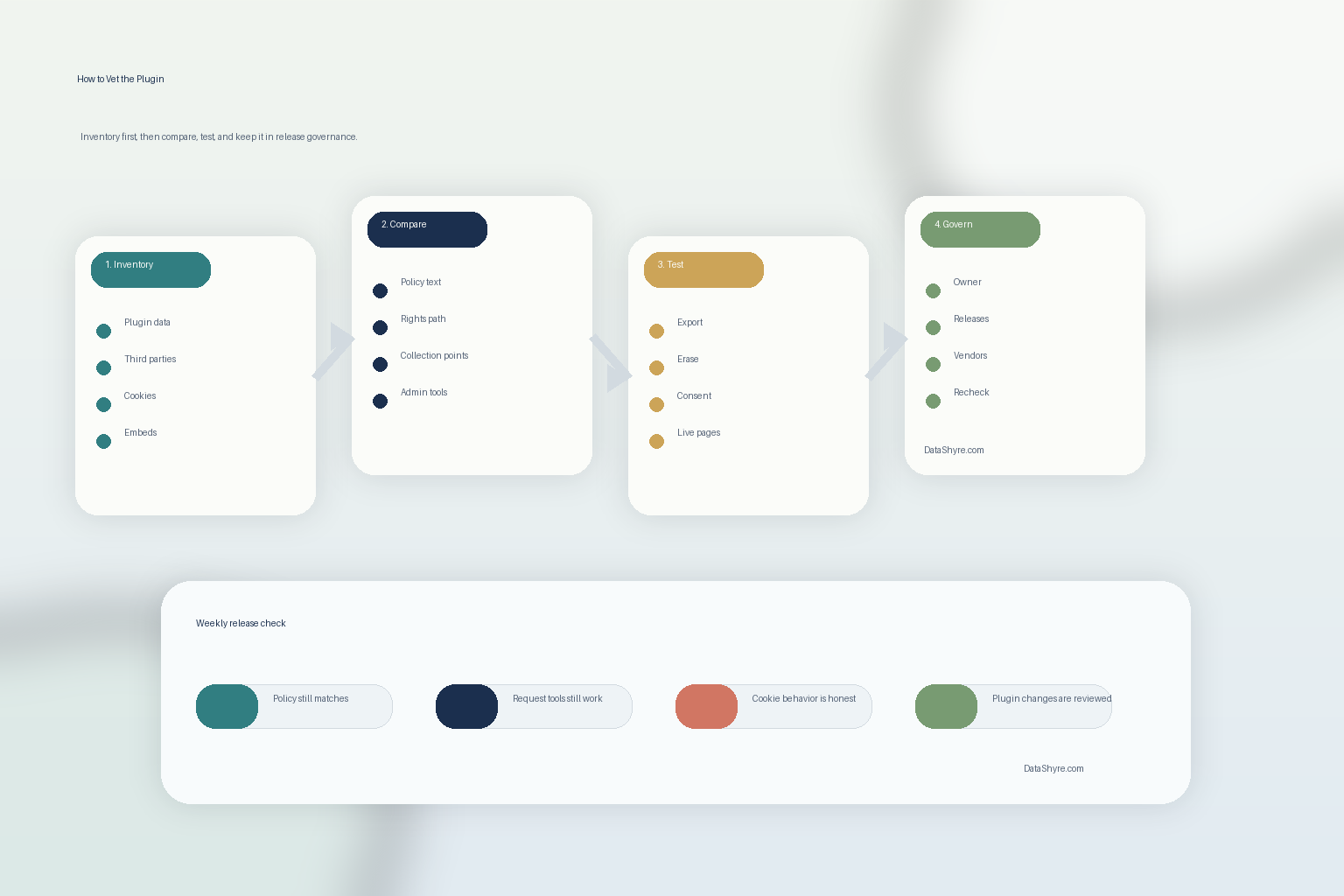
6. Review admin controls, capabilities, and operational ownership
Privacy tooling in WordPress is also an operations question.
The current WordPress privacy capabilities documentation still lists dedicated capabilities such as manage_privacy_options, export_others_personal_data, and erase_others_personal_data.
That means a gdpr wordpress plugin review should also clarify:
- who can configure the plugin;
- who can respond to export or erasure requests;
- whether marketers, editors, developers, and privacy owners all affect the same settings;
- whether plugin updates or configuration changes can go live without review.
If ownership is fuzzy, the privacy page drifts, the request path breaks, or a new script starts loading before anyone notices.
This is often where DataShyre ends up helping. The plugin is rarely the only issue. The real issue is that no one owns the runtime privacy behavior end to end.
7. Tie plugin changes to release governance instead of one-time setup
The biggest long-term gdpr wordpress plugin failure is drift.
WordPress says the final privacy policy must stay “current and accurate.” Its broader privacy documentation also says privacy protection is a continuous process, not a one-time task. That is the right operational rule.
So after approving a gdpr wordpress plugin, tie it to release review whenever:
- the plugin is updated;
- a new third-party script or vendor is added;
- form fields or collection purposes change;
- the privacy policy is revised;
- request handling changes;
- cookie or consent behavior changes.
If the plugin is enabled once and forgotten, the site usually becomes less accurate faster than the team expects.
A practical 7-step review for this week
If you were reviewing a gdpr wordpress plugin today, use this order:
- map what the plugin really collects, stores, and shares;
- check whether it contributes useful privacy-policy text;
- verify exporter and eraser support where applicable;
- separate disclosure help from real consent enforcement;
- test the plugin on live collection and rights surfaces;
- assign admin ownership and review capabilities;
- connect plugin or vendor changes to a required privacy re-check.
That review order usually tells you more than a plugin marketplace description ever will.
FAQ
Is a GDPR WordPress plugin enough to make a site compliant?
No. A gdpr wordpress plugin can help with parts of privacy operations, but it does not replace legal review, data mapping, consent controls, vendor governance, and tested rights handling.
Does WordPress itself handle every rights request automatically?
No. WordPress’s current documentation says the export and erasure tools only cover WordPress and participating plugins. Data held in third-party systems or backups may still need separate handling.
Can a plugin fix cookie compliance just by adding policy text?
No. If non-essential cookies or similar trackers are involved, the runtime behavior still has to match the applicable consent rules. Disclosure text alone is not enough.
Bottom line
The right gdpr wordpress plugin in 2026 is not the one with the most GDPR labels on its settings screen.
It is the one that helps your site tell the truth about what it collects, support user requests, control tracking honestly, and stay aligned with the live WordPress stack after updates.
If the plugin cannot support those checks, it is not really solving the hard part.
The fastest way to judge gdpr wordpress plugin is to test it the way a broken deployment would expose it: before consent, after consent, and again after a stack change.
Sources
- WordPress Documentation, WordPress Privacy: https://wordpress.org/documentation/article/wordpress-privacy/
- WordPress Documentation, Settings Privacy screen: https://wordpress.org/documentation/article/settings-privacy-screen/
- WordPress Documentation, Tools Erase Personal Data screen: https://wordpress.org/documentation/article/tools-erase-personal-data-screen/
- Developer.WordPress.org, Privacy: https://developer.wordpress.org/plugins/privacy/
- Developer.WordPress.org, Suggesting text for the site privacy policy: https://developer.wordpress.org/plugins/privacy/suggesting-text-for-the-site-privacy-policy/
- Developer.WordPress.org, Adding the Personal Data Eraser to Your Plugin: https://developer.wordpress.org/plugins/privacy/adding-the-personal-data-eraser-to-your-plugin/
- Developer.WordPress.org, Privacy Related Options, Hooks and Capabilities: https://developer.wordpress.org/plugins/privacy/privacy-related-options-hooks-and-capabilities/
- EUR-Lex, Regulation (EU) 2016/679, Article 12: https://eur-lex.europa.eu/eli/reg/2016/679/oj/eng/
- ICO, Cookies and similar technologies: https://ico.org.uk/for-organisations/direct-marketing-and-privacy-and-electronic-communications/guide-to-pecr/cookies-and-similar-technologies/