GDPR for WordPress in 2026: 7 Live Checks Before You Assume You Are Covered
The real value in gdpr for wordpress shows up when you debug it like a live system. A banner can render perfectly and still leak requests, misfire tags, or drift after the next plugin or theme update.
The useful test for gdpr for wordpress is whether the live stack behaves correctly before consent, after consent, and after the next deployment. That is how hidden leaks and timing mistakes show up.
GDPR for WordPress is a live-systems problem. It sits across your privacy policy, forms, cookies, plugins, embeds, user-rights workflow, and the release process that changes all of those pieces later.
The current official sources all point the same way. WordPress says the privacy page tools can help, but it is still your responsibility to keep the final information “current and accurate.” The Plugin Handbook says a plugin that collects, uses, stores, or passes user data to a third party “should add a section of suggested text” to the privacy policy guide. WordPress also says its export and erase tools only gather data from WordPress and participating plugins, which means SaaS tools and some third-party flows can still sit outside the default path. On the legal side, GDPR Article 12 still requires privacy information in “clear and plain language.” The ICO’s cookies guidance still says you “cannot set non-essential cookies” before consent on the homepage. And on March 19, 2026, the EDPB launched its coordinated enforcement action for 2026 on “transparency and information obligations” under GDPR Articles 12, 13, and 14.
That is the right frame for gdpr for wordpress in late 2026.
The question is not did we install a plugin that mentions GDPR.
It is does the live WordPress stack tell the truth about data use, respect user choices, support rights requests, and stay accurate after the next change.
If you want the closest companion reads first, start with these guides to WordPress privacy policy generator, GDPR WordPress plugin, and WordPress GDPR compliance plugin. This page is broader. It is the gdpr for wordpress review I would use this week before telling a team their site is ready.
If your team is trying to get gdpr for wordpress under control without adding a heavyweight privacy stack, DataShyre can help. DataShyre focuses on consent and preference management that are easier to implement, easier to operate, and easier to trust on a live site. Start with DataShyre’s consent and preference management or book a demo.
If your team needs help connecting WordPress privacy surfaces to the systems behind them, DataShyre can help with consent management, data mapping, and DSR automation. The hardest part is rarely the plugin install. It is keeping the policy, vendors, cookies, and request workflow aligned with the real site over time.
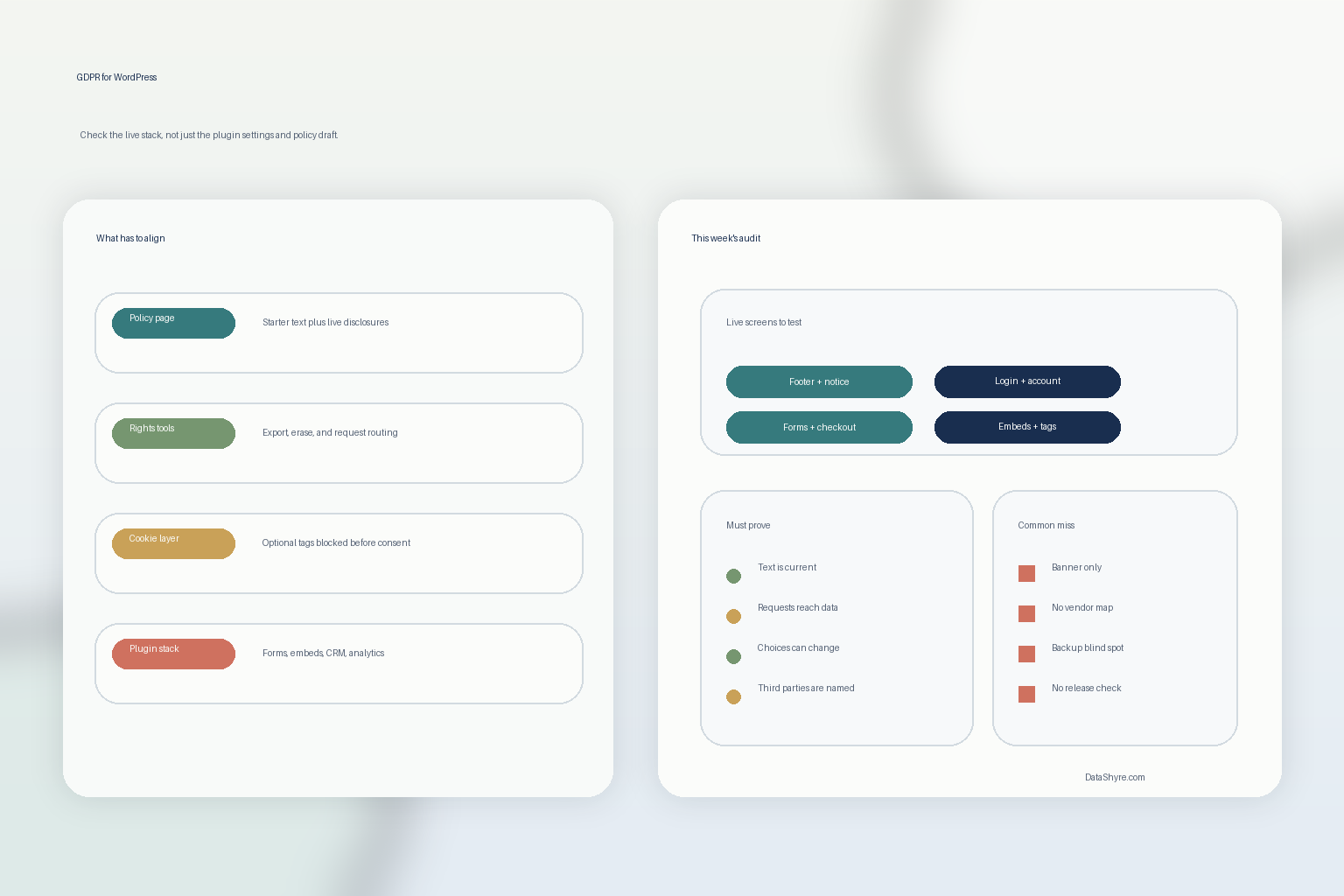
1. Start with the live inventory, not the settings screen
The first gdpr for wordpress failure happens before anyone edits the policy page.
The team reviews toggles before it maps the real collection points.
That is backwards.
WordPress’s privacy guidance says the helper can collect default texts from core, themes, and participating plugins, but it also warns that many sites use third-party tools that are not fully detected automatically. The Plugin Handbook asks developers to think about personal data collection, third-party sharing, JavaScript, pixels, iframes, cookies, and browser storage.
So the first gdpr for wordpress step is to inventory:
- forms for lead capture, demos, support, checkout, and newsletters;
- login, registration, and account screens;
- analytics, advertising, and tag-manager paths;
- embedded video, maps, chat, schedulers, and social widgets;
- plugins that store user-linked data in their own tables or metadata;
- third-party tools receiving data outside WordPress.
If the inventory is wrong, the rest of the privacy work usually becomes polished fiction.
2. Treat WordPress privacy text as a draft, not the finished answer
This is the most important operational point.
WordPress can help create a privacy policy page and gather suggested text, but WordPress is clear that the site owner still has to make the page complete and keep it current. The Plugin Handbook also says participating plugins should contribute suggested text when they touch personal data.
That means the right gdpr for wordpress workflow is not generate and publish.
It is:
- gather the starter text;
- compare it to the live inventory;
- rewrite the vague parts;
- add the vendors, purposes, retention details, and rights path the site actually uses.
A lot of WordPress privacy pages fail here because they describe comments, forms, and cookies in generic terms but never explain the marketing stack, booking tool, CRM sync, embedded media, or ad platform that is doing the real work.
Under GDPR Article 12, that is more than a writing issue. If a normal person cannot understand what happens to their data in “clear and plain language,” the page is weak before you even get to consent logic.
3. Verify that rights requests reach more than WordPress core
This is where many teams overestimate what the platform covers by default.
WordPress includes export and erase tools, and the documentation says they only gather data from WordPress and participating plugins. The erase screen documentation also says the erasure tool does not remove data from backups or archive files.
That changes the practical gdpr for wordpress review.
You need to ask:
- what personal data lives in WordPress itself;
- which plugins participate in exporter and eraser flows;
- which plugins store data but do not register for those tools;
- which external systems also receive the same user data;
- how backups, archives, and retention exceptions are handled.
If the site says users can exercise rights but the team can only handle the WordPress core slice, the live rights workflow is incomplete.
This is one of the easiest places for a privacy page and the real system to drift apart.
4. Separate policy help from real cookie and consent behavior
A gdpr for wordpress setup can sound mature in the admin panel while still failing in the browser.
The ICO’s current guidance is still blunt: you “cannot set non-essential cookies” before the user has consented. That is a runtime test, not a documentation test.
So do not combine all privacy tooling into one mental bucket.
Separate the questions:
- does the site explain tracking honestly;
- does the banner or CMP block non-essential technologies before consent where required;
- can users reject or change choices later without friction;
- do policy text and browser behavior tell the same story;
- do plugins, page builders, GTM, or embeds leak requests before consent anyway.
This is where many WordPress stacks break. The policy page says the site respects choice, the banner says reject all, and the network log still shows optional vendors firing on first load.
That is not a wording problem. It is an implementation problem.
5. Test the moments where WordPress sites actually collect data
The safest-looking screen in the stack is often the least important one.
The real gdpr for wordpress checks happen on the pages where people do things:
- request a demo;
- submit a support form;
- create an account;
- log in;
- register for an event;
- check out;
- interact with embeds or widgets.
Those are the places where GDPR transparency and consent stop being abstract.
If a collection point is missing a clear notice, if the rights path is hard to find, or if the privacy policy is buried while data capture happens in front of it, the site has a usability problem and a compliance problem at the same time.
That is also why a broad gdpr for wordpress review should include mobile layouts and cached pages. WordPress sites often behave differently once theme logic, optimization layers, and third-party scripts are all running together.
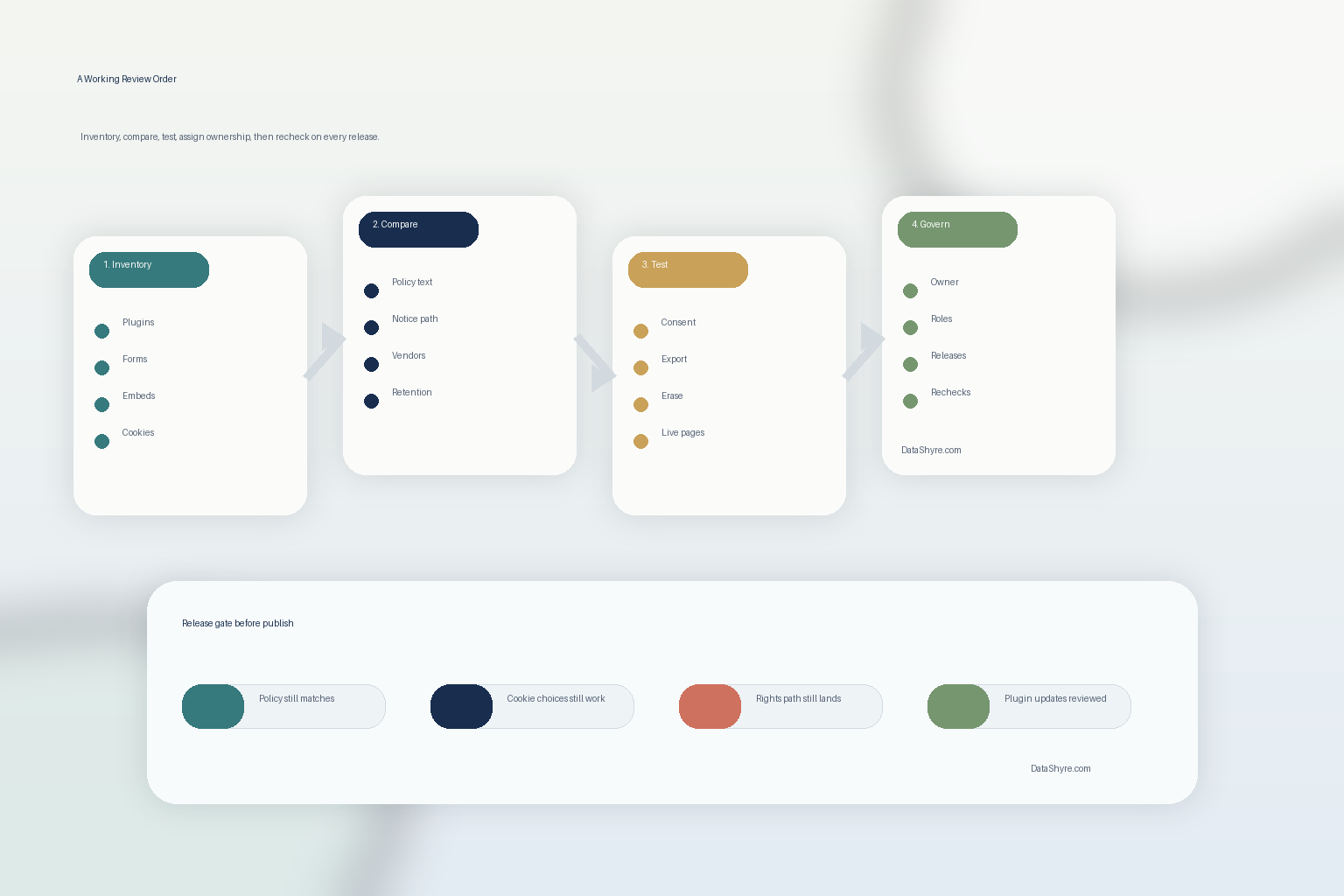
6. Assign ownership for privacy settings, requests, and releases
Many gdpr for wordpress failures are really ownership failures.
WordPress’s privacy capabilities documentation still identifies dedicated capabilities such as manage_privacy_options, export_others_personal_data, and erase_others_personal_data. That is useful because it reminds you privacy is not only about pages and banners. It is also about who can change the controls and who can answer a user later.
A serious gdpr for wordpress review should clarify:
- who owns the policy page;
- who owns the consent tool or banner rules;
- who can process export and erasure requests;
- who approves new vendors or scripts;
- who rechecks the privacy layer after plugin, theme, or GTM changes.
If nobody owns those paths end to end, the stack usually becomes inconsistent faster than the team expects.
This is also where DataShyre implementation help matters. The recurring gap is not lack of another plugin category. It is lack of one operating model that keeps disclosures, vendor controls, and rights handling aligned.
7. Tie GDPR review to WordPress release management
The biggest long-term gdpr for wordpress problem is drift.
The site may look fine today and be wrong after:
- a plugin update changes what data is stored;
- marketing adds a new pixel or embedded form;
- a new region-specific banner rule is deployed;
- checkout starts collecting a new field;
- the privacy policy is updated but the consent categories are not;
- a third-party integration starts receiving data outside the original review scope.
This is why the EDPB’s 2026 focus on transparency and information obligations matters here. WordPress teams should not think about privacy notices as static legal pages. They are release-sensitive operating documents.
So the working gdpr for wordpress rule is simple: every meaningful stack change should trigger a privacy recheck before or alongside release.
A practical 7-step review for this week
If you were reviewing gdpr for wordpress today, use this order:
- map forms, plugins, cookies, embeds, and external vendors;
- collect WordPress starter text and plugin-contributed privacy text;
- rewrite the privacy page so it matches the live stack;
- test export and erasure coverage across WordPress and external tools;
- inspect cookie and consent behavior in the browser;
- assign admin ownership for privacy settings and rights requests;
- connect plugin, vendor, and purpose changes to release review.
That review order gives you a much clearer answer than another checklist that stops at install a banner plugin.
FAQ
Does WordPress itself make a site GDPR compliant?
No. WordPress provides privacy tools and good extension points, but the site owner still has to make the disclosures accurate, the consent behavior valid, the rights path workable, and the third-party stack governable.
Are the built-in export and erase tools enough on their own?
Not necessarily. WordPress says those tools cover WordPress and participating plugins, so external tools, some custom storage, and backups may still need separate handling.
Is a privacy policy page enough for GDPR for WordPress?
No. A privacy page matters, but gdpr for wordpress also depends on what the site actually does in forms, plugins, cookies, embeds, and rights workflows.
Bottom line
The best gdpr for wordpress answer in 2026 is not a plugin name.
It is a proof pattern:
- the site explains data use clearly;
- the browser behavior matches the explanation;
- the rights workflow reaches the real data;
- the stack gets rechecked when releases change it.
If your WordPress privacy setup cannot survive those tests, it is not really ready.
The fastest way to judge gdpr for wordpress is to test it the way a broken deployment would expose it: before consent, after consent, and again after a stack change.
Sources
- WordPress Documentation, Settings Privacy screen: https://wordpress.org/documentation/article/settings-privacy-screen/
- WordPress Documentation, WordPress Privacy: https://wordpress.org/documentation/article/wordpress-privacy/
- WordPress Documentation, Tools Erase Personal Data screen: https://wordpress.org/documentation/article/tools-erase-personal-data-screen/
- Developer.WordPress.org, Privacy: https://developer.wordpress.org/plugins/privacy/
- Developer.WordPress.org, Suggesting text for the site privacy policy: https://developer.wordpress.org/plugins/privacy/suggesting-text-for-the-site-privacy-policy/
- Developer.WordPress.org, Privacy Related Options, Hooks and Capabilities: https://developer.wordpress.org/plugins/privacy/privacy-related-options-hooks-and-capabilities/
- EUR-Lex, Regulation (EU) 2016/679, Article 12: https://eur-lex.europa.eu/legal-content/EN/TXT/?uri=CELEX:32016R0679
- ICO, Cookies and similar technologies: https://ico.org.uk/for-organisations/direct-marketing-and-privacy-and-electronic-communications/guide-to-pecr/cookies-and-similar-technologies/
- EDPB, CEF 2026: coordinated enforcement action on transparency and information obligations under the GDPR: https://www.edpb.europa.eu/news/cef-2026-edpb-launches-coordinated-enforcement-action-on-transparency-and-information_da