Cookies on Websites in 2026: What They Do, What Changes by Region, and 7 Live Checks
The real value in cookies on websites shows up when you debug it like a live system. A banner can render perfectly and still leak requests, misfire tags, or drift after the next plugin or theme update.
The useful test for cookies on websites is whether the live stack behaves correctly before consent, after consent, and after the next deployment. That is how hidden leaks and timing mistakes show up.
That definition is true, but it is too small for the real problem.
In real deployments, cookies on websites is a live-site question:
- which cookies are needed for the service a person actually asked for;
- which cookies are only there for analytics, advertising, or profiling;
- which third parties get access to the resulting data;
- what the site does before and after a user choice; and
- whether the policy, banner, and runtime all tell the same story.
If you want the nearest companion reads first, start with these guides to website cookies, cookie checker, and tracking cookies. This page stays focused on cookies on websites as a practical review, not just a glossary term.
If your team is trying to get cookies on websites under control without adding a heavyweight privacy stack, DataShyre can help. DataShyre focuses on consent and preference management that are easier to implement, easier to operate, and easier to trust on a live site. Start with DataShyre’s consent and preference management or book a demo.
If your team needs help sorting necessary versus optional cookies, testing reject-versus-accept behavior, or tightening the connection between your notice, CMP, and live implementation, DataShyre can help with consent implementation, runtime QA, and privacy-focused website cleanup.
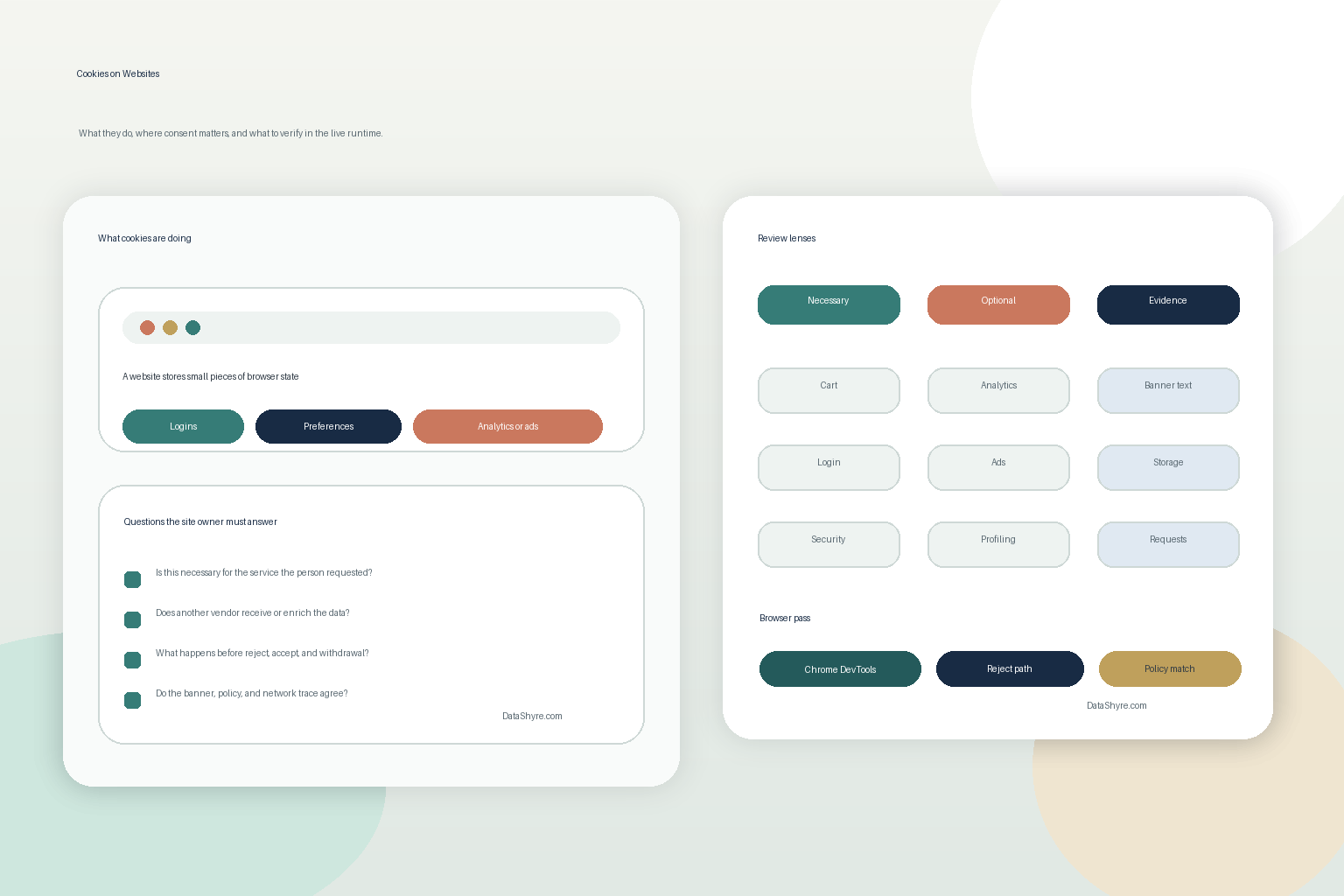
1. Cookies on websites are browser memory with a job
The most useful way to understand cookies on websites is to stop treating them like mysterious compliance objects.
A cookie is usually just a way for a site or service to preserve state. That state might keep a person signed in, remember a shopping cart, hold a language choice, store a consent preference, or recognize a browser for measurement or advertising.
This is why the first serious review question is not does the site use cookies.
It is:
what job is each cookie doing, and would a reasonable user expect that job from this page?
That one question separates ordinary site functionality from optional tracking surprisingly fast.
2. Not every cookie on a website belongs in the same bucket
Your Europe still says a website that wishes to use cookies generally has to “obtain your consent” before installing them, while also stating that “Not all cookies require your consent.”
That is the practical line most teams need:
- some cookies are strictly necessary for the requested service;
- some support preference memory;
- some measure traffic or product usage;
- some support advertising, audience building, or profiling;
- some exist because an embedded third-party tool brings them along.
If you do not classify cookies on websites by purpose first, the rest of the review usually turns into banner theater.
For most teams, the necessary-versus-optional split matters more than the raw cookie count.
3. Cookies on websites now means more than the cookie table
This is one of the most common 2026 mistakes.
Teams clean up the cookie list and assume the browser is clean.
The ICO’s current guidance still says the rules apply to cookies and similar technologies, and the EDPB’s Guidelines 2/2023 final version explains that Article 5(3) can apply to different technical solutions, not only classic cookies.
So a real cookies on websites audit should not stop at Set-Cookie values.
It should also review:
- local or session storage written by scripts;
- pixels and tags that fire before a choice;
- chat, video, or analytics embeds that create identifiers indirectly;
- browser calls that still expose data to third parties without an obvious cookie entry.
This broader view matters because a site can look better in its cookie banner while the runtime still behaves badly.
4. Runtime behavior matters more than polished consent copy
The ICO’s guidance still says you “cannot set non-essential cookies” before the user has consented.
That makes first-load behavior the most important part of a cookies on websites review.
If optional analytics, advertising, or recommendation logic fires before a real choice, the compliance problem has already happened before anyone reads the policy page.
So for a live website, I would always compare:
- first load with no interaction;
- reject or necessary-only path;
- accept-all path;
- later withdrawal or preference-change path;
- resulting changes in browser storage and network traffic.
This is also where Chrome DevTools stays useful. Chrome’s documentation still says “Third-party cookies are those set by a site that’s different from the current top-level page.” That is a clean operational reminder that cookie review is not only about the visible website. It is also about the other services attached to it.
5. Region changes the answer, especially for EU/UK versus California flows
There is no one global answer to cookies on websites because legal expectations branch by jurisdiction.
EU and UK branch
For EU- and UK-facing experiences, the practical standard is still that optional cookies and similar technologies usually need consent before they are set, unless a narrow exemption applies.
This is why the first-load and reject-path tests matter so much.
California branch
California often shifts the operational focus. The California DOJ’s CCPA page still says businesses have to provide a “notice at collection,” and it also describes Global Privacy Control as a browser-based stop selling or sharing signal for businesses that fall into that part of the law.
So for California-facing sites, the question is often not only did we ask first.
It is also:
- did we disclose the categories and purposes clearly enough;
- do opt-out paths actually work;
- do browser privacy signals feed into the real stack; and
- does the website treat cookie-related sharing consistently with its notices.
This is why a serious cookies on websites review should always map the regional logic, not just the banner design.
6. Enforcement still follows what the tracker actually does
This is not an abstract documentation problem.
On October 22, 2026, the CNIL fined FNAC DARTY entities 7 million euros over a mobile-app tracker that users had not consented to, and the CNIL said the tracker collected browsing-history information to support recommendations and algorithm training.
That is a useful reminder for anyone reviewing cookies on websites:
regulators look past the label and into the function.
If a cookie, pixel, or similar identifier helps build profiles, personalize offers, or support advertising logic, the real question is whether the site had a valid legal basis and a truthful user-facing implementation for that behavior.
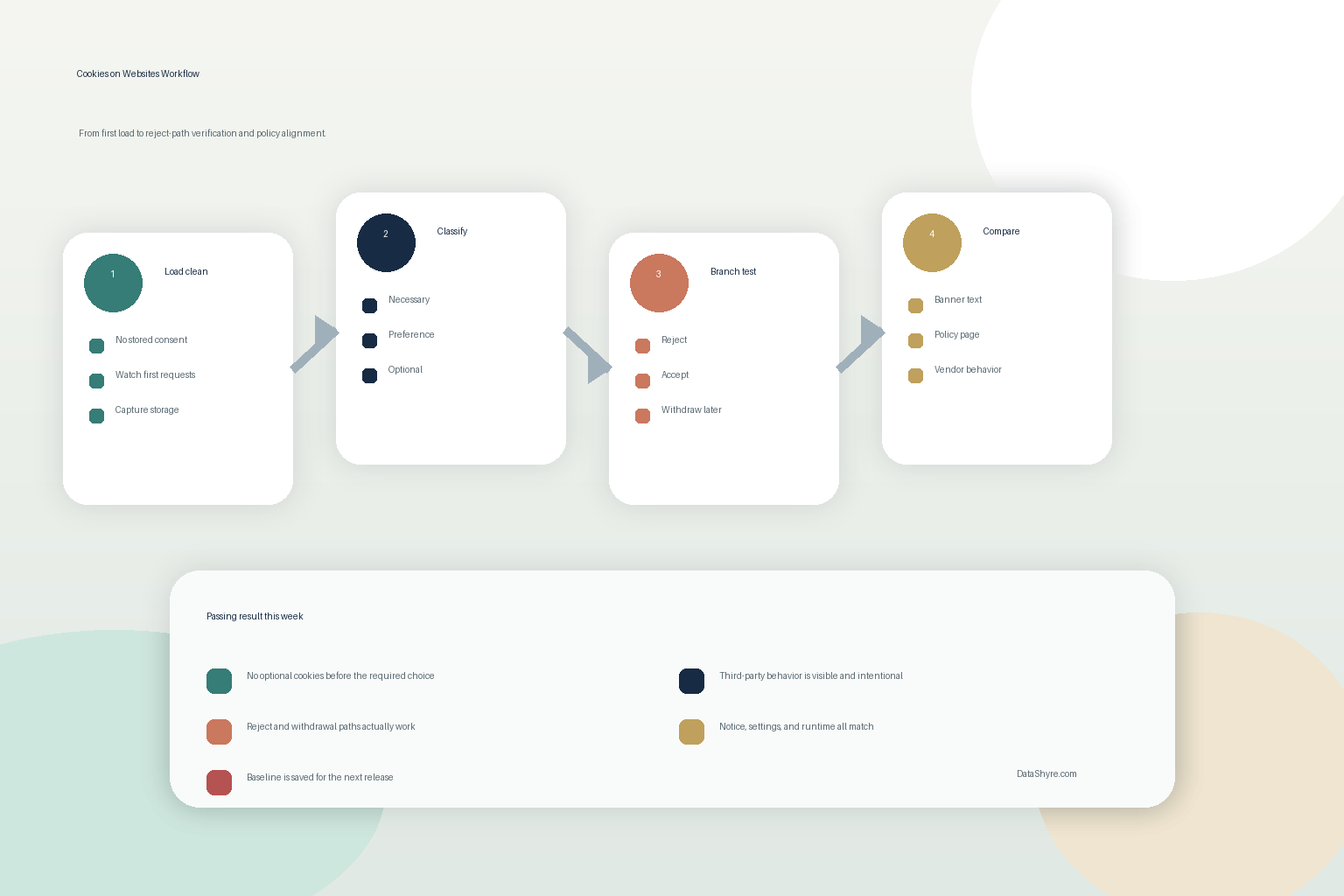
7. Seven live checks I would run this week
If I needed to review cookies on websites on a real production property, I would use this order:
- open the site in a clean browser session and record what appears before any user choice;
- classify each cookie or similar technology as necessary, preference, analytics, advertising, embedded-service, or profiling support;
- note expiry, domain, and whether a third party receives the data;
- repeat the check through reject, accept, and later-withdrawal flows;
- compare the runtime with the cookie banner, preference center, and privacy disclosures;
- test at least one stricter browser condition, especially around third-party-cookie handling;
- save the results so the next plugin, tag, or embed change can be tested against the same baseline.
That sequence usually produces a better answer than endlessly revising the first-layer cookie copy.
Short answer
If you need the short version, use this:
cookies on websites are browser-side records that can support core site functions, preferences, consent memory, analytics, or tracking.
The risk is not that cookies exist.
The risk is that optional cookies or similar technologies fire too early, disclose too little, or give the user less control than the site claims.
FAQ
Are cookies on websites always for tracking?
No. Many support expected functions such as sign-in state, basket continuity, language choice, or consent memory. The higher-risk branch is usually analytics, advertising, profiling, or third-party enrichment.
Do all cookies on websites need consent?
No. Some cookies can fall under a necessary-service exception. Optional cookies and similar technologies often need a different analysis and, in many regions, a real user choice before they are set.
Is a cookie banner enough by itself?
No. A banner is only one layer. The storage behavior, the policy, the opt-out or withdrawal path, and the real vendor flows still need to match what the banner suggests.
Bottom line
The best answer to cookies on websites in 2026 is not small files that websites use.
It is:
browser-side state that may keep the service working, remember a user’s settings, or support measurement and profiling across visits.
The fastest way to judge cookies on websites is to test it the way a broken deployment would expose it: before consent, after consent, and again after a stack change.
Official sources used
- ICO cookies and similar technologies guidance
- Your Europe consumer page on data protection, online privacy, and cookies
- Your Europe business page on online privacy and website cookies
- California DOJ CCPA page
- EDPB Guidelines 2/2023 on the technical scope of Article 5(3)
- Chrome DevTools guide to viewing and inspecting cookies
- Firefox Help on third-party cookies and tracking protection
- CNIL notice on the FNAC DARTY tracker sanction