Cookie Policy Popup in 2026: 7 Live Checks Before You Use One
The real value in cookie policy popup shows up when you debug it like a live system. A banner can render perfectly and still leak requests, misfire tags, or drift after the next plugin or theme update.
The useful test for cookie policy popup is whether the live stack behaves correctly before consent, after consent, and after the next deployment. That is how hidden leaks and timing mistakes show up.
That difference is where most weak implementations show up.
The official guidance is still pretty direct. The ICO’s current guidance treats cookies, pixels, device fingerprinting, and related tools as “storage and access technologies.” The European Commission’s current GDPR guidance says consent language should use “clear and plain language”, be clearly visible, and explain withdrawal in a way that is “as easy to use as giving consent.” The ICO’s enforcement update is equally blunt on the interface side: rejecting non-essential cookies should be “as easy as accepting them.”
If you want nearby context first, start with these guides to cookie banner, cookie policy generator, and GDPR popup examples. This page stays tighter. It is the cookie policy popup review I would use this week before shipping or replacing one on a live site.
If your team is trying to get cookie policy popup under control without adding a heavyweight privacy stack, DataShyre can help. DataShyre focuses on consent and preference management that are easier to implement, easier to operate, and easier to trust on a live site. Start with DataShyre’s consent and preference management or book a demo.
If your team is trying to make the popup, the policy page, and the real site behavior agree, DataShyre can help with consent management, website privacy reviews, and implementation cleanup. The expensive mistake is not forgetting the popup entirely. It is showing a nice popup that does not match what the site actually loads.
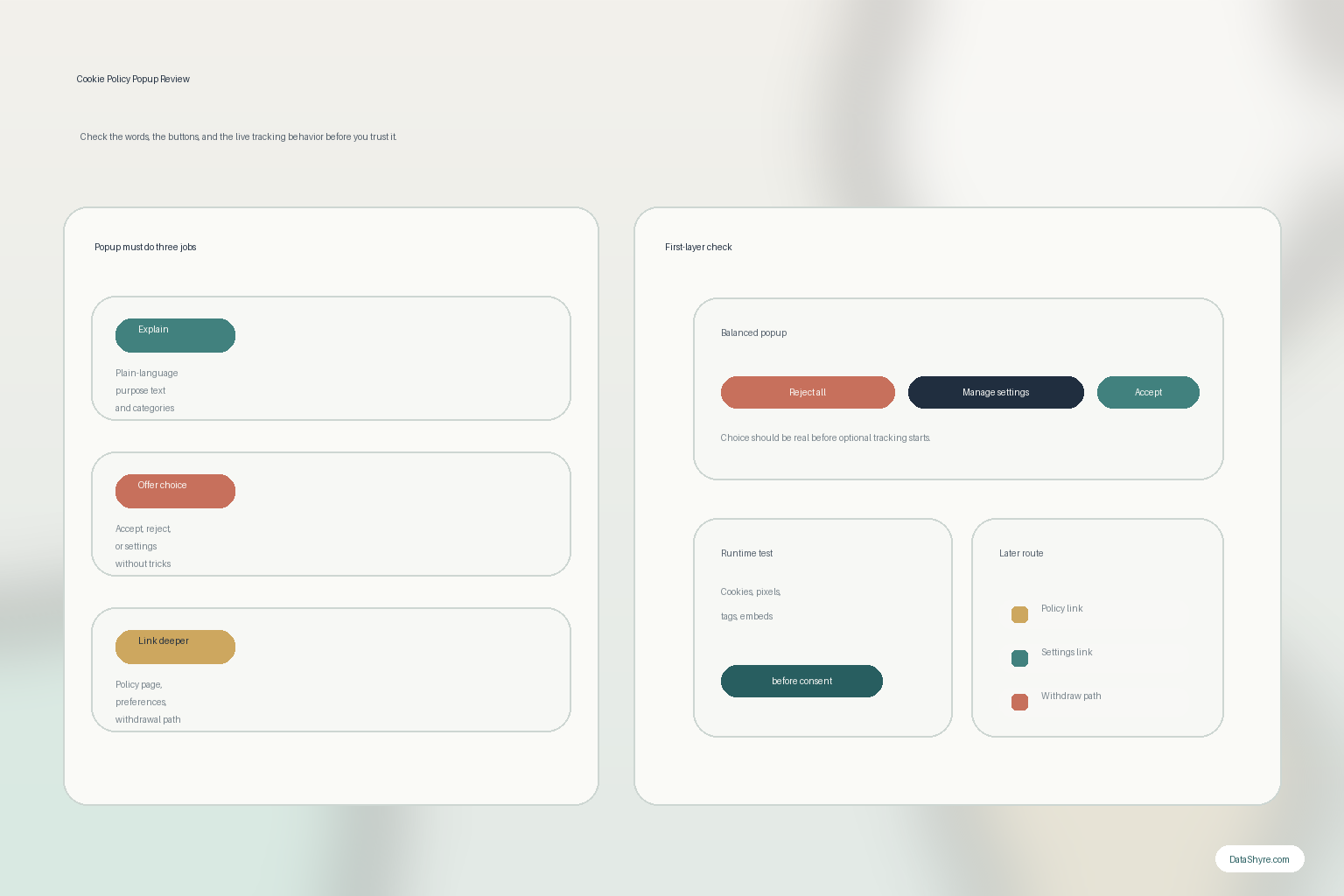
1. Decide whether the popup is asking for consent, giving notice, or trying to do both
The first cookie policy popup mistake is treating every popup like the same legal object.
Some popups are meant to capture consent before optional tracking starts.
Some are mainly meant to point people toward the fuller policy or preference controls.
Some try to do both at once and end up being vague.
That matters because the European Commission’s current guidance still says a consent request must be clearly distinguishable and use language people can actually understand. So before you design or rewrite a cookie policy popup, decide:
- whether the popup is collecting consent for optional technologies;
- whether it links to a fuller cookie or privacy explanation;
- whether the same screen also offers settings or category choices;
- whether the page has a separate always-available withdrawal route later.
If those jobs are blurred together, the wording usually gets blurrier too.
2. Use plain language for purposes instead of vague phrases like “better experience”
This is where a lot of cookie policy popup copy fails even when the layout looks fine.
The European Commission still says consent requests should use clear and plain language and clearly state the reasons for the processing. That means labels like analytics, advertising, or personalization often need one extra line of explanation in ordinary English.
For a live cookie policy popup, I would test whether a normal visitor can tell:
- what the optional technologies do;
- which purposes are necessary versus optional;
- whether third parties may receive data;
- where the fuller explanation lives.
If the popup only says we use cookies to improve your experience, it is probably under-explaining the part people are actually being asked to choose.
3. Make reject all as visible as accept all when the popup is collecting prior consent
This is the fastest practical quality test for many popups.
The ICO’s December 2025 enforcement update said it checked whether rejecting non-essential advertising cookies was “as easy as accepting them” and whether optional cookies were set before users could make that choice. That is a much better review standard than does the popup appear.
So if your cookie policy popup is collecting consent before optional technologies start, check:
- whether
Reject allis on the first layer when your jurisdiction and design require that level of choice; - whether the reject path is visually comparable to accept;
- whether the site still loads optional tags before the user chooses;
- whether mobile and desktop show the same practical choice set.
If refusal is smaller, dimmer, buried, or delayed, the popup may be polished and still be the wrong shape.
4. Link the popup cleanly to the full cookie or privacy explanation
A cookie policy popup should not try to carry the whole disclosure burden by itself.
The fuller explanation still matters because people need to understand categories, recipients, retention, and how to revisit choices later. The European Commission’s current guidance for individuals still says privacy information should be concise and intelligible, while also covering core points such as purposes, categories of data, recipients, and the right to withdraw consent.
That means the popup should connect cleanly to:
- a cookie policy or privacy policy page;
- a settings panel or preference center;
- a stable route for changing choices later.
This is one place where teams often discover the UI is not the whole problem. If the popup looks okay but the policy page is stale, the whole experience is still weak.
5. Test the runtime, not only the words
The ICO’s 2026 guidance matters here because it keeps the scope wider than classic browser cookies. It uses the term “storage and access technologies” for cookies, tracking pixels, device fingerprinting, and similar mechanisms.
That is important because a cookie policy popup can describe cookies honestly and still miss what happens through tags, pixels, local storage, embedded tools, or custom scripts.
So before you trust the popup, check the live site:
- what appears on first load before any action;
- which optional technologies still run before choice;
- what changes after reject all;
- what changes after accept all;
- whether the policy and popup describe those behaviors accurately.
If the runtime disagrees with the popup, the network behavior matters more than the copy.
6. Make withdrawal and later changes easy, not hidden
This is the part many teams forget after the first impression screen.
The European Commission’s current guidance says consent requests must state clearly that it is possible to withdraw consent and that withdrawal should be as easy to use as giving consent. A cookie policy popup is not finished when someone clicks once. It needs a durable way back to preferences.
For a practical review, test:
- whether there is a visible settings or privacy link after the popup disappears;
- whether people can change category choices later;
- whether withdrawal actually changes the site’s optional tracking behavior;
- whether the route still works on mobile, logged-in pages, and high-traffic templates.
If later withdrawal is harder than first-time acceptance, the popup is only doing half the job.
7. Treat popup changes like release changes
The long-term cookie policy popup problem is usually drift, not first launch.
A new tag gets added through GTM.
A video embed changes vendors.
A chat widget appears on pricing pages.
The popup copy stays the same.
That is how a once-reasonable popup stops matching the real site.
So I would re-check a cookie policy popup whenever:
- a new analytics or ad-tech tool is added;
- the CMP or tag manager is reconfigured;
- a new embedded service appears;
- the cookie or privacy policy gets updated;
- the site launches in a new market or under new consent rules.
If nobody owns that review, the popup gradually turns into a decorative promise.
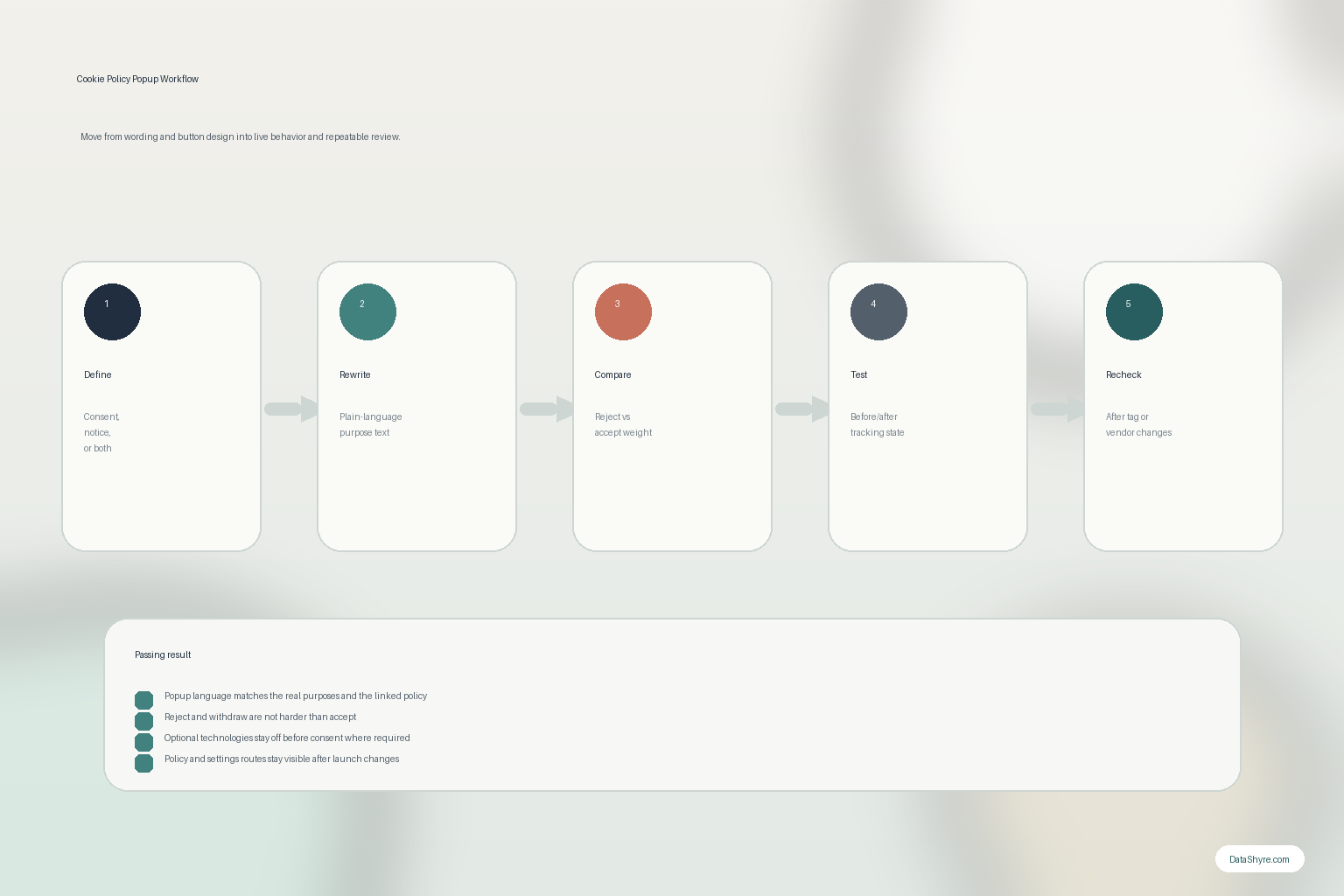
A practical 7-step popup review for this week
If you were reviewing a cookie policy popup today, use this order:
- decide whether the popup is asking for consent, giving notice, or both;
- rewrite the purpose text into plain language;
- check whether reject is genuinely as usable as accept;
- verify the popup links cleanly to the fuller policy and settings path;
- test what actually loads before and after a choice;
- test later withdrawal and preference changes;
- repeat the review after tag, vendor, or CMP changes.
That will usually tell you more than another design pass.
FAQ
Is a cookie policy popup the same thing as a cookie policy page?
No. The popup is the entry point for choice or notice. The full policy page usually carries the fuller explanation of categories, purposes, recipients, and user options.
Can a cookie policy popup be compliant if it only mentions cookies?
Not always. The ICO’s current guidance covers a broader set of tracking mechanisms, so the popup and the linked policy may need to reflect more than classic cookies alone.
If the popup looks balanced, is that enough?
No. You still need to test whether optional technologies are actually blocked before consent where required and whether later withdrawal really changes behavior.
Bottom line
The best cookie policy popup in 2026 is not the one with the prettiest animation.
It is the one that explains the purpose in plain language, gives a fair reject path, links to the fuller disclosure, stays honest about the site’s real tracking behavior, and lets people change their mind later without a scavenger hunt.
If those checks fail, the popup is not doing privacy work.
The fastest way to judge cookie policy popup is to test it the way a broken deployment would expose it: before consent, after consent, and again after a stack change.