CCPA Rules in 2026: 8 Live Rules Businesses Should Audit This Week
The real value in ccpa rules shows up when you debug it like a live system. A banner can render perfectly and still leak requests, misfire tags, or drift after the next plugin or theme update.
The useful test for ccpa rules is whether the live stack behaves correctly before consent, after consent, and after the next deployment. That is how hidden leaks and timing mistakes show up.
That is also where the current California sources keep pointing. The CCPA regulations effective January 1, 2026 say the purpose of the privacy policy is to give consumers a “comprehensive description” of a business’s online and offline information practices and the information they need to exercise their rights. California’s Department of Justice still says notice at collection must be available “at or before the point” where personal information is collected. The CPPA’s enforcement advisory on dark patterns still tells businesses to offer “symmetrical choices” and use language people can understand. And the California Attorney General’s October 29, 2026 Lyft settlement is a useful warning that an opt-out route buried behind a policy page can become a “cumbersome process” that does not satisfy the CCPA.
If you want nearby context first, start with these guides to CCPA regulations, CCPA requirements, and California web privacy law. This page stays tighter. It is the ccpa rules review I would use this week before telling a team their California setup is actually ready.
If your team is trying to get ccpa rules under control without adding a heavyweight privacy stack, DataShyre can help. DataShyre focuses on consent and preference management that are easier to implement, easier to operate, and easier to trust on a live site. Start with DataShyre’s consent and preference management or book a demo.
If your team needs help turning these rules into a working operating model, DataShyre can help through consent management, data mapping, and DSR automation. The expensive failures are usually not failures of drafting. They are failures of alignment between the public promise and the live system.
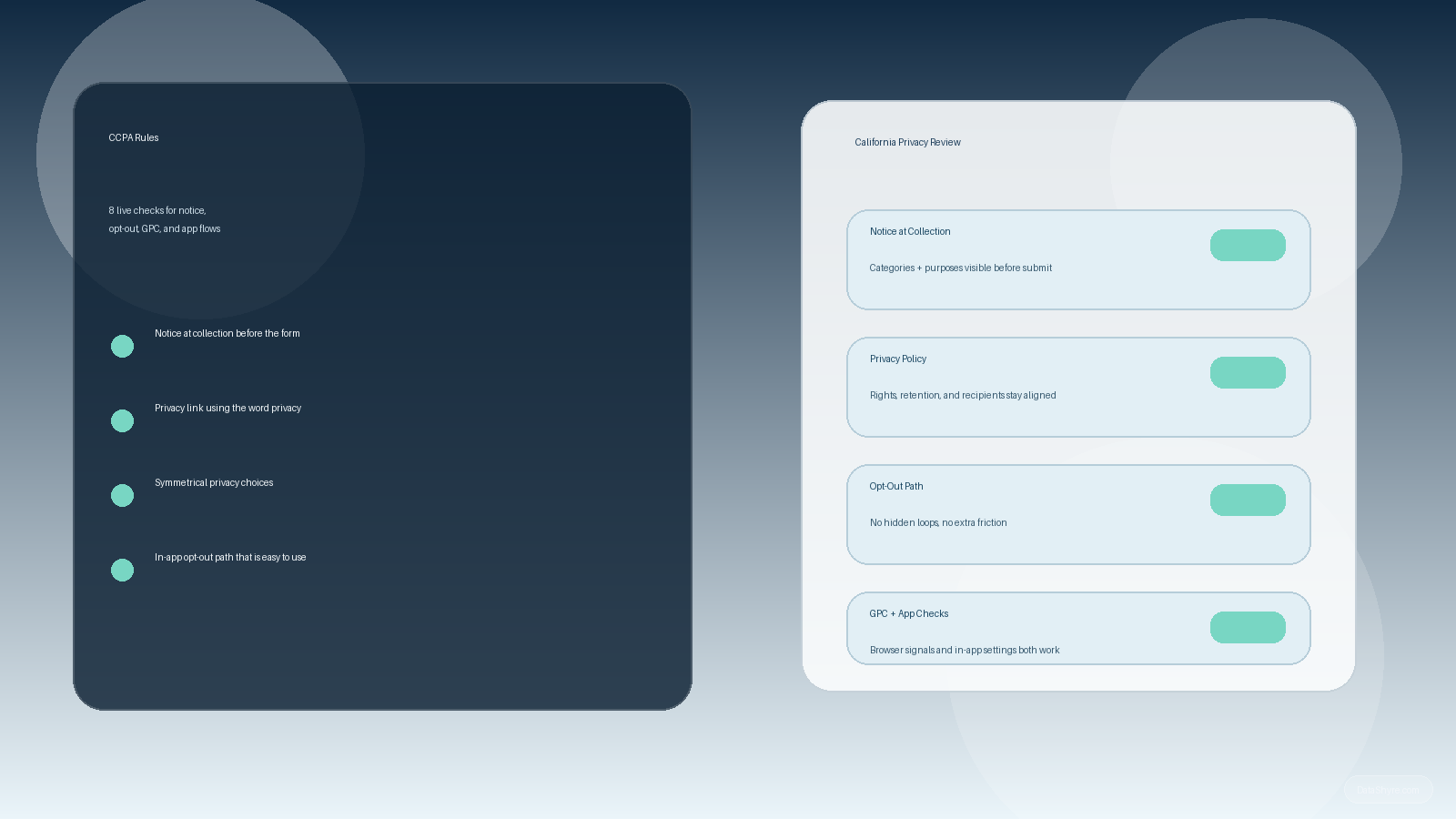
1. Start with where personal information is actually collected
The first ccpa rules mistake is acting like the privacy policy is the first thing to check.
It usually is not.
The better first pass is to map where the business actually collects personal information:
- webforms and checkout flows;
- newsletter, demo, and account signup paths;
- mobile app onboarding and settings screens;
- support, chat, and booking tools;
- cookies, pixels, SDKs, and similar tracking layers tied to those journeys.
That matters because California’s notice and opt-out rules attach to real collection and sharing behavior, not to the hope that the footer page covers everything later.
If the team cannot point to the live collection points and explain what categories of data move through them, the rest of the ccpa rules review becomes guesswork.
2. Put notice at collection where the person actually encounters the collection
This is still one of the clearest practical ccpa rules.
California’s Department of Justice says a notice at collection must list the categories of personal information collected and the purposes for which those categories are used, include a link to the privacy policy, and be provided at or before the point of collection.
That should change how you audit the site or app.
For a real ccpa rules review, check whether:
- each meaningful form or collection path has notice nearby;
- the notice matches the categories and purposes used in practice;
- mobile layouts still expose the notice clearly;
- the notice links to the right policy instead of a generic dead-end page;
- app flows provide the same clarity as websites.
If the user only discovers the real explanation after submitting the form, the timing is already wrong.
3. Treat the privacy policy as a live operating document, not a legal archive
The 2026 regulations are unusually clear on this point.
The privacy policy is supposed to give a “comprehensive description” of the business’s online and offline information practices, explain the rights consumers have, and provide the information necessary to exercise those rights.
That means a serious ccpa rules review should verify that the policy actually covers:
- categories of personal information collected;
- categories of sources;
- business or commercial purposes;
- categories of third parties receiving, selling, or sharing the information where relevant;
- retention periods or the criteria used to set them;
- the rights available and how to exercise them;
- a contact for privacy questions or concerns.
Weak policies usually fail in one of two ways. They stay vague about the real data uses, or they name rights without giving people a practical route to use them.
4. Make the privacy path obvious on both websites and apps
This is one of the most overlooked ccpa rules because teams still think in homepage-footers only.
The current regulations and CPPA FAQ still require businesses subject to the CCPA to post the privacy policy through a conspicuous link using the word “privacy.” The 2026 regulations also say mobile applications must include a link to the privacy policy in the application’s settings menu.
So the useful audit question is not only do we have a policy.
It is:
- can a website visitor find it quickly;
- does the link actually use the word privacy;
- do app users get the same route inside the app;
- do California-specific rights pages and the main policy still agree with each other.
A strong ccpa rules setup makes the path boringly obvious.
If users need detective work to find the privacy route, the business is creating risk for itself.
5. Offer privacy choices with symmetry, not friction
This is where a lot of ccpa rules programs look polished and still fail.
The CPPA’s dark-pattern advisory says businesses should use clear language and offer “symmetrical choices” when presenting privacy choices. That matters because a choice is not really a choice if the interface nudges the user toward the less private outcome.
So when reviewing ccpa rules, I would test whether the interface makes it:
- as easy to choose the more privacy-protective path as the less private path;
- clear what each choice actually does;
- possible to act without extra loops, hidden buttons, or overloaded wording;
- consistent across desktop, mobile web, and app surfaces.
This includes choices delivered through service providers such as consent management platforms.
If the banner, modal, or settings flow is slanted, the compliance problem is already live in production.
6. Do not bury opt-out or sale-sharing controls behind the policy page
The Lyft settlement from October 29, 2026 is a very current reminder here.
According to the Attorney General, Lyft users had to navigate from the in-app privacy policy to a separate web page, re-enter information, and work through an unnecessarily difficult opt-out path. The Attorney General called that a “cumbersome process” that did not satisfy the CCPA.
That should change how you interpret ccpa rules for apps and logged-in products.
A practical review should ask:
- can the user act inside the environment where the data use is happening;
- is the opt-out route easy to locate from the homepage, footer, settings, or account area as appropriate;
- does the business avoid asking for unnecessary extra information just to process the opt-out;
- does the route still work on mobile and in app-specific flows.
If the opt-out exists only as a theoretical path that a patient user might eventually find, it is weaker than the policy text makes it sound.
7. Honor browser-based signals and downstream vendor logic
Another practical ccpa rules check is whether the business treats opt-out as a whole-system event rather than a page-level preference.
California’s Department of Justice still explains that one acceptable way for consumers to opt out of sale or sharing online is through a user-enabled Global Privacy Control signal. The current CCPA materials also keep focusing on how rights must actually work, not just how they are described.
That means the real review is not only did the website store a preference.
It is whether:
- browser-based opt-out signals are recognized where required;
- ad-tech, analytics, pixels, or sharing flows actually change when the signal or opt-out is present;
- service providers and internal teams receive the right suppression or instruction downstream;
- the privacy policy, banner, and runtime behavior all tell the same story.
If the interface says the choice was honored but the downstream systems keep behaving as before, the ccpa rules posture is mostly decorative.
8. Re-audit after releases, not only on an annual calendar
A lot of teams talk about ccpa rules as though the privacy project ends once the page is published.
It does not.
The better operating model is to re-review the California layer whenever:
- a new form or app flow launches;
- a new pixel, SDK, or advertising partner is added;
- the business starts selling or sharing data in a new way;
- the rights workflow changes;
- a service provider or consent tool is replaced;
- a new category of sensitive personal information is used in a way that changes the notice or choice requirements.
That change-based model catches the failure mode that matters most in 2026: drift.
The homepage promise, the policy page, the app settings route, and the downstream data behavior all slowly separate unless someone keeps forcing them back into alignment.
A practical CCPA rules review for this week
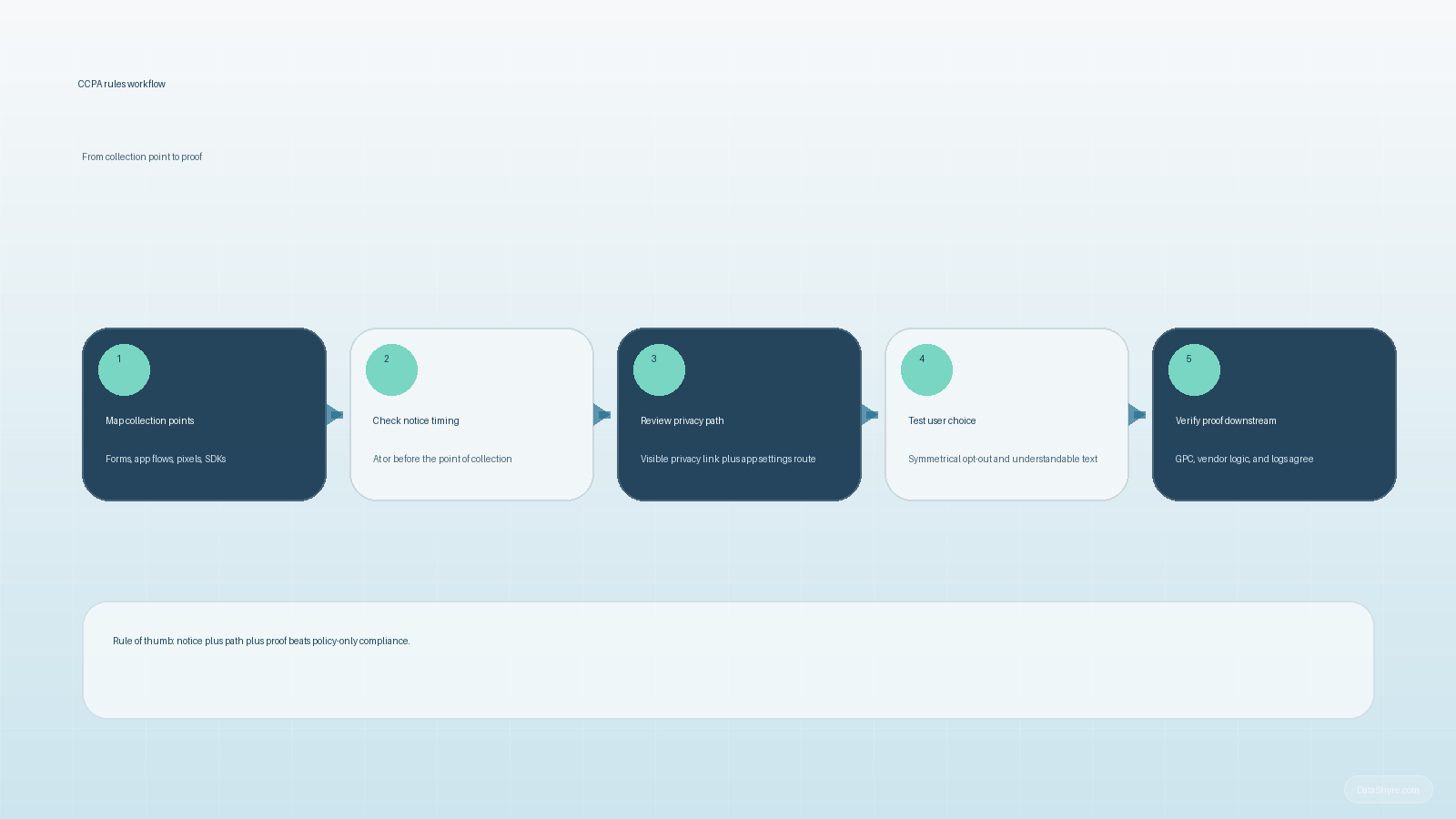
If I were auditing ccpa rules today, I would use this order:
- map the real collection and sharing points across web and app surfaces;
- verify notice at collection timing and content at each relevant path;
- compare the privacy policy against the actual categories, purposes, rights, and recipients;
- confirm the privacy link placement and app settings path;
- test whether privacy choices are symmetrical and understandable;
- pressure-test the opt-out route so it is not hidden behind unnecessary friction;
- verify GPC, consent, and downstream vendor behavior against the public promise;
- set a required re-review trigger for the next meaningful release.
That sequence usually exposes more truth than another pass on legal wording alone.
FAQ
Are CCPA rules mainly about the privacy policy?
No. The privacy policy matters, but the rules also show up in notice timing, interface design, opt-out usability, app settings, vendor handling, and proof that the user’s choice changed the actual data flow.
Does a footer link solve the problem by itself?
No. California sources still point to notice at collection, usable rights paths, and clear privacy choices. A footer link can be part of the answer, but it is not the whole answer.
Do CCPA rules apply differently in apps?
Yes in practical terms, because the route has to work inside the app environment too. The 2026 regulations specifically call for a privacy policy link in an app’s settings menu, and the Lyft settlement shows how app-only products can still fail if the opt-out path is too indirect.
Bottom line
The safest way to think about ccpa rules in late 2026 is not policy plus footer.
It is notice plus path plus proof.
If the business can show what it collects, explain it where the user encounters it, offer fair privacy choices, honor opt-outs and signals, and keep vendors aligned afterward, the California setup is getting stronger.
The fastest way to judge ccpa rules is to test it the way a broken deployment would expose it: before consent, after consent, and again after a stack change.