Privacy Policy for My Website in 2026: 7 Live Checks Before You Copy a Template
The real value in privacy policy for my website shows up when you debug it like a live system. A banner can render perfectly and still leak requests, misfire tags, or drift after the next plugin or theme update.
The useful test for privacy policy for my website is whether the live stack behaves correctly before consent, after consent, and after the next deployment. That is how hidden leaks and timing mistakes show up.
A privacy policy is not only a legal page. It is the public explanation of what your forms, cookies, vendors, checkout tools, chat widgets, analytics tags, and rights workflows are actually doing. If the page drifts away from the live stack, it stops helping and starts creating risk.
Current official guidance still points in the same direction. California’s online privacy law says operators covered by the rule must “conspicuously post its privacy policy.” The California Privacy Protection Agency says the CCPA requires “a Notice at Collection and a privacy policy.” GDPR Article 12 still requires privacy information in “clear and plain language,” and the ICO still recommends a “layered approach” when a full notice would otherwise bury the useful parts.
If you want the closest companion reads first, start with these guides to privacy policy for website, privacy policy template, and website privacy checker. This page stays narrower. It is the privacy policy for my website review I would use this week before publishing or revising a live site policy.
If your team is trying to get privacy policy for my website under control without adding a heavyweight privacy stack, DataShyre can help. DataShyre focuses on consent and preference management that are easier to implement, easier to operate, and easier to trust on a live site. Start with DataShyre’s consent and preference management or book a demo.
If your site keeps changing faster than the policy page does, DataShyre can help with consent management, data mapping, and implementation QA so the published privacy story still matches the runtime behavior users actually get.
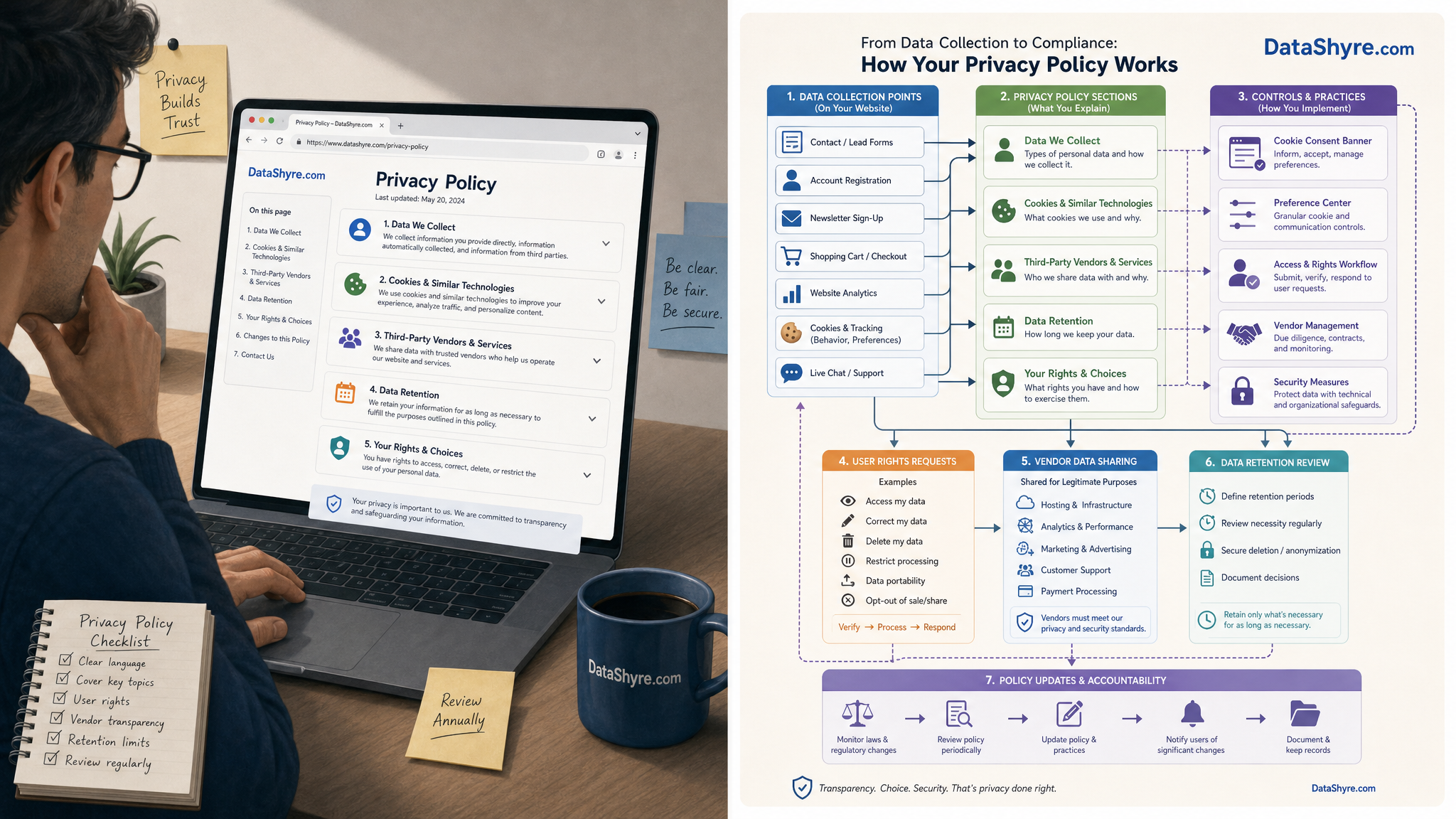
1. Start with the live collection points, not the template
The first privacy policy for my website mistake is opening a generator before anyone has mapped the site.
That usually creates generic lines like we may collect information to improve our services while the website is actually running several different collection paths at once:
- contact, demo, quote, or support forms;
- newsletter or download forms;
- account signup and login;
- checkout, billing, or booking flows;
- cookies, pixels, and session technologies;
- chat widgets, video embeds, and maps; and
- analytics, advertising, or CRM integrations.
Before you edit the page, make a simple working list of:
- what personal data is collected;
- where the collection happens;
- why each category is used;
- who receives it internally or externally;
- how long it is kept; and
- what user choices can change the downstream use.
That live inventory is the real source of truth. The policy is only the explanation layer.
2. Cover the disclosure blocks regulators still expect
A stronger privacy policy for my website page lets a normal person answer the same questions a regulator or customer would ask.
California’s privacy guidance still points people to the basics: what information is collected, how it is collected, why it is collected, how it is used, who can access it, and what choices the individual has. The CPPA’s current CCPA notice guidance adds operational specifics for covered businesses, including the purposes for collection or use, whether information is sold or shared, retention timing, and a link to the privacy policy.
GDPR Articles 13 and 14 still add another layer for organizations in scope: the controller identity and contact details, the purposes, legal basis, recipient categories, transfer information where relevant, retention period or criteria, and the rights available to the person. The ICO’s current guidance pushes the editing standard most teams still skip: keep the notice clear, accessible, and adapted to how the data is actually collected.
For a practical privacy policy for my website page, that usually means the page should clearly explain:
- who runs the website and how to contact them;
- what categories of personal data are collected;
- where the data comes from;
- why each category is used;
- which vendors or recipient categories receive it;
- how long it is kept, or how retention is decided;
- what choices, opt-outs, or rights are available; and
- how someone can submit a privacy request.
If those blocks are missing, the page is usually too thin.
3. Put privacy information where collection actually starts
Many teams think a footer link is enough. Sometimes it is not.
The CPPA says notice at collection must be posted where consumers will see it at or before the point of collection. The ICO also recommends methods like layered notices and just-in-time disclosures when people would otherwise have to hunt through a long page for the detail that matters at that moment.
So if you are asking what should my privacy policy for my website look like, do not think only about the final policy URL. Think about the collection journey.
I would check whether privacy information is reachable:
- from the footer on every page;
- next to lead, signup, booking, or checkout forms when new data is requested;
- from mobile layouts where the form actually appears;
- from account or settings areas where privacy choices live; and
- from cookie or tracking controls when those controls exist separately.
That is how the page becomes usable instead of ceremonial.
4. Separate cookies, pixels, and embedded tech from ordinary form data
This is where a weak privacy policy for my website page usually goes fuzzy.
Many privacy pages describe only the information a person types into a form, while the live website is also running analytics, advertising, A/B testing, embedded video, maps, chat, and third-party scripts. That gap matters because the policy ends up telling only half the story.
A more honest review asks:
- which cookies or similar technologies are in use;
- whether they are necessary, analytics, advertising, personalization, or embedded third-party tools;
- whether third parties receive information through them;
- what banner, settings, or browser choices change that behavior; and
- whether a separate cookie page or preference center is linked clearly from the main policy.
You do not need to turn the main page into an unreadable tracking encyclopedia.
You do need to make sure the privacy policy for my website page does not pretend the site only collects contact-form fields if the runtime stack is doing much more.
5. Make the rights and opt-out path operational
It is easy to list rights. It is harder to make the path work.
California’s current privacy materials still expect covered businesses to tell people how to submit requests and what rights are available. The FTC keeps making the practical lesson even sharper: when companies make privacy claims, regulators may compare those claims to the real experience.
That means a serious privacy policy for my website review should not stop at phrases like you may contact us regarding your data.
It should pressure-test whether the page explains:
- how a user submits access, deletion, correction, or opt-out requests;
- what contact channel or form they should use;
- whether identity verification is required;
- whether account users have an in-product settings path;
- whether the site honors browser-based or regional privacy controls where applicable; and
- what happens if a request involves data held by a third-party vendor.
The point is not to turn the privacy policy into a rights portal. The point is to make the path believable and usable.
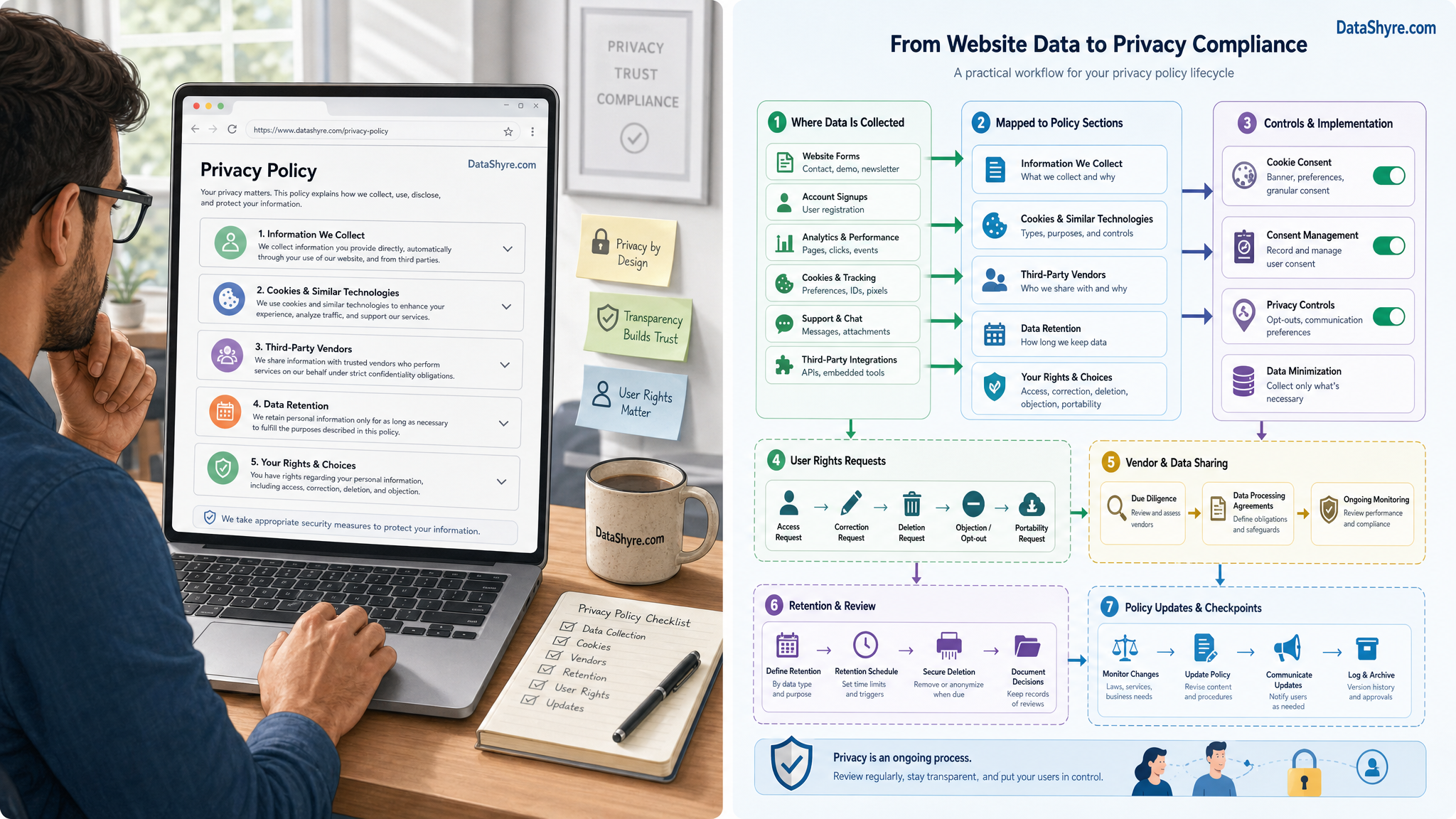
6. Keep the policy aligned with the vendor stack and sharing that really happen
This is the part a template can never finish for you.
The FTC says it enforces the “privacy promises that companies make.” This is why a good privacy policy for my website review compares the published page against the live services actually handling user data, such as:
- CRM and email tools;
- analytics and ad platforms;
- payment, booking, or subscription providers;
- support and chat systems;
- embedded media or mapping services; and
- affiliates, parent entities, or service providers mentioned elsewhere.
Generic lines like we may share information with trusted partners usually collapse under real scrutiny.
A better pattern is to use recipient categories that map to reality, then keep an internal record of the named vendors and purposes so the page can be updated when the stack changes.
7. Re-check the page every time the site changes
The last privacy policy for my website mistake is treating the page like a one-time legal deliverable.
That rarely lasts.
The California DOJ has long said the policy should be updated at least once a year, but that is only a floor. The ICO’s current checklists go further and say privacy information should be updated before a new purpose or new processing starts.
So a more useful operating rule is to revisit the page whenever:
- a new form or funnel collects different information;
- a new cookie, pixel, SDK, or embed is added;
- a new vendor or processor is onboarded;
- retention practices change;
- a new region or rights workflow goes live; or
- the consent or opt-out experience changes.
That is usually where implementation help matters more than another template download.
A practical review for this week
If I were fixing a privacy policy for my website today, I would work in this order:
- map the live collection points and vendor stack first;
- fill the core sections for categories, purposes, recipients, retention, rights, and contact details;
- add a clear section for cookies, pixels, and similar technologies;
- test whether form, banner, and settings behavior match what the page says;
- verify the rights and opt-out path actually works;
- place privacy information where collection begins, not only in the footer; and
- tie site changes to a required privacy-policy review.
That order produces a page that is much more useful than a polished template pasted in without runtime checking.
FAQ
Is a template enough for my website privacy policy?
Usually no. A template can help you start, but it will not know your actual forms, cookies, vendors, retention rules, or rights workflow. Those details are what make the page accurate.
Do I need to mention cookies in the privacy policy?
If the site uses cookies or similar tracking technologies, the policy should clearly explain that and point people to the right settings or cookie controls. The exact structure can vary, but the tracking story should not be hidden.
Where should I place the privacy policy on my website?
Put it in the footer, but also make sure privacy information is reachable where data is collected, such as forms, checkout, account creation, or related settings flows when appropriate.
What is the biggest mistake people make?
The fastest way to judge privacy policy for my website is to test it the way a broken deployment would expose it: before consent, after consent, and again after a stack change.