Cookie Consent Examples in 2026: 8 Patterns You Can Test on a Live Site
The real value in cookie consent examples shows up when you debug it like a live system. A banner can render perfectly and still leak requests, misfire tags, or drift after the next plugin or theme update.
The linked DataShyre references add background, but the useful work here is in troubleshooting, release checks, and runtime verification on the live stack.
That is the right standard because the official pattern has not softened. The European Commission still ties valid consent to a clear affirmative act and says it should be as easy to withdraw as to give. The CNIL is still stating the sharpest banner-design rule in one line: rejecting cookies should be just as easy as accepting them. Google, meanwhile, still tells implementers to set default consent states before any commands that send measurement data.
If you want adjacent guidance first, start with our breakdowns of cookie consent banner examples, cookie consent message examples, and GDPR cookie consent requirements. This page stays narrower. It focuses on cookie consent examples you can adapt and then test on a real site this week.

What strong cookie consent examples have in common
Before looking at patterns, it helps to define what a good example is actually proving.
A strong cookie consent example should show:
- a real first-layer choice instead of a decorative banner;
- a refusal path that is visible and usable;
- purpose-level controls where that level of granularity is needed;
- later withdrawal or settings access without friction;
- runtime behavior that matches the choice.
That last point is what separates a credible example from a cosmetic one. A banner can say all the right things and still fail if analytics, advertising, or embedded-media tags act before the user makes the choice your region requires.
1. The balanced three-choice banner
This is still the safest starting point for many business sites.
The pattern is simple:
Accept allReject non-essentialManage preferences
Why it works:
- it gives people a clear yes, no, or customize path;
- it avoids hiding refusal behind a second screen;
- it matches the CNIL’s design expectation that rejecting should be just as easy as accepting.
For many teams, the best cookie consent examples now look less persuasive and more symmetrical. The design job is not to maximize accepts. It is to present a defensible choice.
2. The analytics-first banner for measurement-heavy sites
Some sites are not mainly juggling ad tech. They are trying to keep analytics, testing, and performance tools inside a cleaner rule set.
In those cases, one of the better cookie consent examples is a first layer that says exactly what the optional measurement is for instead of using vague language like improve your experience.
That banner often works better when it:
- names analytics as a separate purpose;
- distinguishes essential site operation from optional measurement;
- links directly to a settings layer where analytics can stay off by default.
This is also where implementation discipline matters. If the site uses Google tags, Google’s current setup guidance still says default consent should be set before any commands that send measurement data. So the banner example only holds up if the measurement layer actually waits.
3. The embedded-media prompt tied to one feature
Not every consent moment has to happen in one giant first-load banner.
Some of the most practical cookie consent examples appear when a site asks for consent at the moment a visitor wants a video, map, chat widget, or similar embedded feature that uses optional storage or access technologies.
This pattern works when it:
- explains what enabling the feature will do;
- offers a clear accept path for that feature;
- lets the user continue without the feature if they prefer;
- records the choice in a way the wider CMP can still enforce later.
This is often better than pretending every optional technology needs the same explanation on the first screen. It connects the choice to the action the user actually understands.
4. The purpose-led preference center
A banner is only the first layer.
The second layer is where many cookie consent examples either become convincing or collapse into noise. A strong preference center usually groups optional technologies by purpose, uses plain labels, and avoids pre-ticked choices.
The categories do not need to be identical on every site, but they should reflect what the site really uses. Common patterns include:
- analytics;
- advertising or personalization;
- embedded media;
- functional enhancements that are not strictly necessary.
If the categories are too broad, the user cannot make a meaningful decision. If they are too technical, the interface stops being informative. The best examples sit in the middle: specific enough to be real, simple enough to understand.
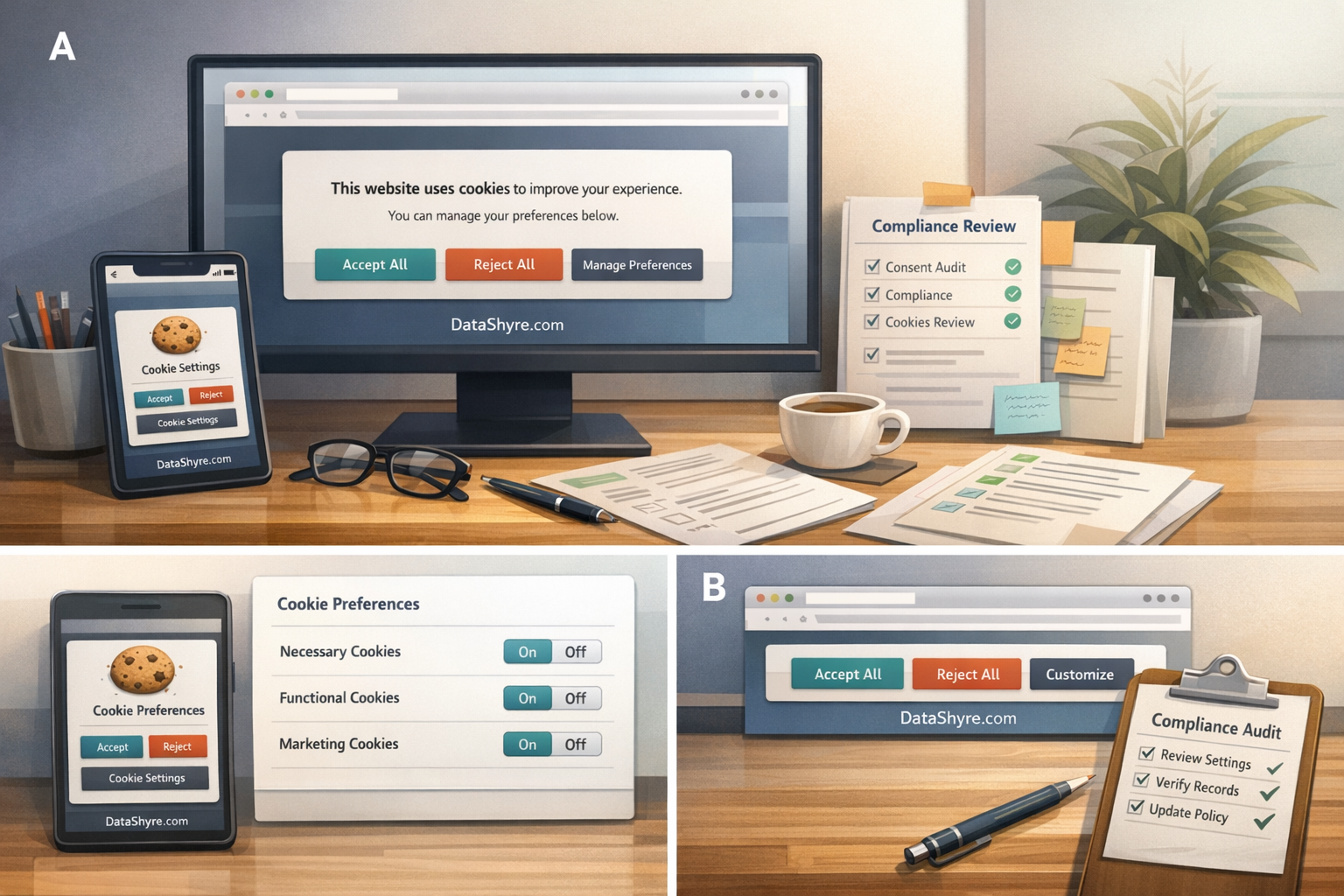
5. The mobile-first consent example
This is where plenty of desktop-friendly banners fall apart.
On mobile, a pattern that looked balanced on a laptop can turn into a dark pattern very quickly if the reject action is pushed below the fold, shrunk into a text link, or hidden behind a smaller contrast treatment.
So one of the best cookie consent examples to copy is simply a banner that remains fair on a phone:
- the reject path is visible without extra hunting;
- buttons remain the same visual weight;
- scrolling is not used as implied consent;
- the settings layer still works on a small screen.
This is not just a UX preference. It is often the difference between a design that still communicates a real choice and one that only looks compliant in a desktop screenshot.
6. The regional-logic example
Modern consent programs often need more than one path.
Some visitors may see a full prior-consent flow for optional tracking. Others may see a different privacy-choice model tied to regional laws or narrower technology use. The point is not to make the interface more complex than necessary. The point is to make the runtime logic honest.
The stronger cookie consent examples in 2026 are often the ones that can explain:
- which regions get prior-consent logic;
- which technologies are blocked until a choice;
- which later privacy settings remain available;
- how the site handles return visits and changed decisions.
If your legal model differs by region, the example should show that operationally rather than hiding behind one generic global banner.
7. The return-visitor settings path
Many examples look fine on first load and then become impossible to use later.
That is a problem because the European Commission still frames valid consent around easy withdrawal as well as initial agreement. A good cookie consent example therefore includes a visible route back:
- a footer link such as
Privacy settingsorCookie settings; - a persistent control in account or app settings where relevant;
- a clear way to save revised preferences;
- runtime enforcement after the change.
This is one of the easiest live checks to run. Visit the site again, change the choice, and see whether the experience and network behavior actually follow it.
8. The implementation-proof example
This is the pattern too many galleries skip.
The most valuable cookie consent examples are not just copy examples. They are examples that survive tag review.
For a Google Tag Manager or similar setup, that often means checking:
- whether the CMP or consent template fires at the right stage;
- whether default denied states are set early enough;
- whether non-essential tags still have extra triggers or exceptions that bypass the choice;
- whether the page where the user clicks
AcceptorRejectupdates behavior before the next navigation.
Google’s current guidance remains very specific here: consent updates should be tracked on the page where they occur, before any page transition. If the technical path fails that test, the interface example is not as strong as it looks.
A fast way to review cookie consent examples this week
If you are borrowing from other cookie consent examples, use this short review order before shipping anything:
- compare the first-layer accept and reject paths on desktop and mobile;
- check whether optional purposes are explained in plain language;
- review whether the preference center reflects real tools and purposes;
- test first-load refusal before testing acceptance;
- verify that settings can be reopened later;
- inspect whether tags, pixels, or embeds still behave as the interface claims.
That sequence usually reveals more than collecting another round of banner screenshots.
FAQ
What is the safest cookie consent example for most sites?
Usually a balanced first layer with Accept all, Reject non-essential, and Manage preferences, followed by a purpose-led settings screen and an easy route back to those settings later.
Do all cookie consent examples need category toggles?
Not every first layer needs to show every toggle, but the overall experience should still let users make a meaningful choice at the right level for the site’s actual purposes and technologies.
Is a good banner example enough by itself?
No. The example has to match live behavior. If optional tags or embeds act before the required choice, the example is not really a compliant pattern.
Bottom line
The best cookie consent examples in 2026 are not mainly writing samples.
They are operating patterns.
They show a fair first-layer choice, a useful second-layer settings path, an easy route back for withdrawal, and a live technical setup that behaves the same way the interface promises.
The fastest way to judge cookie consent examples is to test it the way a broken deployment would expose it: before consent, after consent, and again after a stack change.
Sources
- European Commission, legal grounds for processing data: https://commission.europa.eu/law/law-topic/data-protection/information-business-and-organisations/legal-grounds-processing-data_en
- Google for Developers, set up consent mode on websites: https://developers.google.com/tag-platform/security/guides/consent
- Google Tag Manager Help, consent mode support: https://support.google.com/tagmanager/answer/10718549
- Google Tag Manager Templates, consent APIs: https://developers.google.com/tag-platform/tag-manager/templates/consent-apis
- Google Analytics Help, about consent mode: https://support.google.com/analytics/answer/10000067
- ICO, final storage and access technologies guidance published: https://ico.org.uk/about-the-ico/media-centre/news-and-blogs/2026/04/final-storage-and-access-technologies-guidance-published/
- ICO, what are storage and access technologies: https://ico.org.uk/for-organisations/direct-marketing-and-privacy-and-electronic-communications/guidance-on-the-use-of-storage-and-access-technologies/what-are-storage-and-access-technologies/
- CNIL, dark patterns in cookie banners: https://www.cnil.fr/en/dark-patterns-cookie-banners-cnil-issues-formal-notice-website-publishers
- CNIL, refusing cookies should be as easy as accepting them: https://cnil.fr/fr/node/9929
—
Published: October 24, 2026. Updated using current official regulator and platform materials available at publication time.