WordPress GDPR in 2026: 7 Live Checks Before You Call a Site Ready
The real value in wordpress gdpr shows up when you debug it like a live system. A banner can render perfectly and still leak requests, misfire tags, or drift after the next plugin or theme update.
The useful test for wordpress gdpr is whether the live stack behaves correctly before consent, after consent, and after the next deployment. That is how hidden leaks and timing mistakes show up.
In real deployments, wordpress gdpr work sits across your privacy page, your plugins, your export and erasure flow, your cookie and tag behavior, and the operating habits that keep those parts aligned after updates.
WordPress’s current privacy documentation is clear about the baseline. Its Privacy Settings and Editing Helper tools can create a privacy page and pull together starter text from WordPress core, themes, and participating plugins, but WordPress also says it is still your responsibility to make the policy comprehensive and to “keep your policy current and accurate.” The Plugin Handbook adds another practical rule: every plugin that collects, uses, or stores user data, or passes it to a third party, “should add a section of suggested text” to the privacy policy postbox. WordPress is equally direct about the limit of its request tooling: export and erase flows “ONLY gather data from WordPress and participating plugins,” so site owners may need to go beyond that default coverage. On the legal side, GDPR Article 12 still requires privacy information in “clear and plain language.” And on the runtime side, the ICO’s live 2026 storage-and-access guidance says PECR applies not only to cookies, but also to tracking pixels, fingerprinting, web storage, and “scripts and tags.”
If you want nearby context first, start with these guides to WordPress privacy policy generator, WordPress cookie notice, and GDPR WordPress plugin. This page stays broader. It is the wordpress gdpr review I would use this week before telling a team their WordPress privacy setup is actually ready.
If your team is trying to get wordpress gdpr under control without adding a heavyweight privacy stack, DataShyre can help. DataShyre focuses on consent and preference management that are easier to implement, easier to operate, and easier to trust on a live site. Start with DataShyre’s consent and preference management or book a demo.
If your team wants help turning those pieces into one operating system instead of a patchwork of settings screens, DataShyre can help with data mapping, consent management, and DSR automation. The hard part is rarely finding one more plugin. The hard part is making sure the page, the plugins, the scripts, and the rights flow all tell the same truth.
1. Start with the live WordPress stack, not the compliance label
The first wordpress gdpr mistake is treating the project like a badge review.
A plugin says GDPR ready.
A theme says privacy friendly.
A CMP says compliant.
That is not the same thing as knowing what the live site is actually doing.
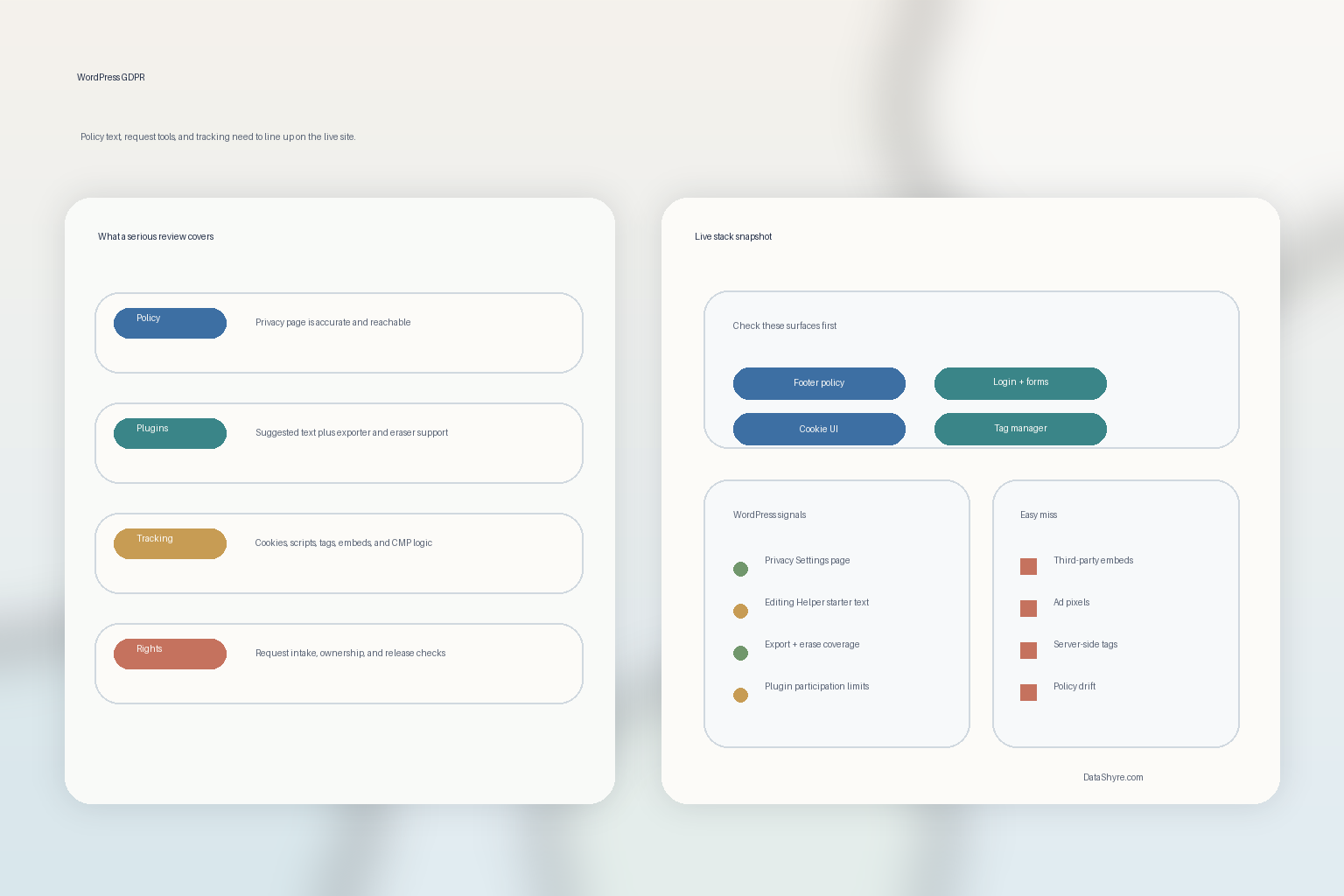
WordPress’s own privacy guide says the Editing Helper can generate starter text from WordPress and participating plugins, but it also warns that many sites use third-party tools the helper cannot fully detect. The Plugin Handbook pushes in the same direction by telling developers to think about personal data in forms, cookies, third-party embeds, analytics, storage locations, and external services.
So before you edit a sentence, map the live site:
- contact, quote, checkout, newsletter, and support forms;
- comments, login, registration, and account flows;
- analytics, pixels, and tag-manager injections;
- chat, booking, video, map, and review embeds;
- ecommerce, payment, CRM, and email plugins;
- any custom snippets or server-side tag routes added outside the plugin UI.
If that inventory is weak, the rest of the wordpress gdpr review becomes guesswork.
2. Treat WordPress privacy text as starter text, not finished truth
This is the easiest rule to forget.
WordPress gives you tools.
It does not give you a finished privacy program.
The current WordPress privacy documentation says the Privacy Settings tool can create a dedicated policy page and the Editing Helper can generate starter text from core, themes, and participating plugins. But WordPress also says you are responsible for making the final policy complete and accurate.
That means a serious wordpress gdpr workflow checks whether the generated text still misses:
- collection from custom fields or third-party form plugins;
- analytics or advertising tools injected through GTM or snippets;
- embedded players, chat widgets, calendars, maps, or support tools;
- retention or sharing details that the helper cannot infer;
- regional rights instructions that depend on your real operating model.
So the right process is not generate and publish.
It is generate, compare against the live stack, then rewrite until the page matches reality.
3. Make the privacy page easy to find where data collection actually happens
A wordpress gdpr project can have a decent privacy page and still fail the practical user test.
WordPress says the Privacy Policy page is managed through Settings > Privacy, and the documentation also notes that site owners are responsible for linking to the page across the site. GDPR transparency expectations point the same way: if the information is not easy to find, easy to understand, and surfaced where collection happens, the page is weaker than it looks.
So test where the privacy page is reachable:
- the global footer;
- login and registration screens;
- lead forms and newsletter forms;
- checkout, booking, or account journeys;
- rights-request or preference-management pages.
For wordpress gdpr, the real question is not whether the page exists.
It is whether a real visitor can find it at the moment they need it.
4. Check exporter and eraser coverage before promising that rights requests are handled
This is where many wordpress gdpr setups become too optimistic.
WordPress has useful built-in personal data export and erasure tools. That is a genuine advantage.
But the same official documentation says those tools only gather data from WordPress and participating plugins, and the Erase Personal Data documentation adds another practical warning: the tool does not remove data from backups or archive files.
That changes the review you should run.
Instead of asking only whether a rights page exists, ask:
- which plugins register exporter support;
- which plugins register eraser support;
- what personal data still lives in third-party systems;
- what happens to backups, archives, and disconnected logs;
- who actually owns the request when it crosses tools.
If the public policy promises deletion or access, but the team cannot explain where the data sits after it leaves WordPress, the wordpress gdpr story is incomplete.
5. Separate policy-page compliance from cookie, pixel, and tag compliance
This is one of the biggest practical gaps in wordpress gdpr work.
Teams fix the policy page and assume the tracking layer is covered too.
It is not.
The ICO’s current 2026 storage-and-access guidance says PECR applies to cookies, tracking pixels, link decoration and navigational tracking, fingerprinting, web storage, and scripts and tags. That matters because WordPress sites often load those layers through plugins, tag managers, themes, ecommerce add-ons, and embedded services all at once.
So for wordpress gdpr, the runtime review should ask:
- what loads before any consent choice is made;
- what loads after reject;
- what changes after accept or granular selection;
- which vendors receive information through scripts, tags, or embeds;
- whether the privacy page and cookie UI describe that behavior honestly.
This is also where DataShyre’s website privacy checker is often more useful than another policy rewrite. If the network behavior and the page copy disagree, the network behavior wins.
6. Assign ownership inside WordPress admin before settings drift starts
Another common wordpress gdpr weakness is operational, not legal.
No one owns the whole picture.
WordPress’s privacy capabilities documentation still lists dedicated capabilities like manage_privacy_options, export_others_personal_data, and erase_others_personal_data. That is a reminder that privacy work in WordPress is not only about visitor-facing pages. It is also about admin control and responsibility.
A stronger wordpress gdpr review should clarify:
- who can change the privacy page;
- who can update plugin settings that affect collection or tracking;
- who responds to export and erasure requests;
- who reviews new embeds, tags, or external services before launch;
- who signs off when the policy text and runtime are rechecked.
If those answers are fuzzy, drift usually arrives faster than anyone expects.
7. Tie GDPR review to releases, plugin updates, and new purposes
The last wordpress gdpr check is the one that keeps the other six from decaying.
WordPress says privacy protection is a continuous process, not a one-time task. That is the right operating model.
So connect privacy review to the moments that actually change the site:
- plugin installs or major updates;
- new forms, new form fields, or new collection purposes;
- new scripts, pixels, or tag-manager routes;
- new vendors, embeds, or downstream sharing paths;
- changes to request handling or consent logic;
- redesigns that change where the privacy page or choices are exposed.
If the team only revisits wordpress gdpr when someone asks for an audit, the site is probably already out of sync.
A practical 7-step WordPress GDPR review for this week
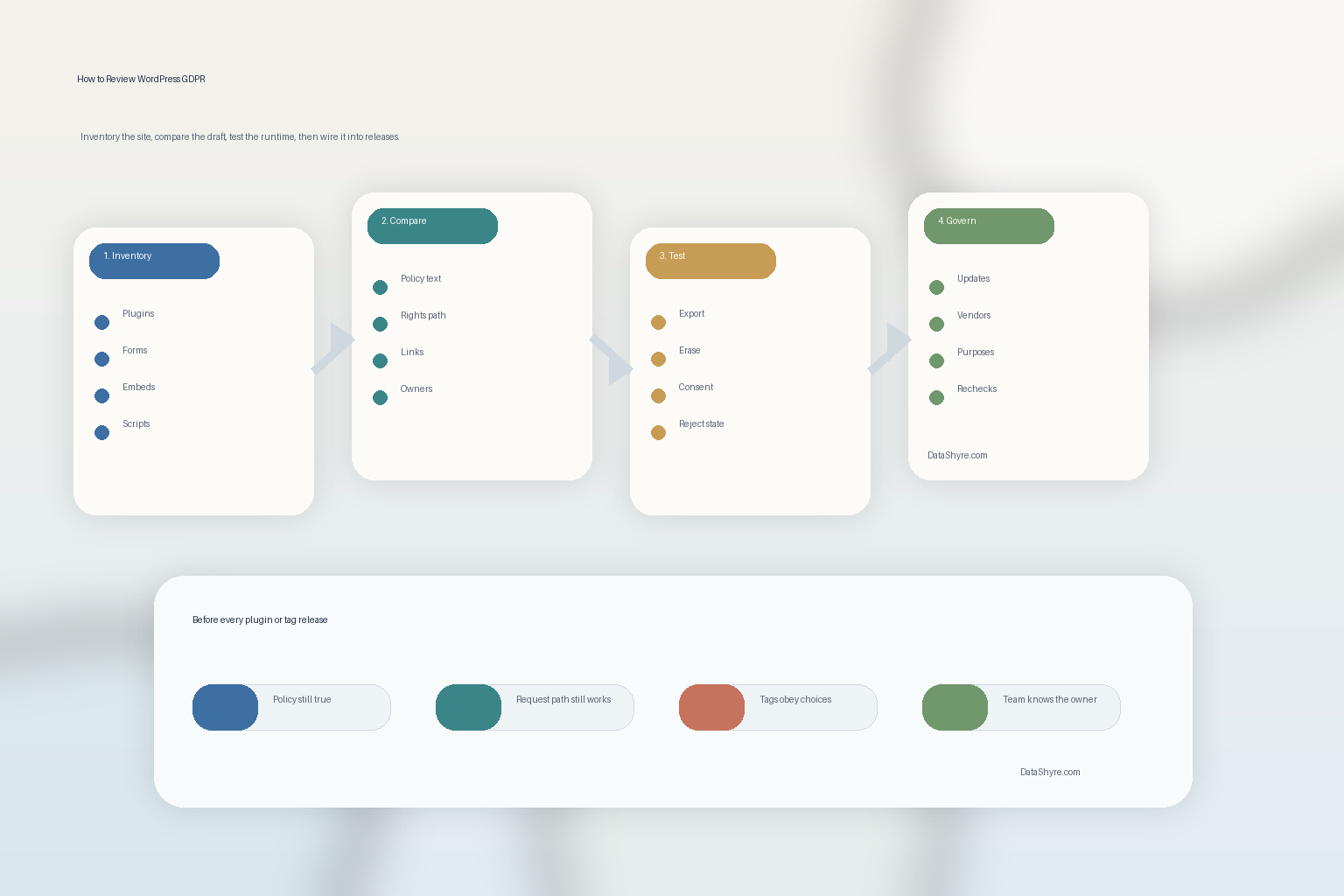
If you were reviewing wordpress gdpr on a live site today, use this order:
- inventory the plugins, forms, embeds, scripts, and data destinations;
- compare the privacy page against WordPress starter text and plugin-provided text;
- verify where the page is linked across collection journeys;
- test exporter and eraser coverage, including third-party gaps;
- inspect cookies, pixels, web storage, and scripts before and after consent states;
- assign clear admin ownership for policy, tools, and requests;
- make plugin or tracking changes trigger a required privacy re-check.
That order gives you a much better wordpress gdpr result than shopping for one more plugin and hoping the label means the work is finished.
FAQ
Is WordPress itself enough for GDPR compliance?
No. WordPress provides useful privacy tools, but the final result still depends on your plugins, third-party services, policy accuracy, consent behavior, and request handling.
Does WordPress export or erase every piece of personal data automatically?
No. WordPress says the tools only gather data from WordPress and participating plugins, so sites often need separate handling for external vendors, logs, and backups.
Is a privacy policy update enough if the site runs tracking tools?
No. A wordpress gdpr review also has to test the live behavior of cookies, pixels, scripts, tags, and embeds. The policy page and the runtime need to match.
Bottom line
The best wordpress gdpr setup in 2026 is not a plugin checklist.
It is a live operating discipline.
You need a privacy page that tells the truth, plugins that participate in the workflow, request tools that actually cover the right data, a tracking layer that behaves as described, and release habits that keep those pieces aligned after the site changes.
The fastest way to judge wordpress gdpr is to test it the way a broken deployment would expose it: before consent, after consent, and again after a stack change.
Sources
- WordPress Documentation, WordPress Privacy: https://wordpress.org/documentation/article/wordpress-privacy/
- WordPress Documentation, Tools Erase Personal Data screen: https://wordpress.org/documentation/article/tools-erase-personal-data-screen/
- Developer.WordPress.org, Suggesting text for the site privacy policy: https://developer.wordpress.org/plugins/privacy/suggesting-text-for-the-site-privacy-policy/
- Developer.WordPress.org, Privacy Related Options, Hooks and Capabilities: https://developer.wordpress.org/plugins/privacy/privacy-related-options-hooks-and-capabilities/
- EUR-Lex, Regulation (EU) 2016/679, Article 12: https://eur-lex.europa.eu/legal-content/EN/TXT/?uri=CELEX:32016R0679
- ICO, Guidance on the use of storage and access technologies: https://ico.org.uk/for-organisations/direct-marketing-and-privacy-and-electronic-communications/guidance-on-the-use-of-storage-and-access-technologies/
- ICO, What are storage and access technologies?: https://ico.org.uk/for-organisations/direct-marketing-and-privacy-and-electronic-communications/guidance-on-the-use-of-storage-and-access-technologies/what-are-storage-and-access-technologies/