This Website Uses Cookies in 2026: What That Banner Should Really Tell Users
The real value in this website uses cookies shows up when you debug it like a live system. A banner can render perfectly and still leak requests, misfire tags, or drift after the next plugin or theme update.
The useful test for this website uses cookies is whether the live stack behaves correctly before consent, after consent, and after the next deployment. That is how hidden leaks and timing mistakes show up.
That is the standard now.
Official sources still point in the same direction. The California Department of Justice says businesses need a “notice at collection” and that it must link to the privacy policy for a “fuller description” of practices and rights. The EU’s Your Europe guidance says users should receive “clear and comprehensive information” about cookies and their purpose, and that withdrawal should be as easy as acceptance. CNIL says “rejecting cookies should be just as easy as accepting them.” Google’s current consent-mode documentation adds the technical test: in basic consent mode, “No data is sent before a user consents.”
If you want nearby context first, start with these guides to cookie policy, website privacy checker, and tracking cookies. This page stays narrower. It is the this website uses cookies review I would use this week before trusting what the banner says on a live site.
If your team is trying to get this website uses cookies under control without adding a heavyweight privacy stack, DataShyre can help. DataShyre focuses on consent and preference management that are easier to implement, easier to operate, and easier to trust on a live site. Start with DataShyre’s consent and preference management or book a demo.
If your team is trying to connect the banner language to the systems behind it, DataShyre can help through consent management, data mapping, and runtime privacy testing. The hard part is rarely writing the sentence. It is proving the site behaves the way the sentence implies.

1. Treat “this website uses cookies” as the opening line, not the whole notice
The first this website uses cookies mistake is assuming the phrase itself does enough legal or practical work.
It does not.
That wording can be a fine opener, but on its own it does not tell a person:
- which cookies or similar technologies are involved;
- what they are used for;
- whether they are necessary, analytics, advertising, or personalization related;
- whether another company receives data through them; or
- where the person can read more or change the choice later.
This is why the California DOJ’s current CCPA guidance is useful even for banner design. It says businesses need a notice at collection at or before collection, and that the notice must link to the privacy policy so people can get a fuller description of practices and rights.
So the practical this website uses cookies rule is simple:
the phrase can introduce the notice, but the notice still has to explain the live collection story.
2. Say what is necessary and what is optional
Many weak banners stop at the sentence and never explain the purpose split.
That is where confusion starts.
Your Europe says cookies that require consent need clear and comprehensive information about the cookies used on the site and their purpose. It also says users should be able to give separate consent depending on the purpose of different cookie types.
That means a useful this website uses cookies banner or first-layer notice should help a normal person understand whether the site is using:
- strictly necessary functions such as login or cart state;
- analytics or measurement tools;
- advertising or retargeting tools;
- personalization features; or
- embedded third-party tools that create their own tracking branch.
If the wording stays vague, the user still cannot tell what they are being asked to allow.
3. Put reject on the same level as accept
This is still one of the fastest live checks.
CNIL’s December 12, 2024 notice on misleading cookie banners says “rejecting cookies should be just as easy as accepting them.” Its current cookie FAQ goes further and says a site must offer a means of refusing non-necessary trackers, and that refusal should be offered as easily as acceptance.
That should shape the design immediately.
For a serious this website uses cookies review, check whether:
accept allappears on the first layer;reject allalso appears on the first layer, or refusal is otherwise equally easy;- reject is not hidden as a faint text link;
- the wording is explicit rather than euphemistic; and
- the path to refuse does not require extra hunting or multiple unnecessary steps.
If the banner makes acceptance obvious and refusal awkward, the sentence at the top is already attached to the wrong user experience.
4. Test the live page, not the banner mockup
This is where many teams overestimate how good the implementation is.
Google’s current Tag Manager consent-mode documentation says that in basic consent mode, Google tags are blocked until a user interacts with the banner, and that “No data is sent before a user consents.” It also says that in advanced consent mode, tags may load with denied defaults and send cookieless pings while consent is denied.
That means the real this website uses cookies question is not only does the banner appear.
It is:
- what loads before any choice;
- whether analytics, ad, or embedded tools still run too early;
- whether consent defaults are set correctly;
- whether the site updates behavior immediately after the user’s choice; and
- whether withdrawal later changes runtime behavior too.
If the text says users are in control but the tags already fired, the problem is not the sentence. The problem is the system behind it.
5. Link the banner to the broader privacy explanation
Another common this website uses cookies failure is leaving the user at a dead end.
The banner should not try to carry the entire privacy program by itself.
The California DOJ guidance is useful here again because it says the notice at collection should link to the privacy policy for a broader description. In real deployments, that means the banner should connect to the page where users can learn:
- what categories of personal information the business collects;
- what the data is used for;
- who receives it;
- what privacy rights apply; and
- how those rights can be exercised.
For cookie-specific detail, many teams also keep a dedicated cookie policy or settings center. That split is fine as long as the documents tell one consistent story.
6. Keep the wording plain and the controls reversible
The phrase this website uses cookies is short enough for plain English.
The rest of the notice should be too.
Your Europe says users should get clear and comprehensive information and that it must be as easy to withdraw consent as to accept cookies. That changes both copy and UX.
A practical this website uses cookies notice should avoid filler like:
enhance your experiencewith no explanation;trusted partnerswith no category or context;we may use cookiesif the site clearly does use them; or- unexplained labels that only privacy teams understand.
It should also make later change easy. A persistent privacy-settings link, cookie-settings trigger, or similar control is usually the cleanest way to keep the promise operational.
7. Recheck the banner whenever the stack changes
The best this website uses cookies banner is still only a snapshot of a changing website.
This is why maintenance matters.
I would recheck this notice whenever:
- a new analytics or advertising tool is added;
- a plugin, tag-manager container, or embed changes;
- a new region or domain goes live;
- the privacy policy or cookie categories change; or
- the team changes what counts as necessary versus optional.
If the banner text stands still while the site behavior changes underneath it, the sentence becomes misleading without anyone intending it to.
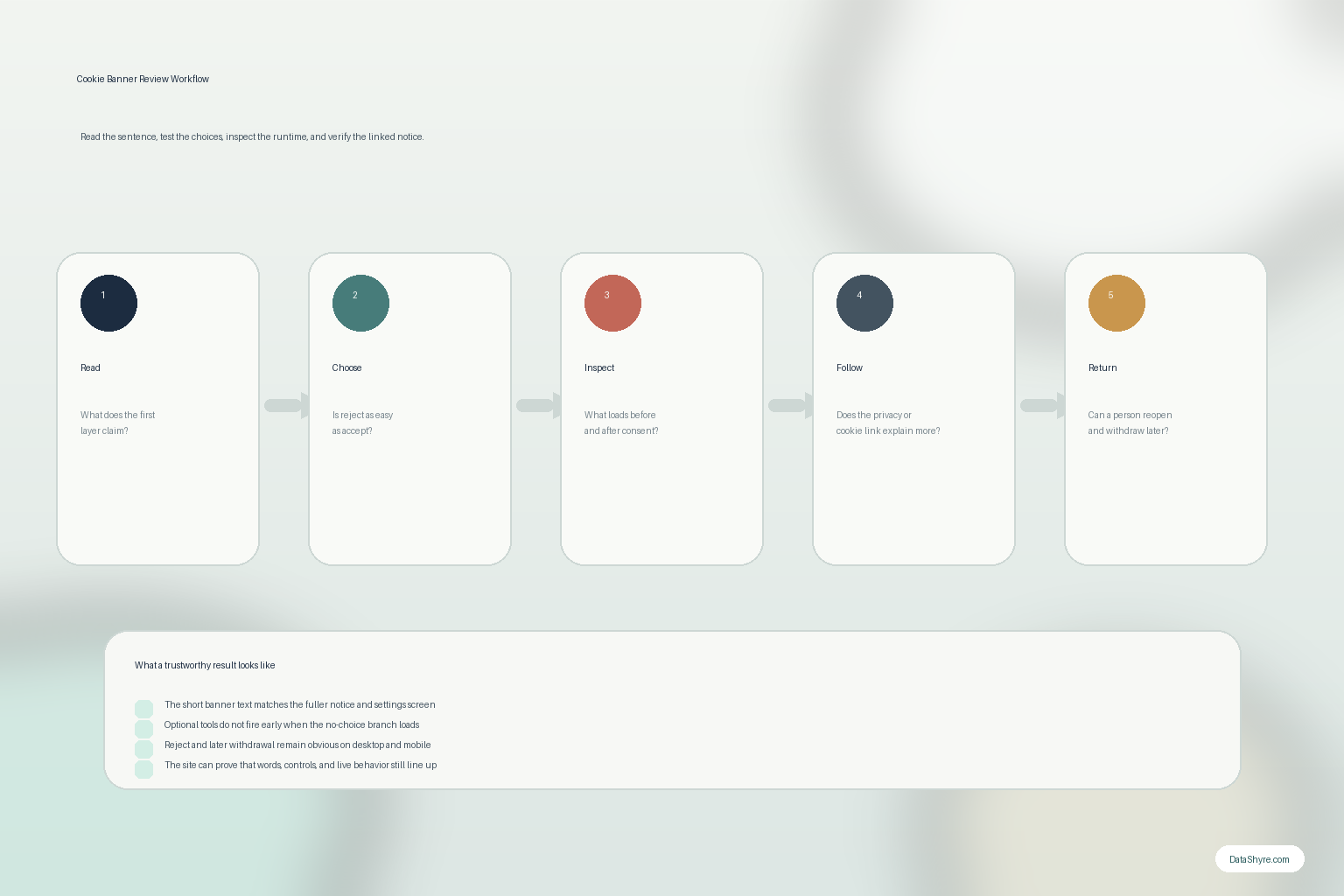
A practical review order for “this website uses cookies”
If I were auditing this website uses cookies on a live site this week, I would use this order:
- read the first-layer text and identify what it claims;
- test whether reject is as easy as accept;
- inspect what loads before and after consent;
- follow the link to the privacy policy or cookie policy;
- test the later withdrawal path; and
- compare the notice against the actual trackers, tags, embeds, and vendors on page.
That catches the real gaps faster than copy editing alone.
FAQ
Is “this website uses cookies” enough by itself?
No. It is only an opening sentence. Users still need to know the purpose of the cookies, what choices they have, and where to learn more or change the decision later.
Does every cookie banner need a reject option?
For many EU-facing setups, the safest answer is yes or an equivalent refusal path that is just as easy as acceptance. CNIL’s current position is explicit on that point.
Why does the banner need a privacy-policy link?
Because the short notice is not the whole disclosure. California’s DOJ says notice at collection should link to the privacy policy so consumers can get a fuller description of privacy practices and rights.
Bottom line
The strongest this website uses cookies notice in 2026 is not the shortest one.
The fastest way to judge this website uses cookies is to test it the way a broken deployment would expose it: before consent, after consent, and again after a stack change.
Sources
- California Department of Justice, California Consumer Privacy Act (CCPA): https://oag.ca.gov/privacy/ccpa
- CNIL, Dark Patterns in Cookie Banners: CNIL issues formal notice to website publishers: https://www.cnil.fr/en/dark-patterns-cookie-banners-cnil-issues-formal-notice-website-publishers
- CNIL, Questions-réponses sur les cookies et autres traceurs: https://www.cnil.fr/fr/cookies-et-autres-traceurs/regles/cookies/FAQ
- Google Tag Manager Help, Set up consent mode: https://support.google.com/tagmanager/answer/14009635
- Your Europe, Online privacy: How to use cookies on your website: https://europa.eu/youreurope/business/growing/digitalising/online-privacy/index_en.htm