WordPress Privacy Policy Generator in 2026: What It Helps With, What It Misses, and 7 Live Checks
The real value in wordpress privacy policy generator shows up when you debug it like a live system. A banner can render perfectly and still leak requests, misfire tags, or drift after the next plugin or theme update.
The useful test for wordpress privacy policy generator is whether the live stack behaves correctly before consent, after consent, and after the next deployment. That is how hidden leaks and timing mistakes show up.
That is the real job.
WordPress itself is clear about the limit. Its Privacy Settings and Privacy Policy Editing Helper tools can create a page, provide prompts, and pull in some default texts from core, themes, and participating plugins. But WordPress also says it is still your responsibility to make the policy comprehensive and to “keep that information current and accurate.” That matters because a wordpress privacy policy generator can only see part of the stack. It cannot reliably judge every form, script, marketing tag, consent tool, embedded video, support widget, or third-party service running on the live site.
The legal side points in the same direction. California’s Department of Justice says a business privacy policy should be “updated at least once a year.” The California Attorney General’s current CCPA consumer page says the privacy policy must explain privacy rights and how to exercise them, while notice at collection must appear at or before the point where data is collected and link back to the privacy policy for fuller detail. On the EU and UK side, GDPR Article 12 still requires privacy information in a concise, transparent, intelligible, and easily accessible form using “clear and plain language.” The ICO adds the operational rule many teams skip: if you start using data for a new purpose, you should update the privacy information and “proactively bring this change to their attention before you start any new processing.” The FTC states the enforcement version plainly: if your company makes privacy promises, it must “live up to those claims.”
If you want nearby context first, start with these guides to privacy policy template for website, website privacy policy template, and online privacy policy. This page stays narrower. It is the wordpress privacy policy generator review I would run this week before publishing a privacy page on a live WordPress site.
If your team is trying to get wordpress privacy policy generator under control without adding a heavyweight privacy stack, DataShyre can help. DataShyre focuses on consent and preference management that are easier to implement, easier to operate, and easier to trust on a live site. Start with DataShyre’s consent and preference management or book a demo.
If your team needs help connecting the draft page to the systems behind it, DataShyre can help with data mapping, consent management, and DSR automation. The hard part is usually not generating text. It is proving that the text still matches the plugins, vendors, tags, and rights workflows after the next release.
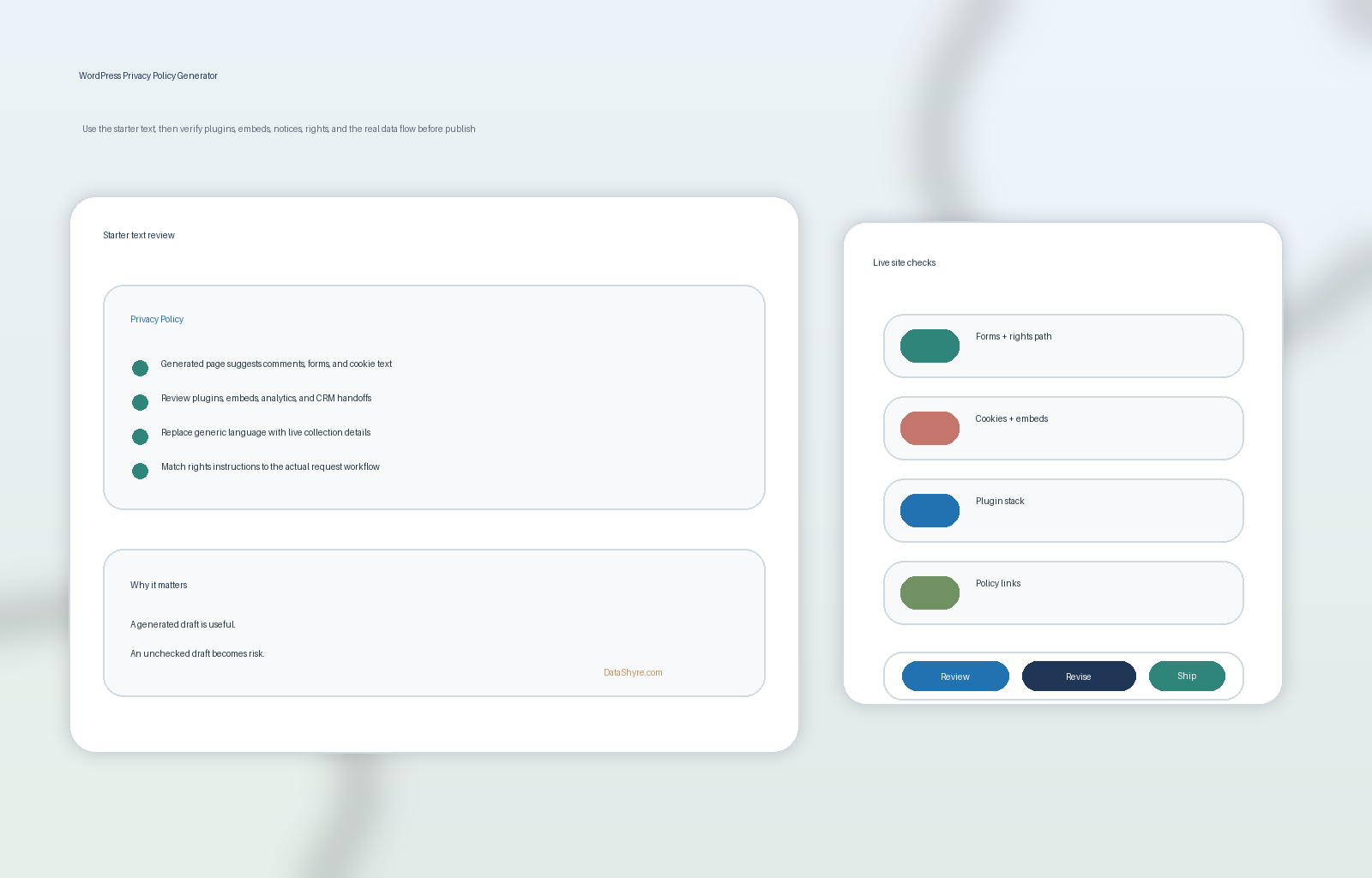
1. Start with the live plugin and data-collection map, not the generator
The most common wordpress privacy policy generator failure happens before anyone edits a sentence.
The team trusts the generated page before mapping what the site really does.
That is backwards.
WordPress says its Editing Helper pulls in default texts from core, themes, and plugins, but it also says many sites use third-party tools the helper cannot detect completely. That is the practical warning label for every wordpress privacy policy generator workflow.
Before you review the draft, map the live collection points first:
- contact, demo, quote, checkout, newsletter, and support forms;
- comments, account registration, and login flows;
- analytics, ad tags, pixels, and consent tools;
- chat widgets, schedulers, embedded video, and maps;
- ecommerce, payment, and CRM plugins; and
- any custom code added through the theme, tag manager, or snippets plugin.
If the generator starts from an incomplete inventory, the final privacy policy can look polished and still be false.
2. Treat the generated WordPress text as starter text only
This is the central point.
A wordpress privacy policy generator is a drafting assistant, not the source of truth.
WordPress documentation says the tool can create a dedicated privacy policy page, provide prompts, and generate starter text based on WordPress plus participating themes and plugins. It also says the resulting content is not enough on its own, because not every site uses the same features and not every third-party tool can be detected by the helper.
That means the generated draft should be reviewed for what it usually misses:
- extra collection from forms plugins;
- analytics or advertising scripts injected through GTM or theme code;
- email tools, webinar tools, or CRM handoffs;
- embedded services that set cookies or receive IP address data;
- mobile or app-adjacent flows connected to the same backend;
- retention rules, regional differences, and actual rights instructions.
So the correct workflow is not generate and publish.
It is generate, compare against the live site, then rewrite the sections that do not match reality.
3. Check where the privacy policy is actually reachable on the site
A wordpress privacy policy generator can create a page and still leave you with weak disclosure placement.
WordPress says the Privacy Policy page can be shown on login and registration pages, and it also says it is your responsibility to link to the page across the site. California DOJ consumer guidance likewise points people to websites, app landing pages, and app settings as the places where privacy information should be available.
So test whether the policy is reachable from:
- the global footer;
- checkout or lead-capture forms;
- the login and registration experience;
- account or settings pages where users manage profiles;
- any mobile-web or app-download page tied to the same service.
The question is not did WordPress generate the page.
It is can a real person find the policy at the moment the data journey starts.
4. Make the rights path and notice-at-collection instructions operational
This is where many wordpress privacy policy generator drafts become too generic.
California’s CCPA page says notice at collection must appear at or before collection and link to the privacy policy for fuller detail. The same page says a privacy policy must explain rights and how to exercise them. It also says businesses must designate methods for requests and include instructions in the privacy policy.
For a WordPress site, that means the draft should clearly explain:
- what categories of personal information are collected;
- the purposes for using those categories;
- the categories of third parties receiving the information where relevant;
- what rights apply in the relevant jurisdictions;
- how a user submits a request to know, delete, correct, opt out, or limit use where applicable;
- what form, email, account path, or settings path the user should use next.
If a policy page lists rights but does not tell the user exactly how to act on them, the disclosure is incomplete where it matters most.
5. Give cookies, tracking, and embedded services their own honest section
Many weak wordpress privacy policy generator pages still bury runtime tracking under vague lines like we may collect usage data.
That is not enough if the site runs cookies, pixels, video embeds, chat tools, ecommerce plugins, or advertising scripts.
WordPress itself says many sites rely on plugins or third-party tools outside the helper’s full detection path. California’s notice-at-collection framework also assumes people should be able to reach a fuller explanation through the policy. GDPR transparency rules still push toward language that is clear enough for a real person to understand, not just broad enough for a lawyer to tolerate.
So the final wordpress privacy policy generator output should explain:
- what tracking technologies are in use;
- whether they are necessary, analytics, advertising, personalization, or support-related;
- which third parties may receive data through them;
- how consent or opt-out choices affect those tools;
- where users can revisit those settings later.
If the site uses a CMP or cookie banner, the privacy policy and the live consent interface should tell the same story.
6. Compare the draft to the real plugin stack and the promises you are making
This is the FTC test.
The FTC says companies must “live up to those claims.”
That makes a wordpress privacy policy generator review less about style and more about evidence.
Check the published draft against:
- the active plugin list;
- any tag manager container or script manager;
- the marketing stack receiving form submissions;
- the analytics and session-replay tools currently enabled;
- the actual rights workflow the user experiences after submitting a request.
A line like we only share information with service providers as needed may sound careful, but it is not very useful if the real site also sends data to ad platforms, embedded video providers, chat vendors, or event tools that nobody reviewed before launch.
This is also where DataShyre often ends up helping. A privacy page is only defensible if it matches the real system behavior. That usually takes inventory, tagging review, vendor mapping, and request-path testing, not just better prose.
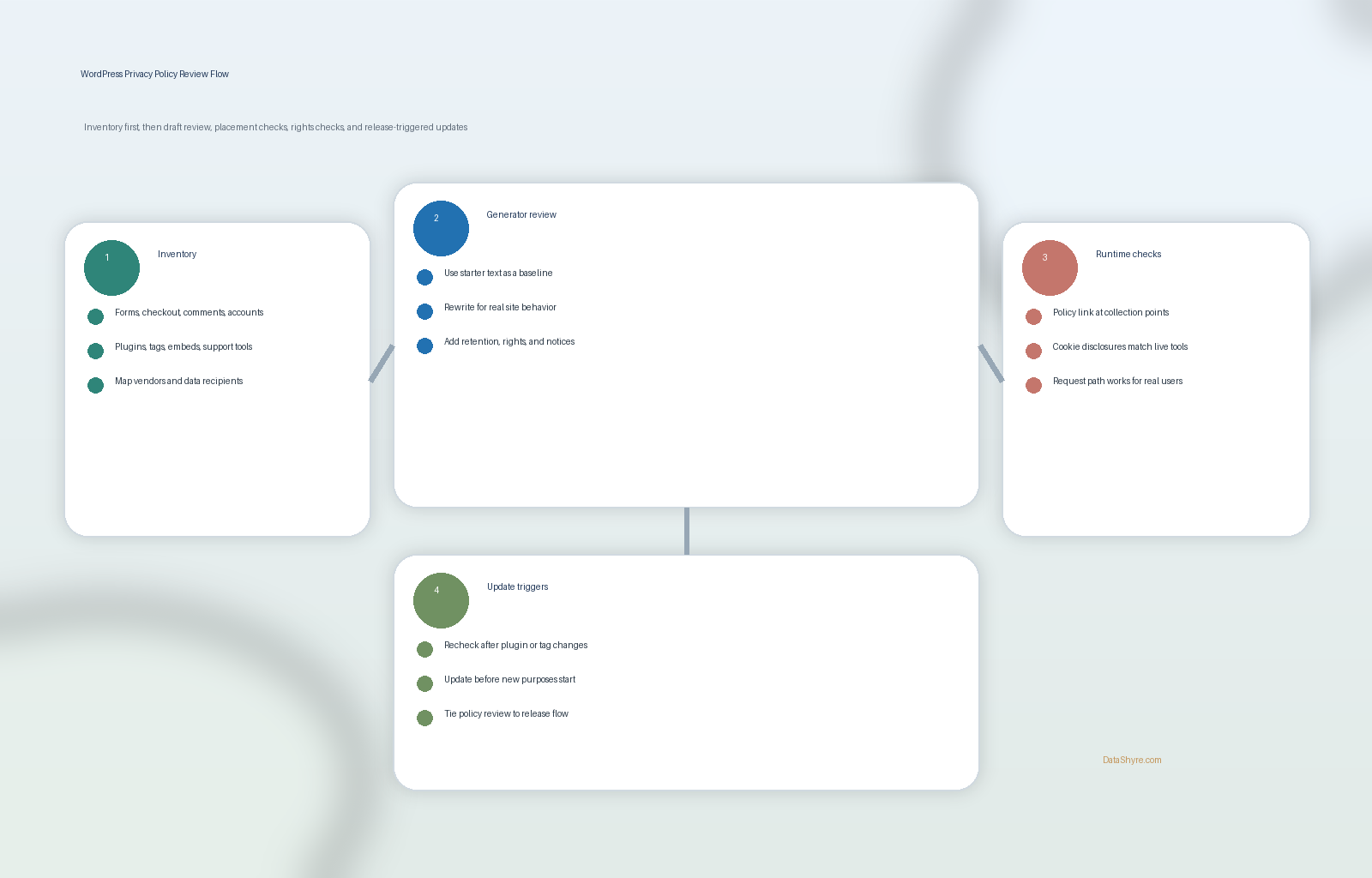
7. Treat privacy policy updates as release work after plugin or purpose changes
The biggest long-term wordpress privacy policy generator weakness is drift.
The page may be accurate on launch day and wrong two plugin updates later.
California DOJ says the privacy policy should be “updated at least once a year.” That is the floor. The ICO guidance is more useful operationally because it says you should update privacy information before using data for a new purpose and bring that change to people’s attention first.
That means a serious wordpress privacy policy generator workflow should trigger review when:
- a new plugin or SaaS integration goes live;
- a new form field or checkout branch collects additional data;
- a new analytics, advertising, or personalization purpose begins;
- the cookie banner or consent logic changes;
- the user-rights workflow changes;
- the retention or sharing model changes.
If the policy update is not tied to release management, it usually falls behind production reality.
A practical 7-step review for this week
If I were approving a wordpress privacy policy generator draft today, I would use this order:
- map the live forms, plugins, tags, and third-party tools first;
- generate or collect the WordPress starter text;
- rewrite the draft so it matches the live inventory instead of the default assumptions;
- test where the policy is linked across the site and account flows;
- verify notice-at-collection and user-rights instructions;
- compare the policy against cookies, embeds, marketing tools, and actual vendor behavior;
- connect future plugin or purpose changes to a required policy review.
That order gives you a better result than polishing template language before anyone checks the system.
FAQ
Is a WordPress privacy policy generator enough by itself?
No. A wordpress privacy policy generator can speed up drafting, but it cannot confirm the real plugin stack, custom scripts, consent behavior, or rights workflow on its own.
Does WordPress detect every plugin or third-party service automatically?
No. WordPress says its helper can pull policy help texts from WordPress and participating plugins, but many sites use third-party tools the helper cannot fully detect. This is why the final policy must be checked against the live site.
Where should a WordPress privacy policy link appear?
At minimum, users should be able to find it easily from the website footer and any relevant collection points. WordPress also says the privacy policy page can appear on login and registration pages, but site owners still need to make sure the policy is reachable across the broader experience.
Bottom line
The best wordpress privacy policy generator in 2026 is not the one that produces the most elegant first draft.
It is the one you treat as a starting point while you verify the real plugin stack, the real tracking layer, the real rights path, and the real promises the site is making to users.
If those checks are weak, the generated page is not a privacy program.
The fastest way to judge wordpress privacy policy generator is to test it the way a broken deployment would expose it: before consent, after consent, and again after a stack change.
Sources
- WordPress Documentation, Settings Privacy screen: https://wordpress.org/documentation/article/settings-privacy-screen/
- WordPress Documentation, WordPress Privacy: https://wordpress.org/documentation/article/wordpress-privacy/
- California Department of Justice, How to Read a Privacy Policy: https://oag.ca.gov/privacy/facts/online-privacy/privacy-policy
- California Department of Justice, California Consumer Privacy Act: https://www.oag.ca.gov/privacy/ccpa
- FTC Consumer Advice for Business, Privacy and Security: https://consumer.ftc.gov/business-guidance/privacy-security
- ICO, How should we draft our privacy information?: https://ico.org.uk/for-organisations/uk-gdpr-guidance-and-resources/individual-rights/the-right-to-be-informed/how-should-we-draft-our-privacy-information/
- EUR-Lex, Regulation (EU) 2016/679, Article 12: https://eur-lex.europa.eu/eli/reg/2016/679/oj/eng/