Cookies Network in 2026: What the Network Panel Reveals and 7 Live Checks
The real value in cookies network shows up when you debug it like a live system. A banner can render perfectly and still leak requests, misfire tags, or drift after the next plugin or theme update.
The useful test for cookies network is whether the live stack behaves correctly before consent, after consent, and after the next deployment. That is how hidden leaks and timing mistakes show up.
That is the right place to look.
MDN’s current HTTP documentation still says servers set cookies with the Set-Cookie response header and browsers later return stored values in the Cookie request header. Chrome’s DevTools documentation still says you can inspect cookies in both the Application panel and the Network panel, including third-party cookies tied to specific requests. The ICO’s finalized storage-and-access-technologies guidance, updated on April 29, 2026, also makes clear that a real review now extends beyond classic cookies into pixels, web storage, scripts, tags, and similar techniques. And for California-facing tracking flows, the Department of Justice still describes Global Privacy Control as a “stop selling or sharing my data switch.”
So the modern cookies network review is not just which cookies exist.
It is:
- what the server sets;
- what the browser sends back;
- which requests happen before user choice;
- which third parties receive data;
- what changes after reject, accept, or withdrawal; and
- whether another tracking method is doing similar work anyway.
If you want nearby context first, start with these guides to website cookies, browser cookies, and tracking cookies. This page stays narrower. It is the cookies network review I would use this week before telling a team the consent setup is really working.
If your team is trying to get cookies network under control without adding a heavyweight privacy stack, DataShyre can help. DataShyre focuses on consent and preference management that are easier to implement, easier to operate, and easier to trust on a live site. Start with DataShyre’s consent and preference management or book a demo.
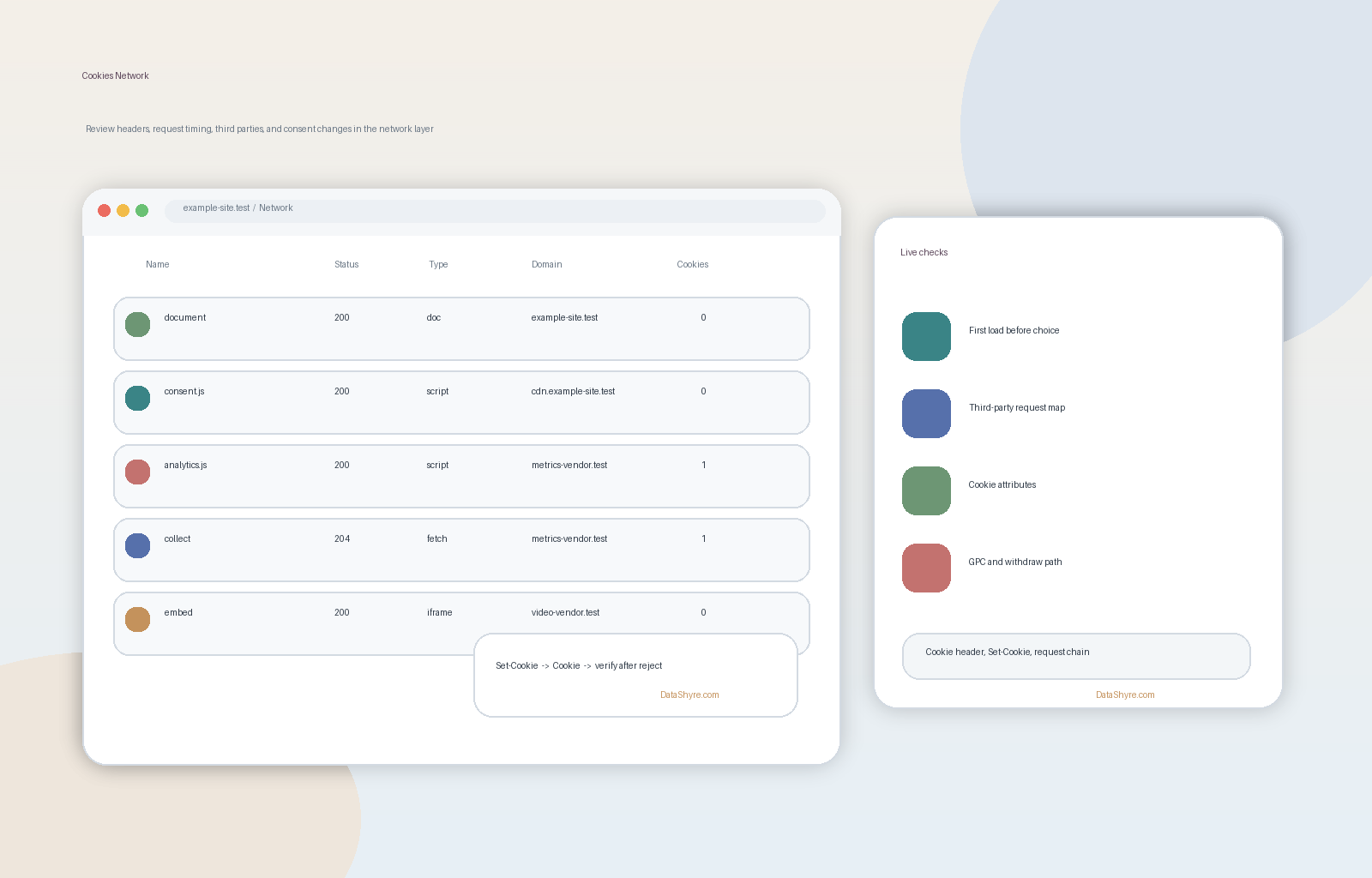
1. Start with the request and response pair
The simplest cookies network mistake is skipping straight to the storage table.
That can miss how the cookie arrived in the first place.
MDN’s current references separate the two sides clearly:
Set-Cookieis the response header used by the server to instruct the browser to store a cookie; andCookieis the request header the browser may later send back to the server.
That means a proper cookies network review starts by asking:
- which response set the cookie;
- what attributes came with it;
- which later request returned it; and
- whether the timing matched what the team intended.
That is often where a bad assumption shows up for the first time.
2. Split the no-choice path from the consented path
This is where cookies network becomes a privacy test instead of a browser lesson.
The FTC’s consumer guidance still says websites may track people with a cookie or pixel even after they leave the site. The ICO’s current PECR guidance still says organizations need “clear and comprehensive information” and generally need consent before using non-exempt storage or access technologies.
So when reviewing cookies network behavior, do not start with the accept path.
Start with:
- first load with no interaction;
- explicit reject;
- explicit accept;
- category-level selection if available; and
- later withdrawal or preference change.
If optional requests, identifiers, or third-party calls appear before a valid choice, the network trace usually exposes that faster than the banner copy does.
3. Map every third party that receives data through the page
Many weak cookies network reviews stop at cookie names.
That is not enough.
Chrome’s DevTools documentation still says you can find third-party cookies in Network > request > Cookies, and its privacy-and-security tooling is designed to surface third-party cookie issues directly. The network view also shows something even more important than the cookie label: who the browser is actually contacting.
That means a practical cookies network review should identify:
- which domains receive requests before any user choice;
- which of those domains set or read identifiers;
- whether the request is necessary, analytics, advertising, embedded media, or support tooling; and
- whether the same vendor reappears after reject or withdrawal.
This is the point where a consent program often stops being theoretical.
4. Inspect cookie attributes, not only names
Another common cookies network problem is focusing only on whether a cookie exists.
The attributes often matter more.
MDN’s current Set-Cookie reference still documents attributes such as Secure, HttpOnly, SameSite, Domain, Path, Max-Age, and Partitioned. Those fields change how broadly a cookie travels and how much abuse or accidental exposure is possible.
So for a real cookies network check, inspect at least:
- whether sensitive cookies are marked
Secure; - whether
HttpOnlyis used where JavaScript access is not needed; - whether
SameSiteis deliberate instead of accidental; - whether scope is broader than necessary; and
- whether the duration fits the real business need.
If the consent layer looks polished but the cookie attributes are sloppy, the implementation is still weak.
5. Remember that the network story is bigger than cookies alone
This is where outdated cookies network advice goes stale.
The ICO’s finalized 2026 guidance says the rules cover cookies, tracking pixels, scripts, tags, web storage, link decoration, and fingerprinting techniques. The FTC’s current consumer guidance makes the same practical point from a different angle by describing cookies, pixels, and device fingerprinting as tracking tools websites and apps use online.
That changes how you read a cookies network trace.
You are not only asking did I see a cookie.
You are also asking:
- what requests fired before consent;
- whether a pixel or script sent data without setting a visible cookie;
- whether local or session storage is carrying similar state;
- whether identifiers are passed in query strings or request bodies; and
- whether the site merely replaced one tracking mechanism with another.
Fewer cookie rows do not automatically mean less tracking.
6. Add the California signal branch where sharing or sale is in scope
For many teams, cookies network work now includes a rights test.
California’s Department of Justice still says businesses must honor a valid Global Privacy Control signal where the law applies and still describes GPC as a “stop selling or sharing my data switch.”
That means the cookies network review should not end with the footer link exists.
It should test whether the network behavior changes after the signal or opt-out request arrives:
- do downstream advertising calls stop;
- do identifiers stop being sent to outside domains;
- do later page loads keep honoring the state;
- do app webviews or logged-in surfaces behave the same way; and
- does the privacy notice match the technical result.
That is a strong place for DataShyre to help because the problem is often in the signal handoff between CMP logic, tag management, and vendor scripts rather than in the notice text itself.
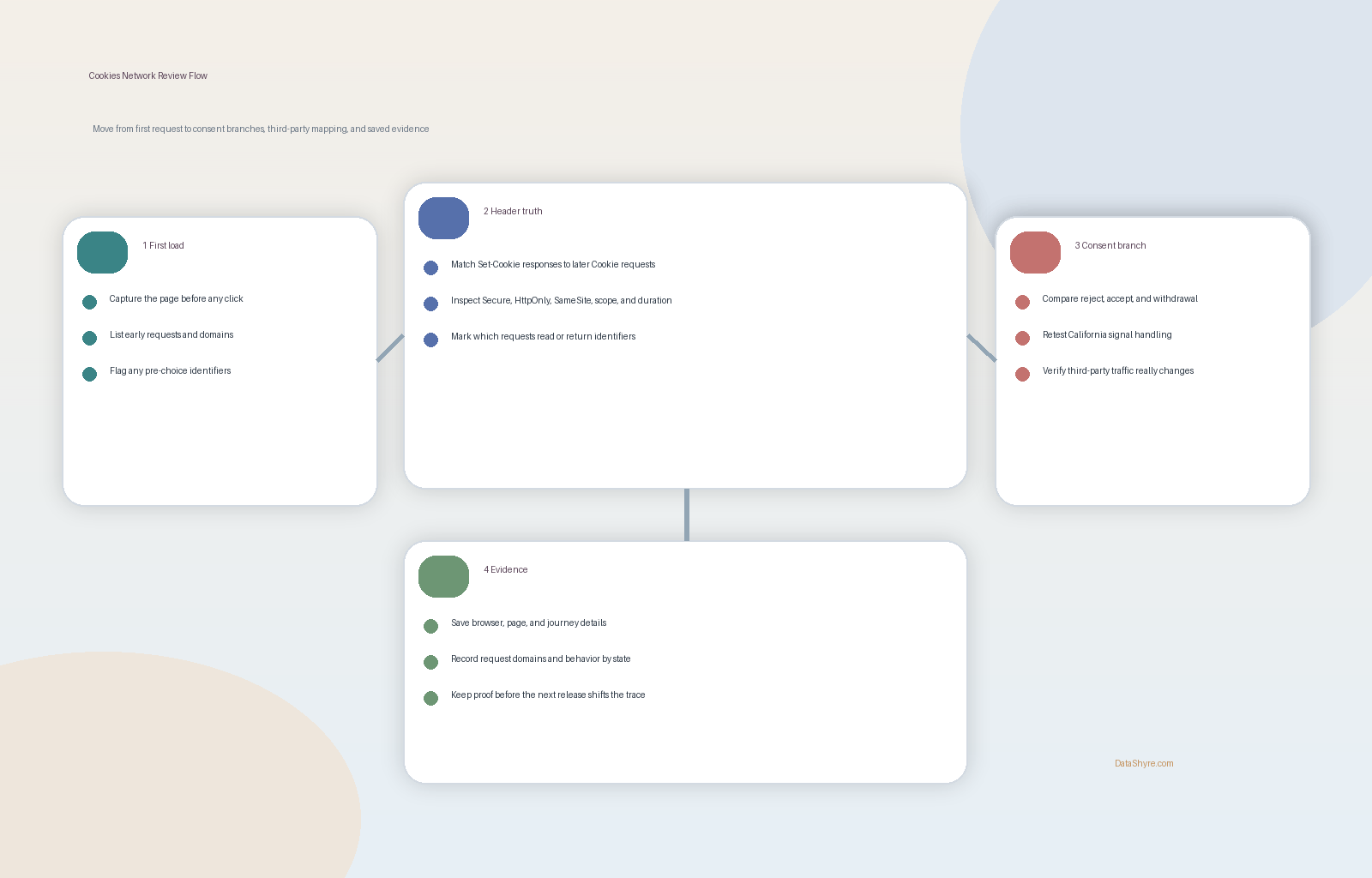
7. Save network evidence before the next release changes the result
The best cookies network review is still only a snapshot.
Chrome’s current Network documentation says exported HAR files are sanitized by default to exclude sensitive headers such as Cookie, Set-Cookie, and Authorization. That is useful for safety, but it also means teams should be deliberate about how they preserve evidence for internal review.
So before calling a cookies network issue fixed, save:
- which browser and mode you tested;
- which page and journey you ran;
- what happened on no-choice, reject, accept, and withdrawal paths;
- which domains received requests in each branch;
- which cookies were set or returned; and
- what policy or consent copy was live at the same time.
That record matters because the next container publish, plugin update, or embedded tool change can alter the network path again.
A practical cookies network review order
If I were auditing cookies network behavior today, I would use this order:
- capture the first page load before any user action;
- identify every
Set-Cookieheader and every returnedCookieheader that matters; - map all third-party requests and their purposes;
- compare no-choice, reject, accept, and withdrawal behavior;
- test for non-cookie tracking paths such as pixels, storage, and script calls;
- add the California GPC or opt-out branch where sharing or sale may exist; and
- save evidence before the next release changes the trace.
That sequence usually tells the truth faster than a banner screenshot or vendor dashboard alone.
FAQ
What does cookies network usually mean?
In real deployments, cookies network usually means the request-level view of cookies: what the server sets with Set-Cookie, what the browser sends back in Cookie, and which requests carry that data to first parties or third parties.
Can I review cookies from the network panel alone?
Not safely. The network panel is one of the best truth sources, but it should be paired with storage inspection, consent-flow testing, and a review of non-cookie tracking methods.
Why does the network trace matter for consent?
Because it shows what actually happened. A banner can promise blocking, refusal, or withdrawal, but the network trace shows whether optional requests and identifiers still fired anyway.
Bottom line
The safest way to think about cookies network in 2026 is not where do I find the cookie list.
It is what does the browser really send and receive, who gets the data, and what changes when the user says no.
If you can answer those questions from live network evidence, your cookie and consent review is much closer to reality.
The fastest way to judge cookies network is to test it the way a broken deployment would expose it: before consent, after consent, and again after a stack change.
Sources
- MDN, Using HTTP cookies: https://developer.mozilla.org/en-US/docs/Web/HTTP/Guides/Cookies
- MDN, Set-Cookie header: https://developer.mozilla.org/en-US/docs/Web/HTTP/Reference/Headers/Set-Cookie
- MDN, Cookie header: https://developer.mozilla.org/en-US/docs/Web/HTTP/Reference/Headers/Cookie
- Chrome for Developers, View, add, edit, and delete cookies: https://developer.chrome.com/docs/devtools/application/cookies
- Chrome for Developers, Network features reference: https://developer.chrome.com/docs/devtools/network/reference
- Chrome for Developers, Privacy and security panel: https://developer.chrome.com/docs/devtools/security
- ICO, Guidance on the use of storage and access technologies: https://ico.org.uk/for-organisations/direct-marketing-and-privacy-and-electronic-communications/guidance-on-the-use-of-storage-and-access-technologies/
- ICO, What are the PECR rules?: https://ico.org.uk/for-organisations/direct-marketing-and-privacy-and-electronic-communications/guidance-on-the-use-of-storage-and-access-technologies/what-are-the-pecr-rules
- California Department of Justice, Global Privacy Control (GPC): https://oag.ca.gov/privacy/ccpa/gpc
- FTC Consumer Advice, How Websites and Apps Collect and Use Your Information: https://consumer.ftc.gov/articles/how-websites-and-apps-collect-and-use-your-information