Cookiebot in 2026: 7 Live Checks Before You Trust the Setup
The real value in cookiebot shows up when you debug it like a live system. A banner can render perfectly and still leak requests, misfire tags, or drift after the next plugin or theme update.
The useful test for cookiebot is whether the live stack behaves correctly before consent, after consent, and after the next deployment. That is how hidden leaks and timing mistakes show up.
That is also where the current official material points. Cookiebot’s own help center still treats scanning, blocking, Google consent mode, withdrawal, and cross-domain consent as separate implementation layers. Google’s current consent-mode guide still says defaults belong in place “before any commands that send measurement data.” CNIL still says rejecting cookies should be “just as easy as accepting them.”
If you want nearby context first, start with these guides to Cookiebot consent management platform, cookie consent management, and website privacy checker. This page stays narrower. It is the cookiebot review I would run this week before trusting a production rollout.
If your team is trying to get cookiebot under control without adding a heavyweight privacy stack, DataShyre can help. DataShyre focuses on consent and preference management that are easier to implement, easier to operate, and easier to trust on a live site. Start with DataShyre’s consent and preference management or book a demo.
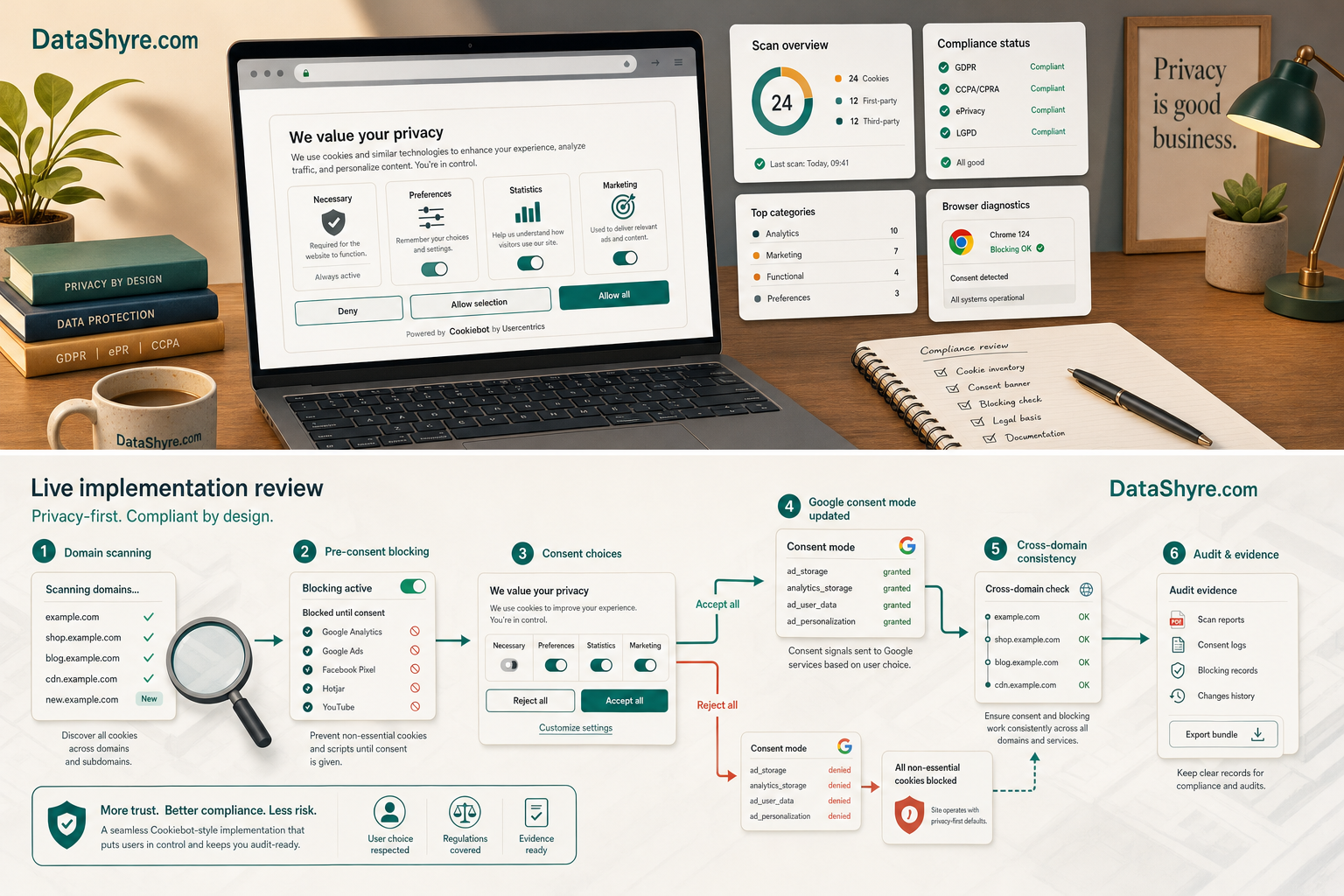
1. Start with the domain group and the scan, not the banner design
The easiest cookiebot mistake is assuming the banner is the product.
It is only the visible edge of the product.
Cookiebot’s current setup guidance still starts with adding your domain, letting the website scan run, checking the report, and classifying anything still unclear. Its scan-report documentation also says the report groups findings into five categories and may need extra rules when cookie names change dynamically.
That matters because a cookiebot deployment is only as good as the inventory it is trying to govern.
Before you approve the live setup, check:
- whether every relevant domain or subdomain is in the right domain group;
- whether the latest scan actually finished;
- whether uncategorized or duplicate-looking items remain;
- whether the cookie declaration still matches the live stack.
If the inventory is stale, the banner text can look polished while the runtime is already drifting.
2. Verify what is blocked before consent, especially if GTM is involved
This is where many cookiebot reviews become too optimistic.
Cookiebot’s current automatic-blocking documentation says the platform blocks all cookies except strictly necessary ones until a user has provided consent. Its scan-report documentation adds an important technical detail: Cookiebot does not literally intercept cookies one by one. It disables the element that sets them until the consent state allows it.
That means the real test is not auto blocking is enabled.
It is:
- what loads before any click;
- which scripts, images, or iframes still bypass the main path;
- whether the implementation is using the expected blocking mode; and
- whether Google Tag Manager introduces its own extra consent logic needs.
If your cookiebot setup relies heavily on GTM, custom embeds, or theme-injected scripts, test those branches directly instead of trusting the settings screen.
3. Make refusal and later withdrawal truly usable
For many sites, this is the fastest practical quality test.
CNIL’s current enforcement notice still says rejecting cookies should be “just as easy as accepting them.” Cookiebot’s current withdrawal guidance says users should be able to change or withdraw consent through the Privacy Trigger or the Cookie Declaration, and its Privacy Trigger documentation says the widget can show the current consent state, consent ID, and options to withdraw or change consent.
So for cookiebot, I would test four separate states:
- first load with no choice yet;
- explicit reject all;
- explicit accept all;
- later change or withdrawal from the visible settings entry point.
If refusal is harder to find, withdrawal is buried, or reopening preferences works on desktop but not on mobile, the implementation is weaker than it looks.
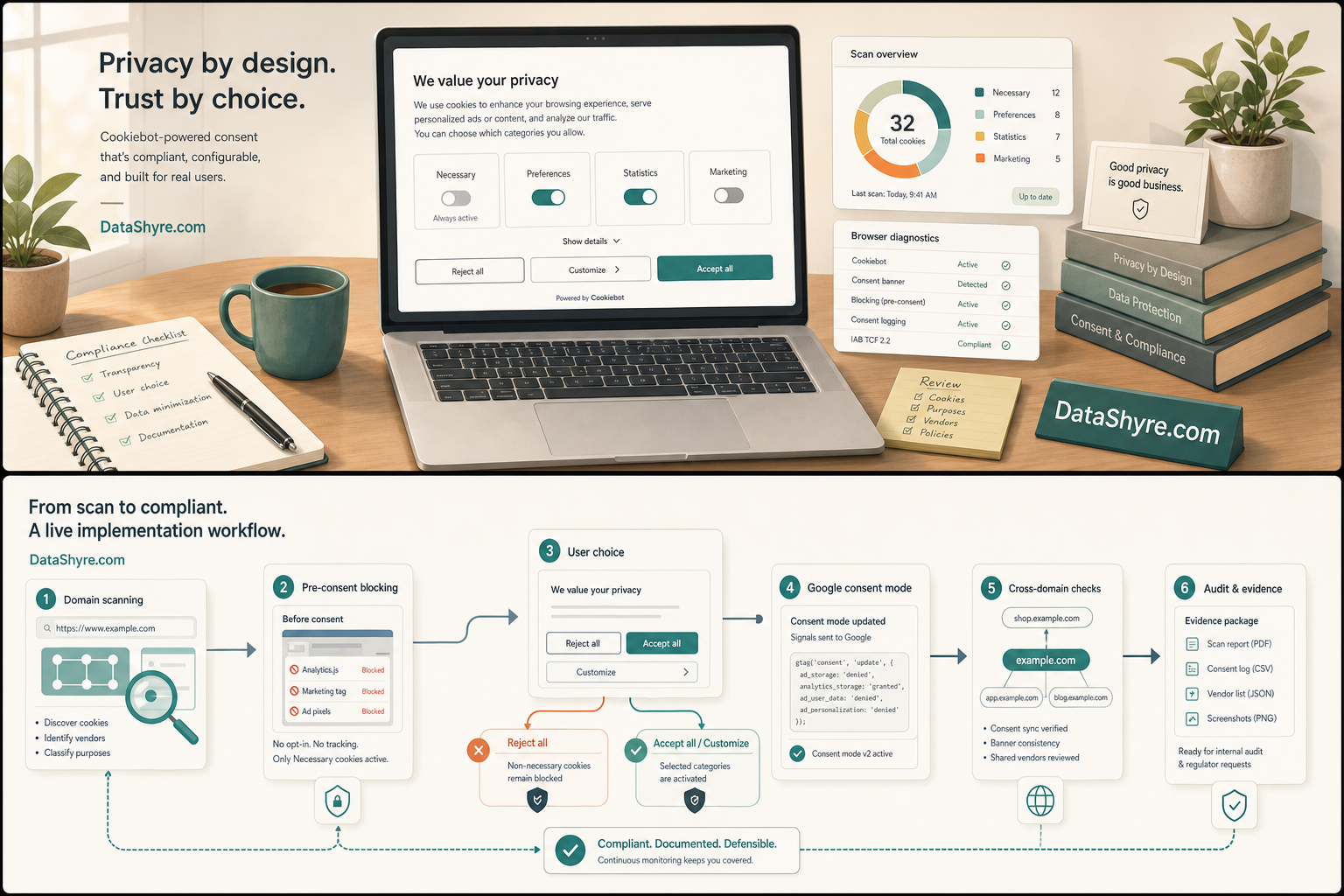
4. Confirm Google Consent Mode timing instead of assuming the integration is fine
This is the highest-value technical check for many cookiebot implementations.
Google’s current setup guide still says the default consent command should run on every page “before any commands that send measurement data” such as config or event. Cookiebot’s current consent-mode materials also point teams to test whether Google’s consent state is actually implemented and behaving as expected.
For a real cookiebot review, verify:
- the default denied or granted state on a clean visit;
- the update immediately after the user acts;
- whether the update lands on the same page before navigation changes the state;
- whether analytics and ad tags behave according to that state.
This matters because a banner can be visible and still be late.
5. Treat the Cookie Declaration and consent log as evidence tools, not decorations
Good cookiebot work is not only about collecting a choice. It is also about being able to explain what happened later.
Cookiebot’s current help says the Cookie Declaration can be placed on a separate page or embedded in an existing privacy policy, and that it includes the ability to change or withdraw consent. Its consent-log guidance says Cookiebot automatically records user consents and lets account owners download the user consent log from the account interface. The logging article also points to a broader expectation: it is not enough to refer only to a theoretically correct configuration.
So I would check whether the team can actually retrieve:
- what categories were presented;
- what the person selected;
- when the consent was recorded;
- what declaration or interface was in place at the time.
If your cookiebot setup produces a banner but not reusable proof, you have a UX layer without a durable evidence layer.
6. Test cross-domain consent sharing as a browser-limited branch
This is a branch a lot of teams misunderstand.
Cookiebot’s current cross-domain documentation says visitors are asked for consent separately on each domain by default, but cross-domain consent sharing can apply one consent across domains in the same domain group. The same documentation also says newer Chromium storage partitioning limits how broadly that sharing can work, and that browser settings or category choices can stop the carry-over from happening.
That means cookiebot cross-domain behavior should be treated as a live browser test, not a checkbox you assume always works.
Check:
- which domains are grouped together;
- whether the visitor is told their consent applies across multiple domains;
- whether the relevant browser actually preserves the sharing path;
- what happens after withdrawal.
For multi-site organizations, this is one of the most important places to verify the live behavior instead of the admin intent.
7. Re-test after site changes instead of trusting the launch state
The biggest long-term cookiebot risk is drift.
Cookiebot’s own materials separate scanning, blocking, Google consent mode, and withdrawal because each one can break independently. That means you should re-run the review after:
- a GTM publish;
- a new plugin or embed;
- a theme or template change that affects script order;
- a new marketing or analytics vendor;
- a domain-group or geo-targeting change.
If you were reviewing cookiebot this week, I would do it in this order:
- confirm the right domains and scan results;
- inspect the no-choice state;
- test reject, accept, and later withdrawal;
- verify Google consent timing;
- test any cross-domain behavior;
- export proof before the next release changes the result.
That order usually surfaces the real problem faster than more banner styling work.
FAQ
Is Cookiebot enough by itself to make a site compliant?
No. Cookiebot can help manage consent, blocking, declarations, and records, but the live site still needs the right regional logic, correct disclosures, and runtime behavior that actually matches the user’s choice.
Does Cookiebot automatically block everything before consent?
Not by magic. Cookiebot’s current materials say blocking depends on how the site elements are implemented and categorized. GTM, custom scripts, embeds, and theme-level code still need live testing.
Should I embed the Cookie Declaration in the privacy policy?
Often yes. Cookiebot’s current guidance says the declaration can be added as a separate page or embedded into an existing privacy policy. The right choice depends on how your site organizes disclosures, but the declaration should be easy for users to find later.
Bottom line
The strongest cookiebot setup in 2026 is not the one with the nicest banner preview.
It is the one that scans the right domains, blocks optional technologies before choice, makes rejection and withdrawal genuinely usable, updates Google in time, behaves predictably across domains, and leaves behind proof another person can still verify.
The fastest way to judge cookiebot is to test it the way a broken deployment would expose it: before consent, after consent, and again after a stack change.
Sources
- Cookiebot, How to use Cookiebot CMP on your website: https://www.cookiebot.com/en/help/
- Cookiebot Support, Understanding the scan report: https://support.cookiebot.com/hc/en-us/articles/5007079527580-Understanding-the-scan-report
- Cookiebot Support, Automatic cookie blocking: https://support.cookiebot.com/hc/en-us/articles/360009074960-Automatic-cookie-blocking
- Cookiebot Support, Changing or withdrawing consent: https://support.cookiebot.com/hc/en-us/articles/360003798814-Changing-or-withdrawing-consent
- Cookiebot Support, The Cookiebot CMP Privacy trigger (Cookiebot Admin): https://support.cookiebot.com/hc/en-us/articles/4406571299346-The-Cookiebot-CMP-Privacy-trigger-Cookiebot-Admin
- Cookiebot Support, What is included in the Cookie Declaration? (Cookiebot Admin): https://support.cookiebot.com/hc/en-us/articles/360004374474-What-is-included-in-the-Cookie-Declaration-Cookiebot-Admin
- Cookiebot Support, Where can I find the consent log?: https://support.cookiebot.com/hc/en-us/articles/360003782734-Where-can-I-find-the-consent-log
- Cookiebot Support, Logging and demonstration of user consents: https://support.cookiebot.com/hc/en-us/articles/360003782654-Logging-and-demonstration-of-user-consents
- Cookiebot Support, Cross-domain Consent Sharing in the Cookiebot Admin: https://support.cookiebot.com/hc/en-us/articles/360003792573-Cross-domain-Consent-Sharing-in-the-Cookiebot-Admin
- Google for Developers, Set up consent mode on websites: https://developers.google.com/tag-platform/security/guides/consent
- CNIL, Dark Patterns in Cookie Banners: CNIL issues formal notice to website publishers: https://www.cnil.fr/en/dark-patterns-cookie-banners-cnil-issues-formal-notice-website-publishers